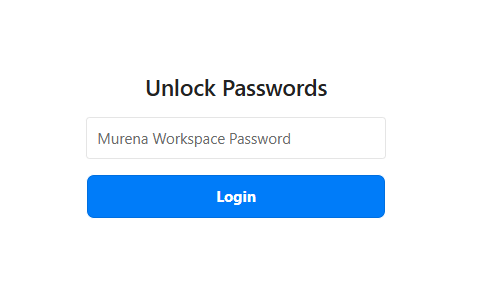
I have been using Nextcloud through the Murena.io service for the past four years. Recently, whenever I use the Passwords app, I am asked to re-authenticate using the same password as my Nextcloud account before I can access my passwords.
This re-authentication is required on the web interface, on my Android client, and in the Passwords browser extensions.
I do not know where or how this feature was enabled, but I do not want to be required to re-authenticate every time I use the Passwords service.
Could you please tell me how to disable this behavior and stop the password-based unlocking requirement? Thank you.
Murena seems to have made End-to-End encryption mandatory. With that, the apps, extensions and web ui will always have to ask for your encryption passphrase.
They seem to be running their own patched version of the app and it seems to force E2EE setup once you open the web ui. So i don’t think there is any way around that.
Using E2EE is certainly recommended when you don’t host the app yourself.
Thank you for your feedback. However, until now it worked without me having to re-authenticate each time. It seems that since installing my Nextcloud Password plugin in a new browser, I’ve either changed or triggered this activation. In the interface, under the security settings, I do have the encryption option, but it’s not active.
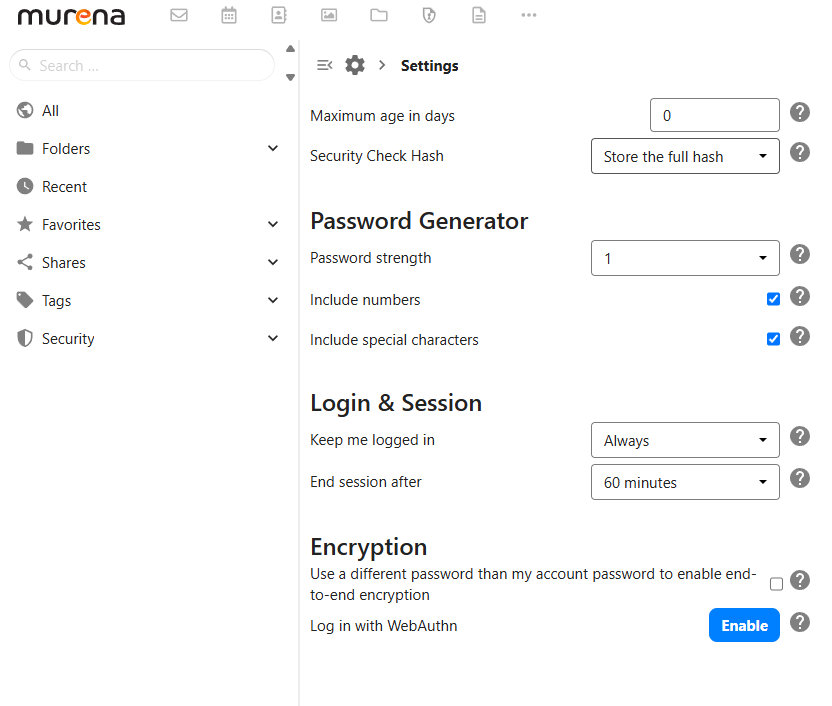
Again, Murena added a mandatory dialog that shows when you open the web ui. If you opened the web ui when you connected a new browser client and entered your workspace password as they asked you to, they activated the End-to-End encryption with it. From then on, you have to enter the passphrase every time you log in.
The encryption options in your settings are active. They added their own option to use a different password. But it is active.
And you have the option to “Log in with WebAuthn”. Enabling this will save the encryption passphrase in your browser and attempt to log you in automatically when using the web ui.
If you want to reduce the amount of times you have to enter your passphrase in the browser extension, open the extension settings by right clicking on the icon and choosing “Options”.
Then click on your Murena account and there should be an automatic logout setting that you can set to “never”. Then it should (try to) remember your encryption passphrase as long as the browser is open and the pc is on (not in energy saving mode).
If this started recently without you changing any settings, it may be due to a server-side policy or a Passwords app update rather than something you enabled yourself.
On managed providers like Murena, some security settings can be enforced by the administrator, so there may not be a user option to disable the extra authentication.
I’d check whether the behavior is the same in a private/incognito browser and on another device. If it happens everywhere (web, Android, and the browser extension), that points more toward an account or server configuration than a client issue.
If you’re using Murena’s hosted service, it may also be worth asking their support whether they’ve recently enabled mandatory password confirmation for the Passwords app.