Why does spreedbackend still refuse to start its HTTPS listener even though valid cert/key files are mounted and readable at /config/fullchain.pem and /config/privkey.pem?
Is there a known issue with using Let’s Encrypt archive files directly, or does the signaling server require a combined PEM format (cert + key in one file)? Any guidance on the correct way to mount Let’s Encrypt certs into the spreedbackend container would be appreciated.
tup:
Running Nextcloud Talk with the High Performance Backend (HPB) using Docker Compose.
Services: spreedbackend, nats, janus, coturn.
Apache is configured as reverse proxy on eternity.crimson.wales with ProxyPass /spreed ws://127.0.0.1:8080/spreed.
Problem:
Apache is working fine (TLS handshake succeeds, proxy rules are correct).
But requests to /spreed return 503 Service Unavailable.
Logs from spreedbackend show:
Code
Need a certificate and key for the HTTPS listener
No “Listening on 0.0.0.0:8080” line appears in logs, and ss -tlnp | grep 8080 shows nothing bound.
Hello, how is the docker container configured? Did you bridge the host port to the port of the container or what network is the container using? Seems like you are proxying to the host port without any connection to the container which is running the service. And why are you running the signaling service in ssl mode? Shouldn’t the proxy take care of the encryption? Bzw.: You are proxying to a ws: adress which is NOT an encrypted wss: so the proxy tries to proxy without ssl..
Thanks for the pointers. To clarify how I’ve got things set up:
Networking: I originally used network_mode: host, but I’ve now switched to an explicit port mapping (8080:8080). I can see docker-proxy listening on the host, so Apache can reach the container.
SSL termination: You’re right — the backend doesn’t need to run in SSL mode. I’ve removed the cert/key from the signaling config and left it listening plain on port 8080. Apache is handling TLS on 443.
and proxy_wstunnel is enabled so WebSocket upgrades should work.
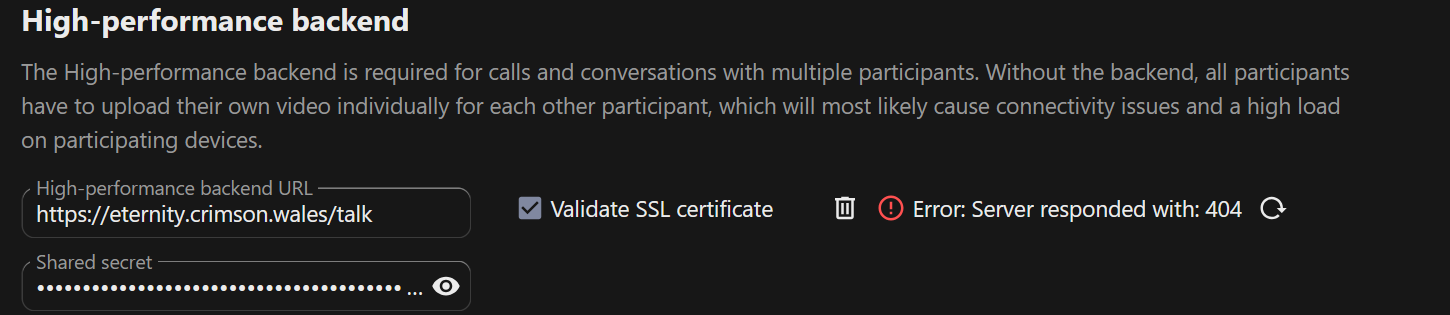
HPBE URL: In Nextcloud Talk settings I’ve set the HPBE URL to
Code
https://eternity.crimson.wales/spreed
(public HTTPS, not ssl://…:8080). That way browsers connect securely to Apache, which forwards to the backend over plain WS.
At this point the backend is definitely listening, but I’m still seeing errors in Nextcloud’s logs when it tries to connect. The error is about stream_socket_client() failing crypto, which I think was caused by pointing Nextcloud at ssl://…:8080 before. With the corrected URL it should be hitting Apache on 443 instead.
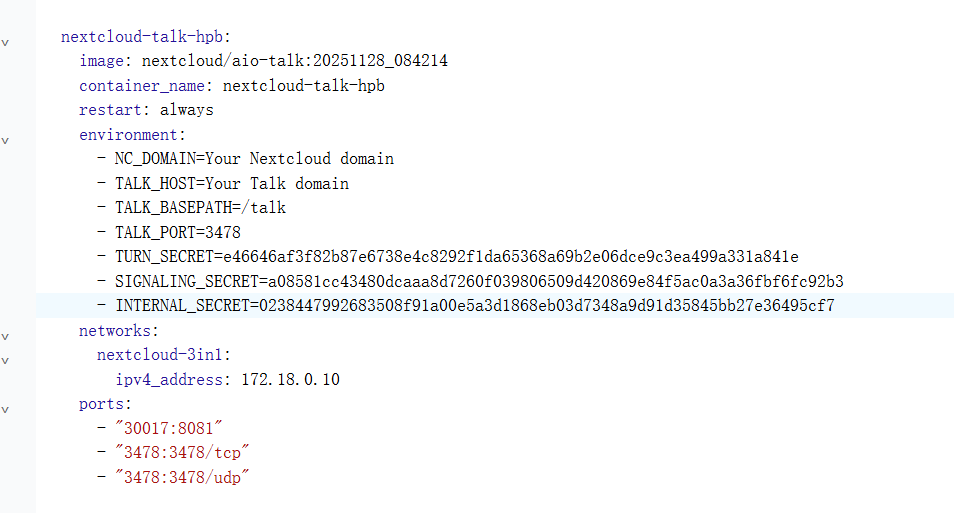
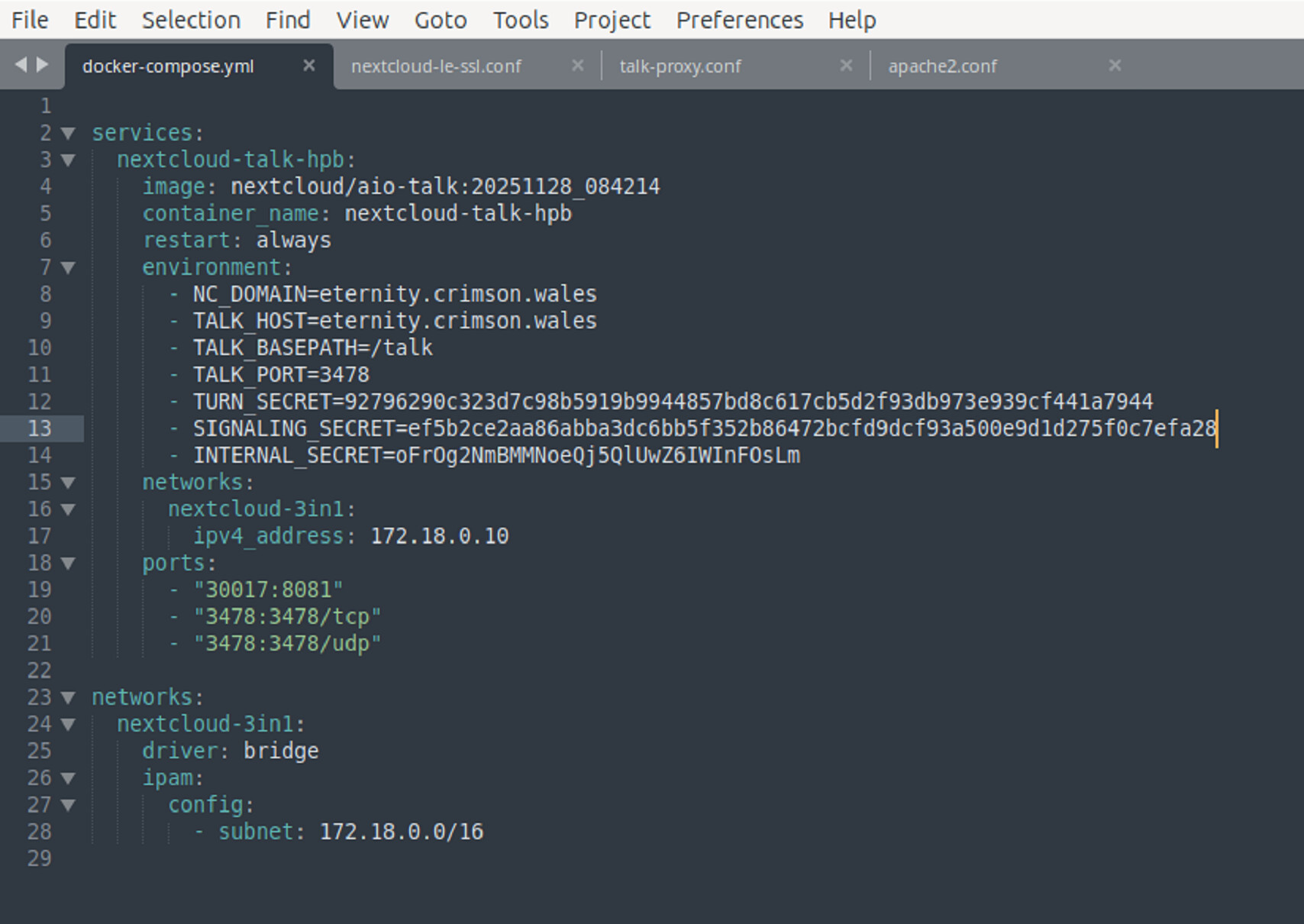
Hello, did you use the nextcloud/aio-talk image for your configuration? If so, I can share my compose parameters with you for reference; everything is working fine for me now.
thanks for offering! I don’t think we used the nextcloud/aio-talk image in our setup, but I’m definitely open to trying it if it makes things smoother. To be honest, I’ve been leaning on AI guidance to get this working, but it hasn’t quite solved the puzzle yet. I’d really appreciate seeing your compose parameters since you’ve got it running fine — it might help me spot what I’ve been missing.
Then, for the reverse proxy parameters:
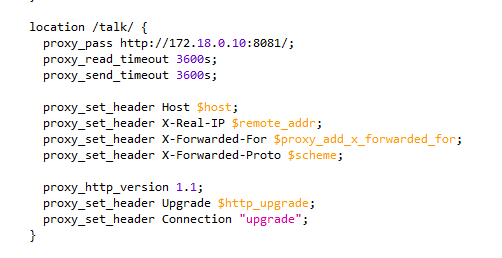
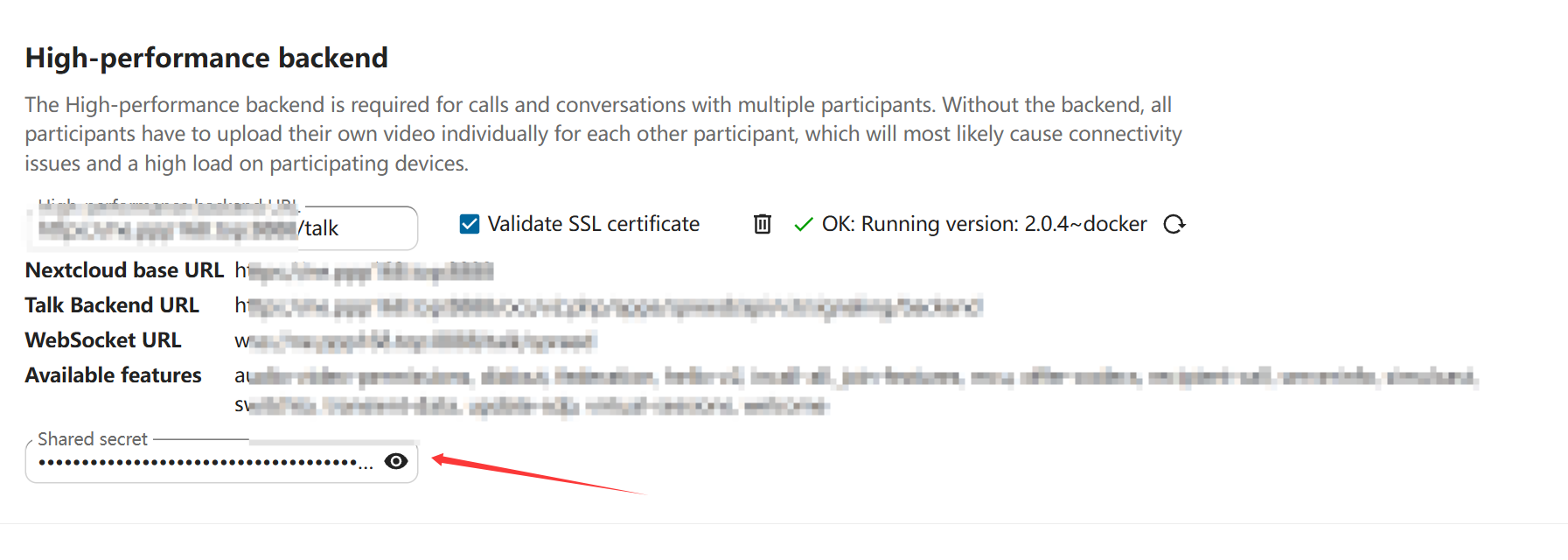
Since my Nginx container and Nextcloud container are on the same Docker network, I entered the Docker IP address, which is 172.18.0.10. I then configured Talk to be accessible through Nextcloud; for example, if my Nextcloud domain is ne.nextcloud.com:8888, then Talk can be accessed at ne.nextcloud.com:8888/talk.
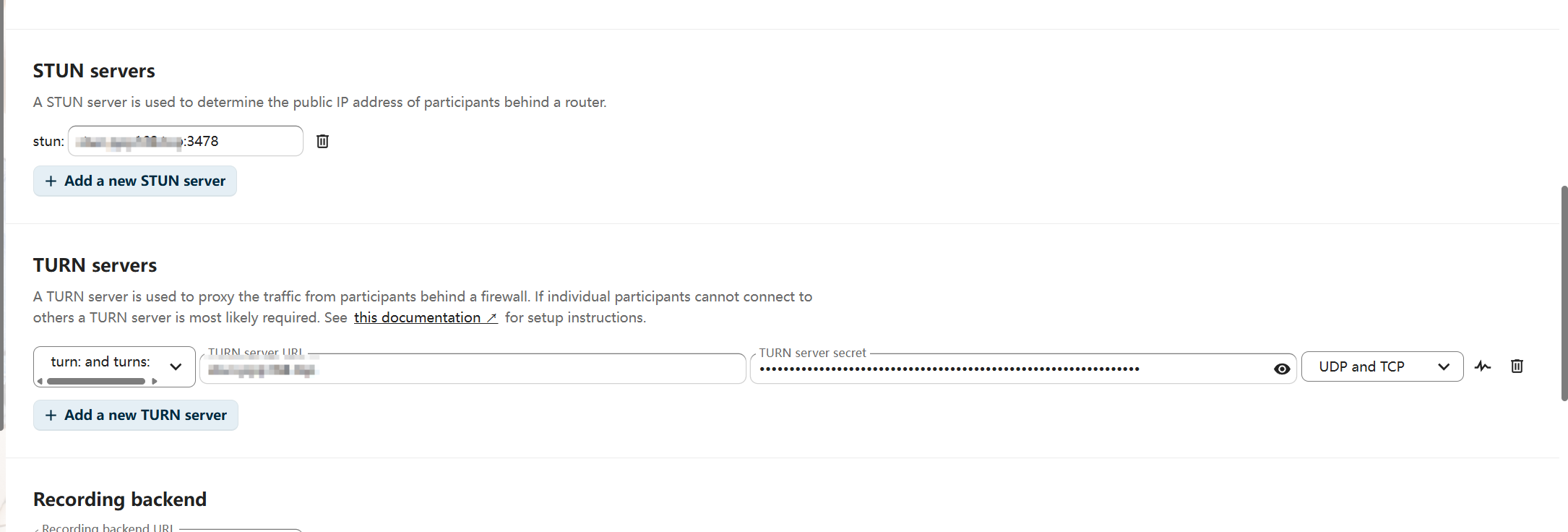
For STUN servers, enter your domain name followed by +3478. Remember to map port 3478.
For TURN servers, enter “turn and turns” followed by your domain name. Do not include +3478 port here. The key is - TURN_SECRET UDP and TCP.
Hi scubamuc. I think you’re a very meticulous person. Could you perhaps offer some feedback on my entire NextCloud Compose configuration, specifically the parameters I’ll upload them later.
@Ok_Know, thanks for the kind words, but no, I’m not very familiar with Docker, I’m a snap user myself. so my feedback on Docker will certainly not be any assurance.
your system seems to be working though. refrain from unnecessary tweaks and keep it simple.
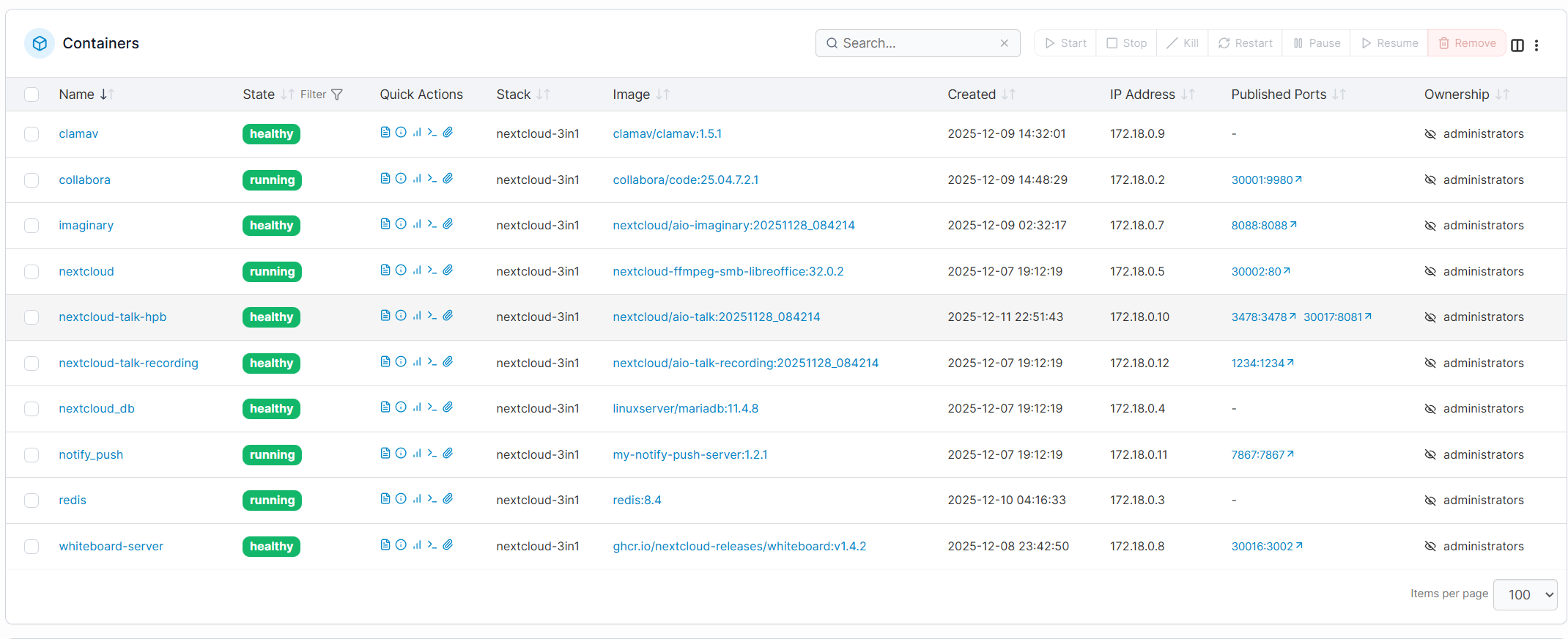
You don’t have to copy my configuration exactly. I defined a network called nextcloud-3in1, and the fixed IP address only exists within this network.You should put the high-performance backend and NextCloud on the same Docker network, instead of following my configuration for everything.
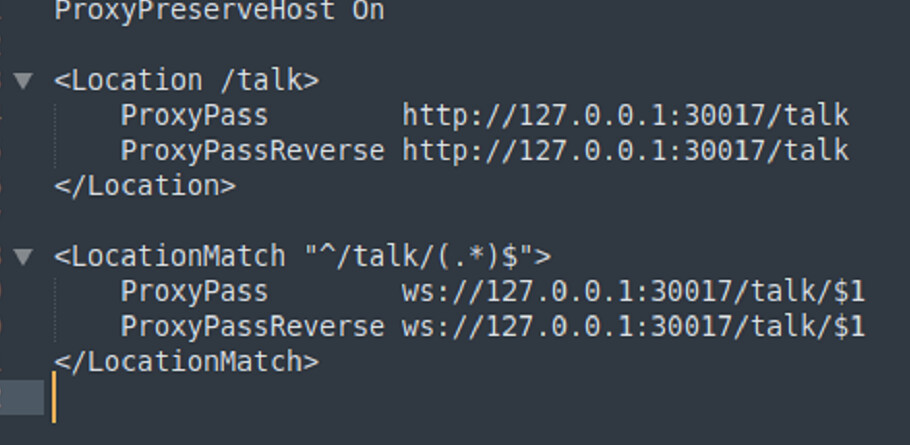
Because my nginx container is also on this network, my reverse proxy can be directly set using proxy_pass ``http://172.18.0.10:8081/. If it’s not on the same network, enter your host machine’s IP address and port, for example, http://192.168.1.201:30017/; where 192.168.1.201 is my host machine’s IP address.
Below are all the parameters for my reverse proxy. Please fill in your own domain name and port.