Hello Nextcloud-Community,
i am trying to setup Nextcloud AIO on my Ubuntu Server which is running in my private local network. I installes everything and started the docker container as described in the documentation. Then i opened the browser at https://localhost:8080 and the netxcloud setup interface is appering. After I entered the nextcloud password it redirects me to the next setup page. On this page it wants me to enter the domain for my nextcloud instance. I tried to use my local ip address 192.168.0.44 or evene the name of my computer but it does not take these values. What should I enter here ? I dont have a domain since i am running everything just in my local network. Can someone help me how to get further with the setup? Please take a look at the picture I have uploaded.
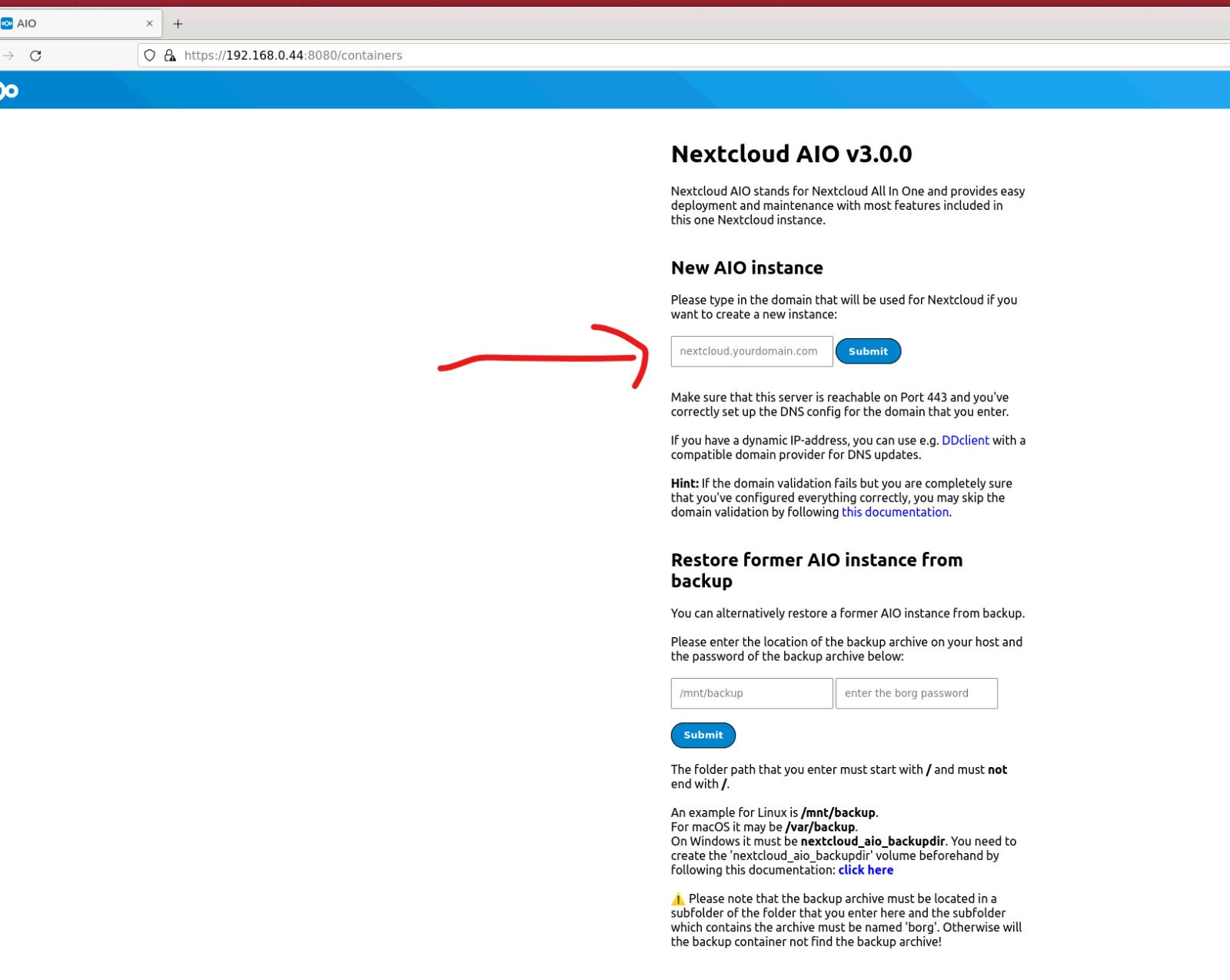
It doesn’t want an IP address or machine name. It wants a domain.
Domains are cheap, so you should consider getting one. But you can also use a DDNS domain, or if it’s strictly LAN use, you can make one up, as long as you provide DNS service for it.
This topic was automatically closed 90 days after the last reply. New replies are no longer allowed.