I had my Nextcloud setup running a couple of years ago — using a DuckDNS domain with Nginx and Pi-hole — and everything worked fine. Now I’m trying to start fresh, but I’ve forgotten the exact steps I should follow.
I wiped my old setup (deleted container, database, and html data) and recreated the containers, this time using the Nextcloud Docker image with PHP-FPM (v32). My Nginx config hasn’t changed, but now I’m getting a 502 Bad Gateway and can’t access the Nextcloud setup page. I also noticed that the config.php file is empty, which I assume is because initialization hasn’t happened yet.
Do I need to create my own config.php file with my DuckDNS address in it, or is there a proper way to trigger the initialization?
You generally should not need to create config.php by hand just to start a fresh Nextcloud install.
In a normal Docker PHP-FPM setup, config.php is populated when the installer actually runs. If you are getting a 502 before you can even reach the setup page, that usually means Nginx is not successfully talking to the PHP-FPM container yet, so the installer never gets a chance to initialize anything. Your post already suggests that sequence: fresh PHP-FPM image, 502 from Nginx, and an empty config.php. (help.nextcloud.com)
So I would check these first:
whether the Nginx fastcgi_pass target matches the actual PHP-FPM service/container name and port
whether both containers are on the same Docker network
whether the Nginx container can resolve and reach the PHP-FPM container
whether the mounted Nextcloud app files / volumes are aligned correctly between Nginx and the app container
PHP-FPM container logs and Nginx error logs
If it helps as a reference, I put together a community Docker stack here:
https://github.com/iamjavadali/nextcloudpi
The nextcloud/ service in that repo is a separated Nextcloud FPM + Nginx + MariaDB + Redis + Cron setup, so it may be useful to compare service naming, container layout, and Compose structure against your current deployment. The repo README describes each service as self-contained with its own docker-compose.yml and .env file. It is a community project, not an official Nextcloud / NextcloudPi release. (github.com)
So the short version is:
no, I would not start by manually creating config.php
I would fix the FPM ↔ Nginx path first
if useful, compare against a working Compose layout like the repo above
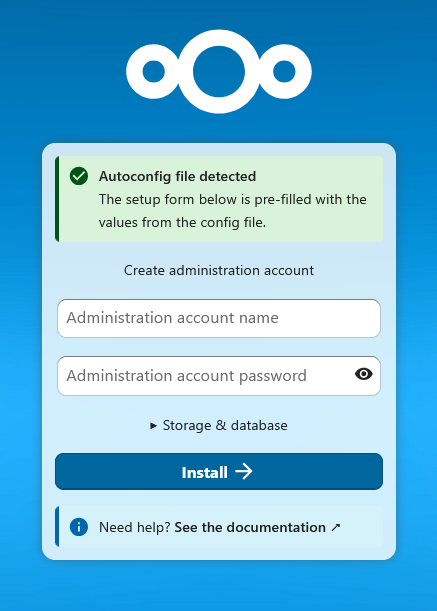
I have no idea what happened, but it fixed itself lol. Maybe all I need is to wait and restart a few times. I can see the initialization page now. Thank you all for the information. I’ll check my setup.