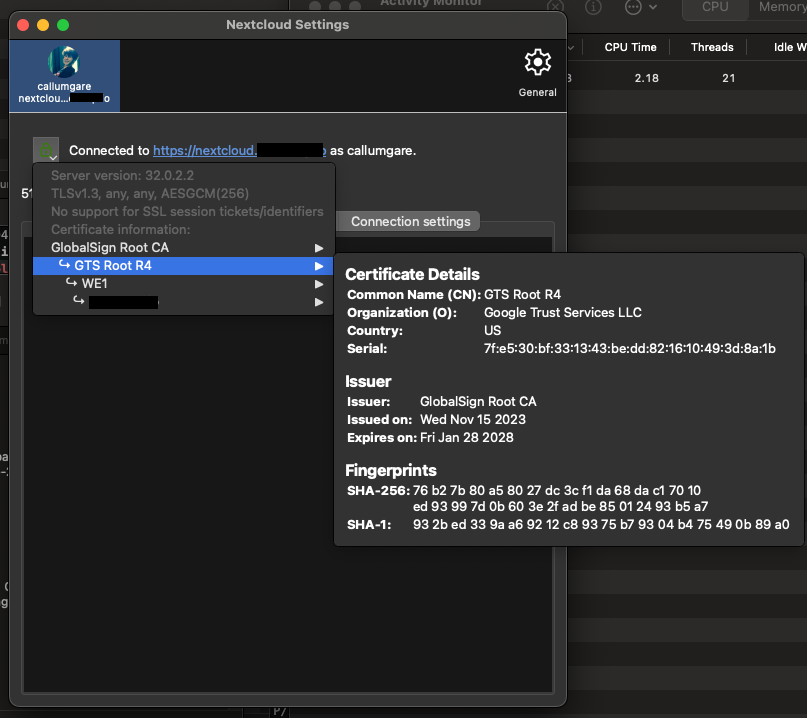
"Failed to connect to Nextcloud" when attempting to sign in on the macOS VFS client

After trying my best to delete all existing nextcloud config on my client computer and downloading and installing a fresh copy of the macOS VFS client (version 4.0.2) I get a “Failed to connect to the secure server address” when typing in the address and clicking next:
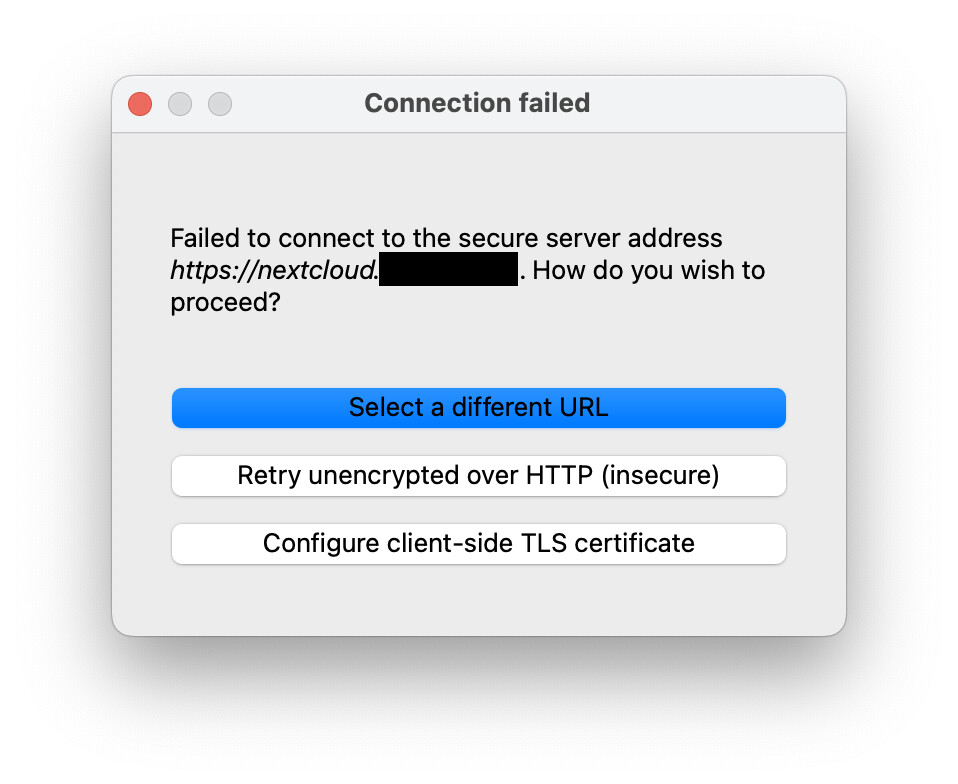
I have the nextcloud server running in a docker (version 32.0.2) in front of a traefik reverse proxy which provides a Let’s Encrypt cert. I can access it find in a web browser and running openssl s_client -connect nextcloud.xxxxxxx:443 -servername nextcloud.xxxxxx -verify_return_error gives me Verification: OK.

I have a split dns setup where the nextcloud domain inside my home network will resolve to an internal IP of the machine hosting the nextcloud server which means it responds with the Let’s Encrypt cert. But accessed outside the network it will resolve to cloudfront instead with a cloudfront cert. Not sure if having different certs in different situations is confusing it. Both certs are fully valid.

Because I can’t sign in I can’t access the client’s settings to turn on logging but I did take a look in Console.app to see if there was anything helpful there. Nothing stands out to me though, these are the only things I noticed:

  • A lot of this message from trustd: ”Entitlement com.apple.security.application-groups=(“com.nextcloud.desktopclient”) is ignored because of invalid application signature or incorrect provisioning profile”
  • This message from Nextcloud seems like it might be related but not that helpful: “Trust evaluate failure: [leaf TemporalValidity]”
  • A few messages from Nextcloud indicating that it’s trying to connect to the domain (“boringssl_context_info_handler(2380) [C1.1.1.1:2][0x108d6c2c0] Client handshake done”) which seem to go okay (“Connection 1: connected successfully”

I’ve stuck the full logs here: nextcloud logs from console.app · GitHub

Output of `occ config:list system`

(sorry not sure why pasting this in is removing indentation)

{
“system”: {
“instanceid”: “REMOVED SENSITIVE VALUE”,
“passwordsalt”: “REMOVED SENSITIVE VALUE”,
“secret”: “REMOVED SENSITIVE VALUE”,
“trusted_domains”: [
“nextcloud.xxxxxx”,
“nextcloud”
],
“datadirectory”: “REMOVED SENSITIVE VALUE”,
“dbtype”: “mysql”,
“version”: “32.0.2.2”,
“dbhost”: “REMOVED SENSITIVE VALUE”,
“dbname”: “REMOVED SENSITIVE VALUE”,
“dbuser”: “REMOVED SENSITIVE VALUE”,
“dbpassword”: “REMOVED SENSITIVE VALUE”,
“dbtableprefix”: “oc_”,
“installed”: true,
“default_locale”: “en_AU”,
“default_phone_region”: “AU”,
“loglevel”: 1,
“overwriteprotocol”: “https”,
“overwrite.cli.url”: “https://nextcloud.xxxxxxx”,
“defaultapp”: “apporder”,
“maintenance”: false,
“maintenance_window_start”: 15,
“mysql.utf8mb4”: true,
“theme”: “”,
“mail_from_address”: “REMOVED SENSITIVE VALUE”,
“mail_smtpmode”: “smtp”,
“mail_sendmailmode”: “smtp”,
“mail_domain”: “REMOVED SENSITIVE VALUE”,
“mail_smtpauth”: 1,
“mail_smtpauthtype”: “LOGIN”,
“mail_smtphost”: “REMOVED SENSITIVE VALUE”,
“mail_smtpport”: “25”,
“mail_smtpname”: “REMOVED SENSITIVE VALUE”,
“mail_smtppassword”: “REMOVED SENSITIVE VALUE”,
“apps_paths”: [
{
“path”: “/var/www/html/apps”,
“url”: “/apps”,
“writable”: false
},
{
“path”: “/var/www/html/custom_apps”,
“url”: “/custom_apps”,
“writable”: true
}
],
“memcache.local”: “\OC\Memcache\APCu”,
“memcache.distributed”: “\OC\Memcache\Redis”,
“redis”: {
“host”: “REMOVED SENSITIVE VALUE”,
“password”: “REMOVED SENSITIVE VALUE”,
“port”: 6379
},
“trusted_proxies”: “REMOVED SENSITIVE VALUE”,
“memcache.locking”: “\OC\Memcache\Redis”,
“htaccess.RewriteBase”: “/”,
“upgrade.disable-web”: true,
“app_install_overwrite”: [
“unsplash”
]
}
}

Output of `occ app:list`

(sorry not sure why pasting this in is removing indentation)

Enabled:

  • activity: 5.0.0-dev.0
  • bruteforcesettings: 5.0.0-dev.0
  • circles: 32.0.0
  • cloud_federation_api: 1.16.0
  • comments: 1.22.0
  • contactsinteraction: 1.13.1
  • dav: 1.34.2
  • federatedfilesharing: 1.22.0
  • federation: 1.22.0
  • files: 2.4.0
  • files_downloadlimit: 5.0.0-dev.0
  • files_external: 1.24.0
  • files_pdfviewer: 5.0.0-dev.0
  • files_reminders: 1.5.0
  • files_sharing: 1.24.1
  • files_trashbin: 1.22.0
  • files_versions: 1.25.0
  • firstrunwizard: 5.0.0-dev.0
  • logreader: 5.0.0-dev.0
  • lookup_server_connector: 1.20.0
  • nextcloud_announcements: 4.0.0-dev.0
  • notifications: 5.0.0-dev.0
  • notify_push: 1.2.1
  • oauth2: 1.20.0
  • password_policy: 4.0.0-dev.0
  • photos: 5.0.0-dev.1
  • privacy: 4.0.0-dev.0
  • profile: 1.1.0
  • provisioning_api: 1.22.0
  • recognize: 10.0.6
  • recommendations: 5.0.0-dev.0
  • related_resources: 3.0.0-dev.0
  • serverinfo: 4.0.0-dev.0
  • settings: 1.15.1
  • sharebymail: 1.22.0
  • support: 4.0.0-dev.0
  • survey_client: 4.0.0-dev.0
  • suspicious_login: 10.0.0-dev.0
  • systemtags: 1.22.0
  • text: 6.0.1
  • theming: 2.7.0
  • twofactor_backupcodes: 1.21.0
  • updatenotification: 1.22.0
  • user_status: 1.12.0
  • viewer: 5.0.0-dev.0
  • weather_status: 1.12.0
  • webhook_listeners: 1.3.0
  • workflowengine: 2.14.0
    Disabled:
  • admin_audit: 1.22.0
  • app_api: 32.0.0 (installed 32.0.0)
  • apporder: 0.15.0 (installed 0.15.0)
  • dashboard: 7.12.0 (installed 7.5.0)
  • encryption: 2.20.0
  • files_rightclick: 0.15.1 (installed 1.6.0)
  • files_snapshots: 1.0.13 (installed 1.0.13)
  • files_texteditor: 2.15.1 (installed 2.15.1)
  • twofactor_nextcloud_notification: 6.0.0-dev.0
  • twofactor_totp: 14.0.0
  • unsplash: 3.1.0 (installed 3.1.0)
  • user_ldap: 1.23.0

Any suggests to point me in the right direction are much appreciated. Thanks!
What appears in your Traefik log when the client tries to connect/authenticate?

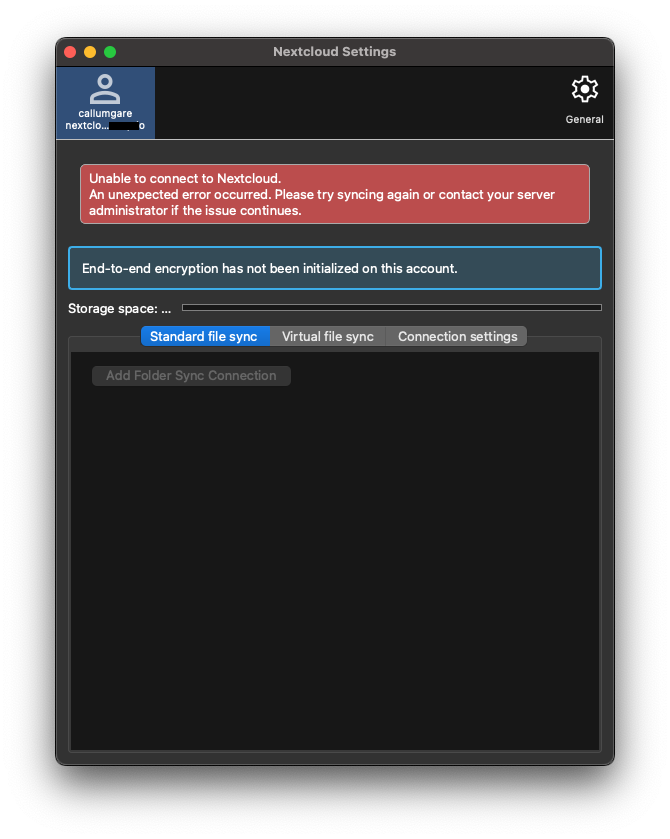
A very good question. I went to login again of course this time I didn’t get the error but instead got the browser page to authenticate. I still had my suspicions though so quit the nextcloud client app, teathered to my phone’s internet so that I would be outside my lan and thus get the cloudfront ip for my nextcloud instance and opened the client again. It still let me sign in so I did that and it seemed to be working okay. I could restart the client app and it would still connect okay. But as soon as I stopped tethering, connected back to wifi and relaunched the client I got this error:


And if I tether and restart the client again it works again:

Interestingly when tethered I get all the requests in the traefik log that you’d expect (like a request for “/ocs/v2.php/apps/activity/api/v2/activity?previews=true&since=0&limit=50&format=json”) but when connected via the lan I get zero requests so I’m not sure if it’s freaked out by the ip change before it even makes a request or if it starts to make a request and aborts when it realises the cert differs and traefik doesn’t log that.

Now that I’ve logged in I can get to the setting screen and export a debug log. Looking in the log this seems to be the issue (the logs where I’m teathered show the reqeust is sucessful):slight_smile:

Logs:
2025-12-03 18:32:08:429 [ info nextcloud.sync.accessmanager /Volumes/builds/35374/macos-35374/src/libsync/accessmanager.cpp:72 ]:   2 "" "https://nextcloud.xxxxxxx/index.php/204" has X-Request-ID "8a830b14-b60f-4e79-85a1-01c4c1e264c9"

2025-12-03 18:32:08:429 [ info nextcloud.sync.networkjob /Volumes/builds/35374/macos-35374/src/libsync/abstractnetworkjob.cpp:368 ]:    OCC::CheckRedirectCostFreeUrlJob created for "https://nextcloud.xxxxxxx" + "status.php" "OCC::ConnectionValidator"

2025-12-03 18:32:08:436 [ info nextcloud.sync.credentials.webflow /Volumes/builds/35374/macos-35374/src/gui/creds/webflowcredentials.cpp:411 ]: request finished QUrl("https://nextcloud.xxxxxxx/index.php/204") with request id "8a830b14-b60f-4e79-85a1-01c4c1e264c9"

2025-12-03 18:32:08:436 [ warning nextcloud.sync.networkjob /Volumes/builds/35374/macos-35374/src/libsync/abstractnetworkjob.cpp:474 ]: Network request error "Host unreachable" HTTP status 0 httpReason ""

2025-12-03 18:32:08:436 [ warning nextcloud.sync.networkjob /Volumes/builds/35374/macos-35374/src/libsync/abstractnetworkjob.cpp:219 ]: QNetworkReply::UnknownNetworkError "An unexpected error occurred. Please try syncing again or contact your server administrator if the issue continues." QVariant(Invalid)

2025-12-03 18:32:08:436 [ warning nextcloud.sync.credentials.webflow /Volumes/builds/35374/macos-35374/src/gui/creds/webflowcredentials.cpp:213 ]:  QNetworkReply::UnknownNetworkError

2025-12-03 18:32:08:436 [ warning nextcloud.sync.credentials.webflow /Volumes/builds/35374/macos-35374/src/gui/creds/webflowcredentials.cpp:214 ]:  "Host unreachable"

2025-12-03 18:32:08:436 [ info nextcloud.sync.accessmanager /Volumes/builds/35374/macos-35374/src/libsync/accessmanager.cpp:72 ]:   2 "" "https://nextcloud.xxxxxxx/status.php" has X-Request-ID "23b0ffbd-d942-4b2a-9b90-240a5c67f541"

2025-12-03 18:32:08:436 [ info nextcloud.sync.networkjob /Volumes/builds/35374/macos-35374/src/libsync/abstractnetworkjob.cpp:368 ]:    OCC::CheckServerJob created for "https://nextcloud.xxxxxxx" + "status.php" "OCC::ConnectionValidator"

2025-12-03 18:32:08:436 [ info nextcloud.sync.credentials.webflow /Volumes/builds/35374/macos-35374/src/gui/creds/webflowcredentials.cpp:411 ]: request finished QUrl("https://nextcloud.xxxxxxx/status.php") with request id "23b0ffbd-d942-4b2a-9b90-240a5c67f541"

2025-12-03 18:32:08:436 [ warning nextcloud.sync.networkjob /Volumes/builds/35374/macos-35374/src/libsync/abstractnetworkjob.cpp:474 ]: Network request error "Host unreachable" HTTP status 0 httpReason ""

2025-12-03 18:32:08:436 [ warning nextcloud.sync.networkjob /Volumes/builds/35374/macos-35374/src/libsync/abstractnetworkjob.cpp:219 ]: QNetworkReply::UnknownNetworkError "An unexpected error occurred. Please try syncing again or contact your server administrator if the issue continues." QVariant(Invalid)

2025-12-03 18:32:08:436 [ warning nextcloud.sync.credentials.webflow /Volumes/builds/35374/macos-35374/src/gui/creds/webflowcredentials.cpp:213 ]:  QNetworkReply::UnknownNetworkError

2025-12-03 18:32:08:436 [ warning nextcloud.sync.credentials.webflow /Volumes/builds/35374/macos-35374/src/gui/creds/webflowcredentials.cpp:214 ]:  "Host unreachable"

2025-12-03 18:32:08:436 [ warning nextcloud.sync.networkjob.checkserver /Volumes/builds/35374/macos-35374/src/libsync/networkjobs.cpp:695 ]:    error: status.php replied  0 ""

2025-12-03 18:32:08:436 [ warning nextcloud.sync.networkjob /Volumes/builds/35374/macos-35374/src/libsync/abstractnetworkjob.cpp:474 ]: Network request error "Host unreachable" HTTP status 0 httpReason ""

2025-12-03 18:32:08:436 [ warning nextcloud.sync.connectionvalidator /Volumes/builds/35374/macos-35374/src/gui/connectionvalidator.cpp:154 ]:   QNetworkReply::UnknownNetworkError "Host unreachable" "An unexpected error occurred. Please try syncing again or contact your server administrator if the issue continues." ""

It’s strange that it’s getting a “Host unreachable” error since both dscacheutil -q host -a name nextcloud.xxxxxxx and dig nextcloud.xxxxxxx return the expected internal IP and curl -v https://nextcloud.xxxxxxx/index.php/204 works okay and receives a 204 status code in response.

I have the same problem.

Nextcloud AIO: 32.0.2
macOS client: 4.0.3
Nginx reverse proxy: 1.29.3

If the connection is made from a public address (WAN), the client works correctly. But when I connect to my home network, where the Nginx reverse proxy IP address is issued from the 192.168.1.0/24 subnet, I get the error “An unexpected error occurred. Please try syncing again or contact your server administrator if the issue continues.”
At the same time, the Nextcloud web interface works correctly in both cases.
Please advise what the problem might be?