Update:
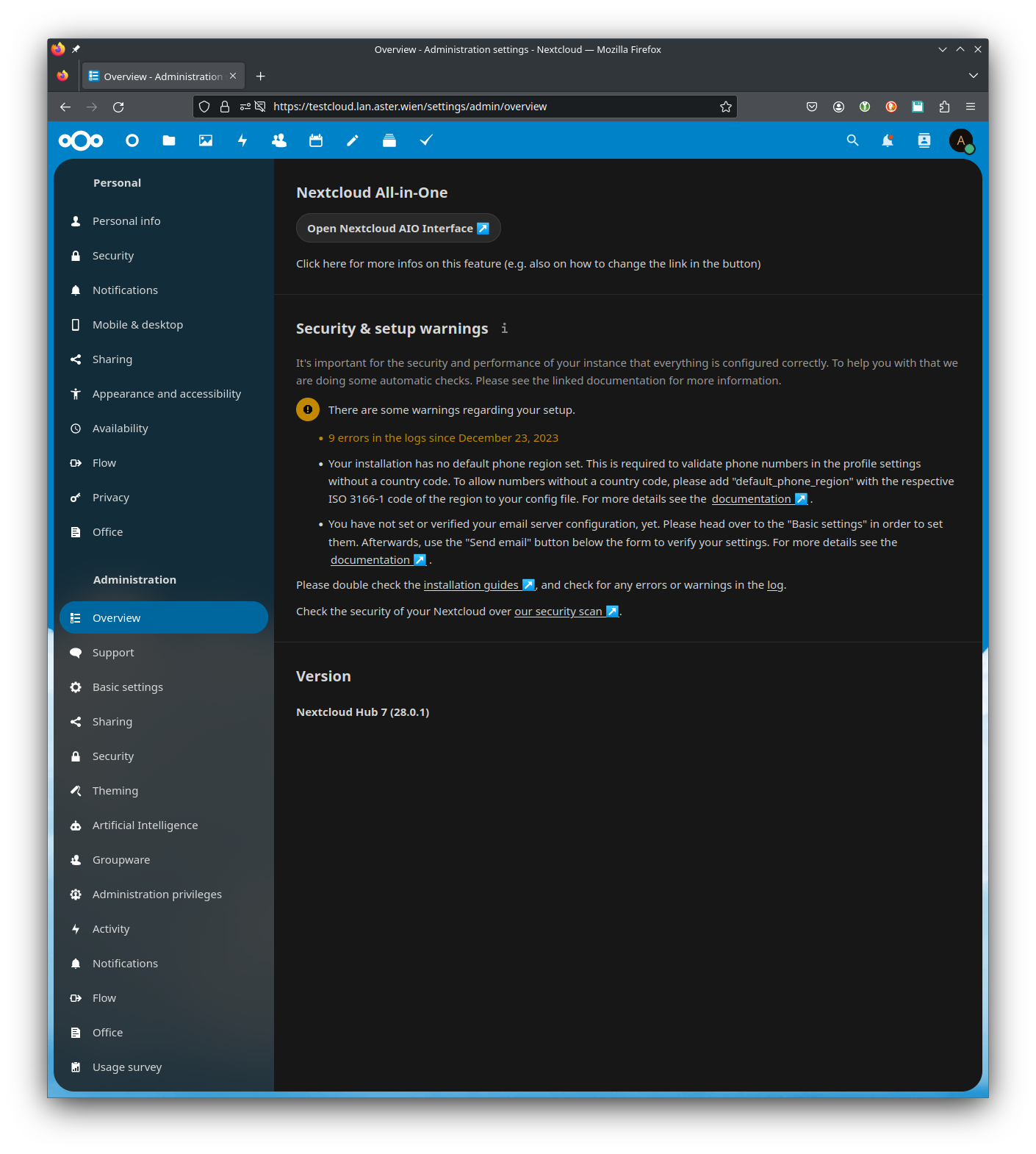
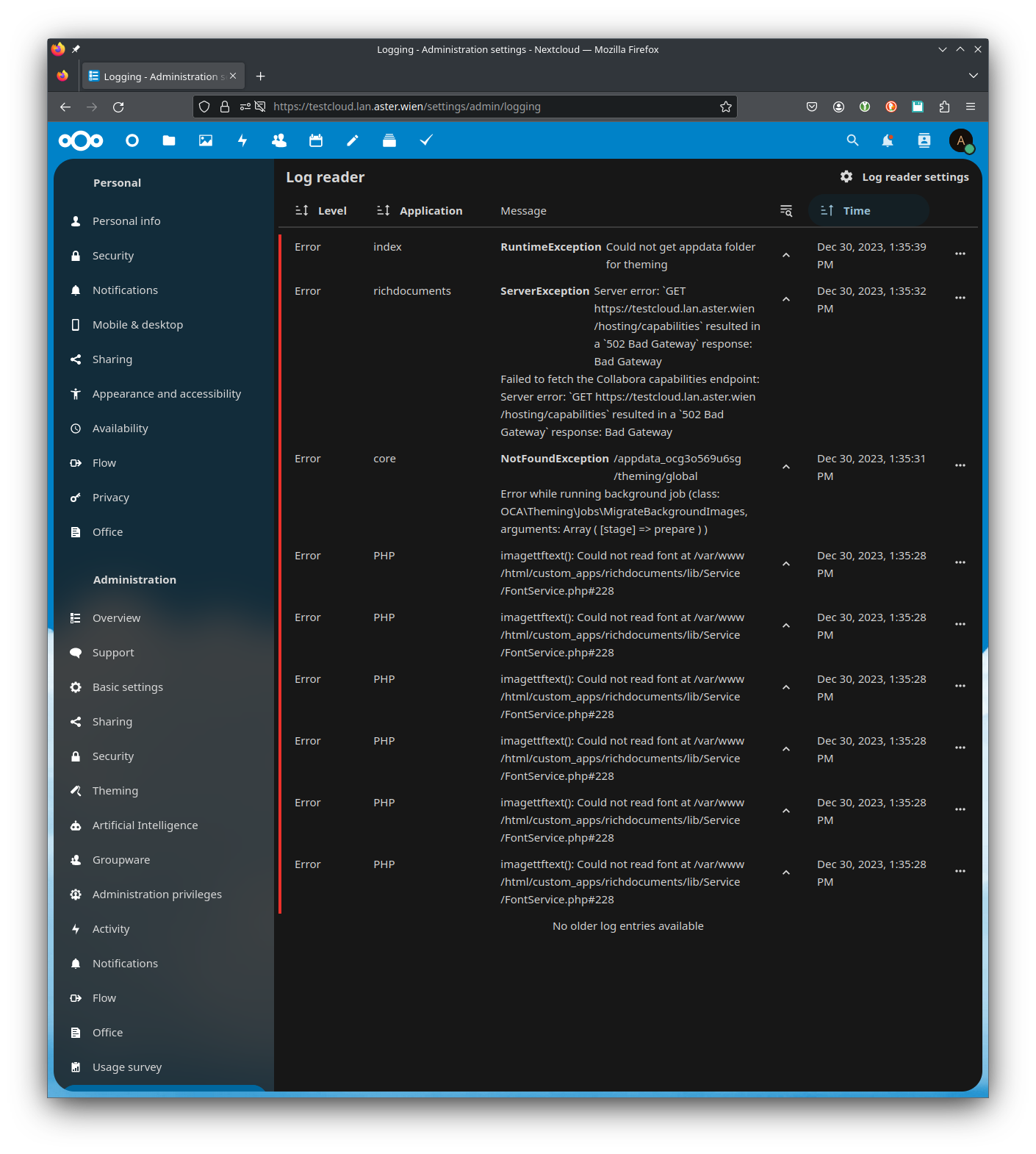
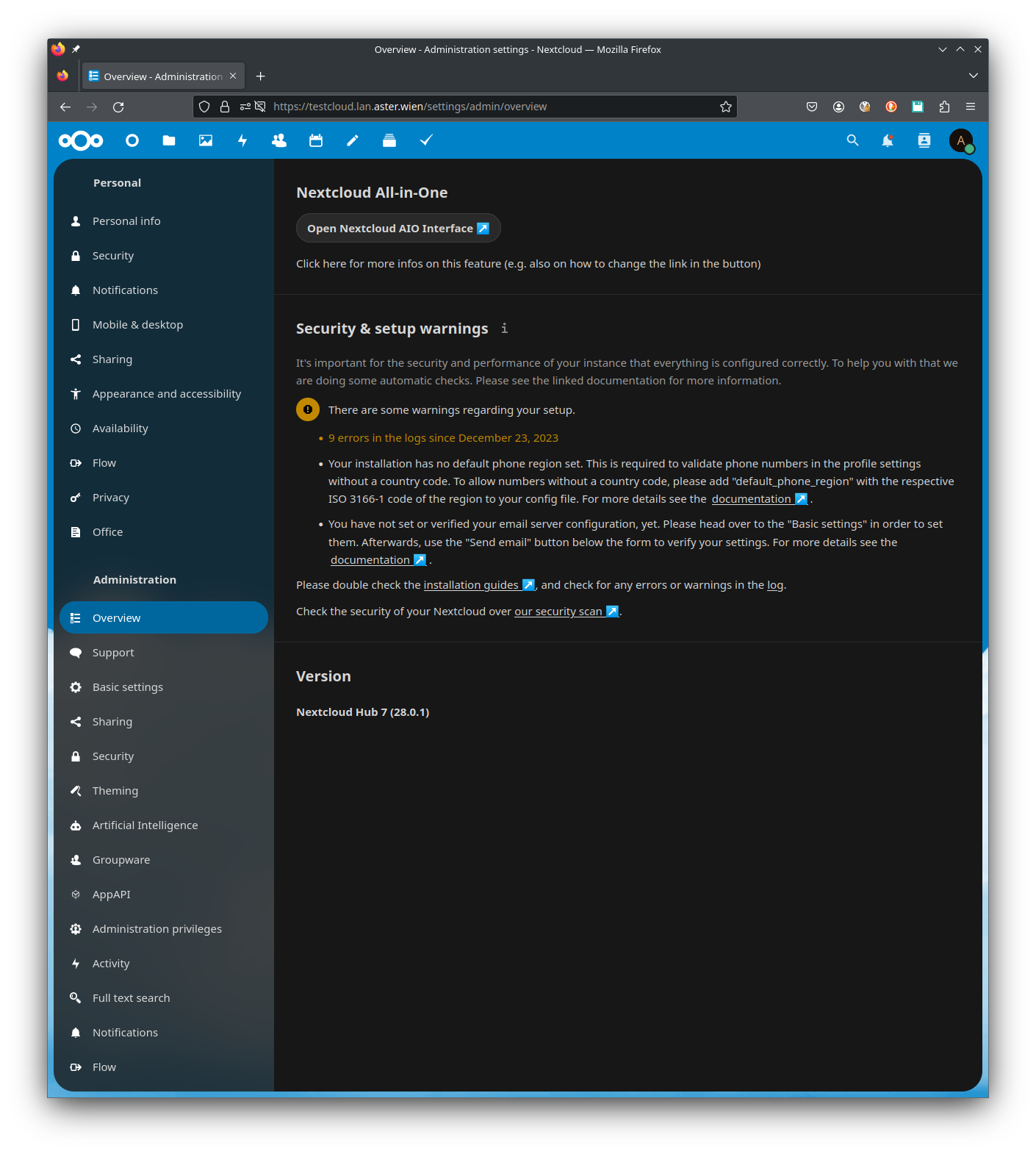
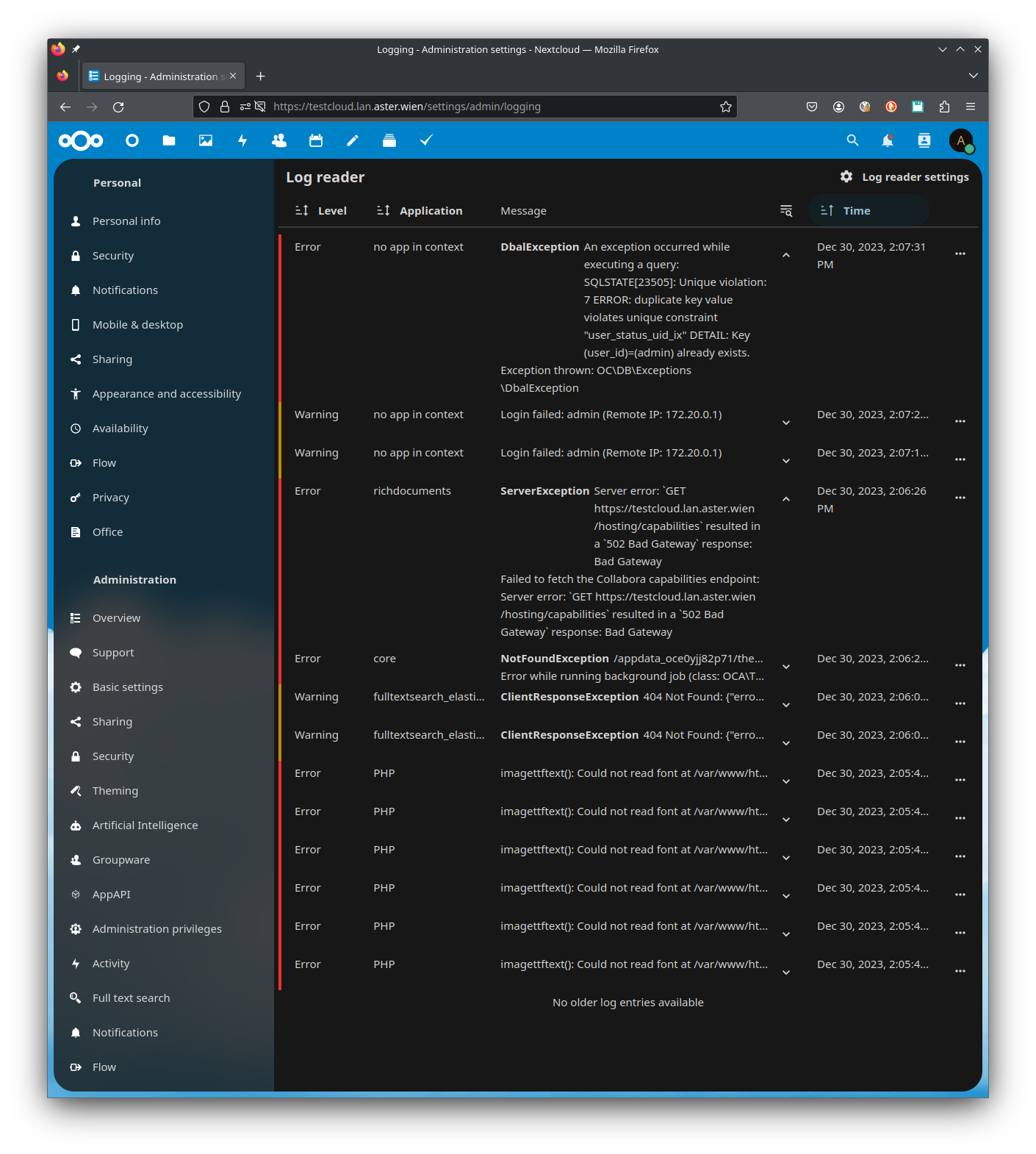
I have investigated this a bit further and did a proper reset of my Nextcloud-AIO instance and created a new one - in one case with all standard settings and in the second case with “ClamAV”, “Fulltextsearch” and “Docker Socket Proxy” enabled.
I have now installed Nextcloud-AIO with standard settings again and restored the backup (using BorgBackup Solution integrated into AIO) and this time I do get the setup errors in the Administration web-UI again …
Update:
opened 09:30AM - 24 Dec 23 UTC
closed 11:37AM - 27 Jul 24 UTC
bug
needs info
0. Needs triage
28-feedback
### ⚠️ This issue respects the following points: ⚠️
- [X] This is a **bug**, … not a question or a configuration/webserver/proxy issue.
- [X] This issue is **not** already reported on [Github](https://github.com/nextcloud/server/issues?q=is%3Aopen+is%3Aissue+label%3Abug) OR [Nextcloud Community Forum](https://help.nextcloud.com/) _(I've searched it)_.
- [X] Nextcloud Server **is** up to date. See [Maintenance and Release Schedule](https://github.com/nextcloud/server/wiki/Maintenance-and-Release-Schedule) for supported versions.
- [X] I agree to follow Nextcloud's [Code of Conduct](https://nextcloud.com/contribute/code-of-conduct/).
### Bug description
After upgrading the Nextcloud instance from 27.1.4 to 28.0.1, the server started throwing errors of:
_Your web server is not properly set up to resolve "/.well-known/caldav"
Your web server is not properly set up to resolve "/.well-known/carddav"_
While the server runs behind a reverse proxy, it has been configured properly for the past 3 years and has always passed the check with flying colors. It also actually **does properly redirect** from https://servername.com/.well-known/caldav and /carddav to https://servername.com/remote.php/dav from a browser or a https client (I am using Cocoa Rest Client on MacOS). There were never any redirection errors in this server anyway.
The upgrade was done to the exact steps of the "manual Nextcloud upgrade", which is how I always do the upgrades. The config file was transferred directly without any changes from 27.1.4 to 28.0.1.
### Steps to reproduce
1. Check a 27.1.4 installation for any errors in "Administration → Overview". If none, proceed.
2. Upgrade the 27.1.4 installation to 28.0.1 using steps from "manual Nextcloud upgrade" guide.
3. Check the server upgraded to 28.0.1 in "Administration → Overview" for configuration errors.
### Expected behavior
Clean (error-free) Admin Overview as it was with the version Nextcloud was upgraded from, without falsely claiming the upgraded Nextcloud instance has configuration problems.
### Installation method
Community Web installer on a VPS or web space
### Nextcloud Server version
28
### Operating system
Debian/Ubuntu
### PHP engine version
PHP 8.1
### Web server
Apache (supported)
### Database engine version
MariaDB
### Is this bug present after an update or on a fresh install?
Upgraded to a MAJOR version (ex. 22 to 23)
### Are you using the Nextcloud Server Encryption module?
Encryption is Disabled
### What user-backends are you using?
- [X] Default user-backend _(database)_
- [ ] LDAP/ Active Directory
- [ ] SSO - SAML
- [ ] Other
### Configuration report
```shell
{
"system": {
"default_phone_region": "PL",
"instanceid": "***REMOVED SENSITIVE VALUE***",
"passwordsalt": "***REMOVED SENSITIVE VALUE***",
"secret": "***REMOVED SENSITIVE VALUE***",
"trusted_domains": [
"192.168.0.3",
"***REMOVED SENSITIVE VALUE***.gotdns.ch",
"cloud.***REMOVED SENSITIVE VALUE***.pl",
"cloud.***REMOVED SENSITIVE VALUE***"
],
"trusted_proxies": "***REMOVED SENSITIVE VALUE***",
"datadirectory": "***REMOVED SENSITIVE VALUE***",
"skeletondirectory": "",
"dbtype": "mysql",
"version": "28.0.1.1",
"overwrite.cli.url": "http:\/\/cloud.***REMOVED SENSITIVE VALUE***.pl\/",
"dbname": "***REMOVED SENSITIVE VALUE***",
"dbhost": "***REMOVED SENSITIVE VALUE***",
"dbport": "",
"dbtableprefix": "oc_",
"mysql.utf8mb4": true,
"dbuser": "***REMOVED SENSITIVE VALUE***",
"dbpassword": "***REMOVED SENSITIVE VALUE***",
"installed": true,
"memcache.locking": "\\OC\\Memcache\\Redis",
"memcache.local": "\\OC\\Memcache\\Redis",
"memcache.distributed": "\\OC\\Memcache\\Redis",
"redis": {
"host": "***REMOVED SENSITIVE VALUE***",
"port": 6379
},
"maintenance": false,
"theme": "",
"log_type": "file",
"logfile": "\/var\/log\/nextcloud\/nextcloud.log",
"loglevel": 0,
"0": true,
"mail_from_address": "***REMOVED SENSITIVE VALUE***",
"mail_smtpmode": "smtp",
"mail_sendmailmode": "smtp",
"mail_domain": "***REMOVED SENSITIVE VALUE***",
"mail_smtpauthtype": "PLAIN",
"mail_smtpauth": 1,
"mail_smtpport": "587",
"mail_smtphost": "***REMOVED SENSITIVE VALUE***",
"mail_smtpsecure": "tls",
"mail_smtpname": "***REMOVED SENSITIVE VALUE***",
"mail_smtppassword": "***REMOVED SENSITIVE VALUE***",
"app_install_overwrite": [
"occweb",
"impersonate"
]
}
}
```
### List of activated Apps
```shell
Enabled:
- activity: 2.20.0
- admin_audit: 1.18.0
- approval: 1.2.0
- circles: 28.0.0-dev
- cloud_federation_api: 1.11.0
- comments: 1.18.0
- contacts: 5.5.0
- contactsinteraction: 1.9.0
- dashboard: 7.8.0
- dav: 1.29.1
- federatedfilesharing: 1.18.0
- files: 2.0.0
- files_external: 1.20.0
- files_reminders: 1.1.0
- files_sharing: 1.20.0
- files_trashbin: 1.18.0
- files_versions: 1.21.0
- firstrunwizard: 2.17.0
- groupfolders: 16.0.1
- impersonate: 1.15.0
- logreader: 2.13.0
- lookup_server_connector: 1.16.0
- notifications: 2.16.0
- oauth2: 1.16.3
- occweb: 0.1.1
- password_policy: 1.18.0
- privacy: 1.12.0
- provisioning_api: 1.18.0
- related_resources: 1.3.0
- serverinfo: 1.18.0
- settings: 1.10.1
- socialsharing_twitter: 3.0.1
- spreed: 18.0.1
- support: 1.11.0
- survey_client: 1.16.0
- systemtags: 1.18.0
- text: 3.9.1
- theming: 2.3.0
- twofactor_backupcodes: 1.17.0
- updatenotification: 1.18.0
- user_status: 1.8.1
- viewer: 2.2.0
- weather_status: 1.8.0
- workflowengine: 2.10.0
Disabled:
- bruteforcesettings: 2.8.0
- encryption: 2.16.0
- federation: 1.18.0 (installed 1.11.0)
- files_pdfviewer: 2.9.0 (installed 2.1.0)
- files_rightclick: 0.15.1 (installed 1.6.0)
- nextcloud_announcements: 1.17.0 (installed 1.10.0)
- photos: 2.4.0 (installed 1.3.0)
- recommendations: 2.0.0 (installed 1.0.0)
- sharebymail: 1.18.0 (installed 1.11.0)
- suspicious_login: 6.0.0
- twofactor_totp: 10.0.0-beta.2
- user_ldap: 1.19.0
```
### Nextcloud Signing status
```shell
No errors have been found.
```
### Nextcloud Logs
```shell
**Numerous erors in type below, not happening before upgrade**:
Exception
HMAC does not match.
Could not decrypt or decode encrypted session data
2023-12-24T09:24:28+00:00
Error PHP
TypeError: OCA\UserStatus\Controller\UserStatusController::__construct(): Argument #3 ($userId) must be of type string, null given at /var/www/nextcloud/apps/user_status/lib/Controller/UserStatusController.php#53
```
### Additional info
_No response_
I will wait patiently how this issue will get solved
2024-01-29 (sorry, I am not allowed to make a new post by the forum
I had set a rate limit on my reverse proxy of 10 request/s & 10 requests burst.
At the time I configured the reverse proxy I thought about “user”-request, which 10 of them per second would be plenty for my home environment.429 - too many requests
Rate limiting a public facing connection is good practice, but this time it made me big headaches where my issue is comming from
Final note: only raising the “burst” limit is enough, the average rate could be left fairly low. I have now an average rate of 20 request / s and a burst of 200.
Cheers, Simon
 (and a lot of HTTP 429 - too many requests - errors)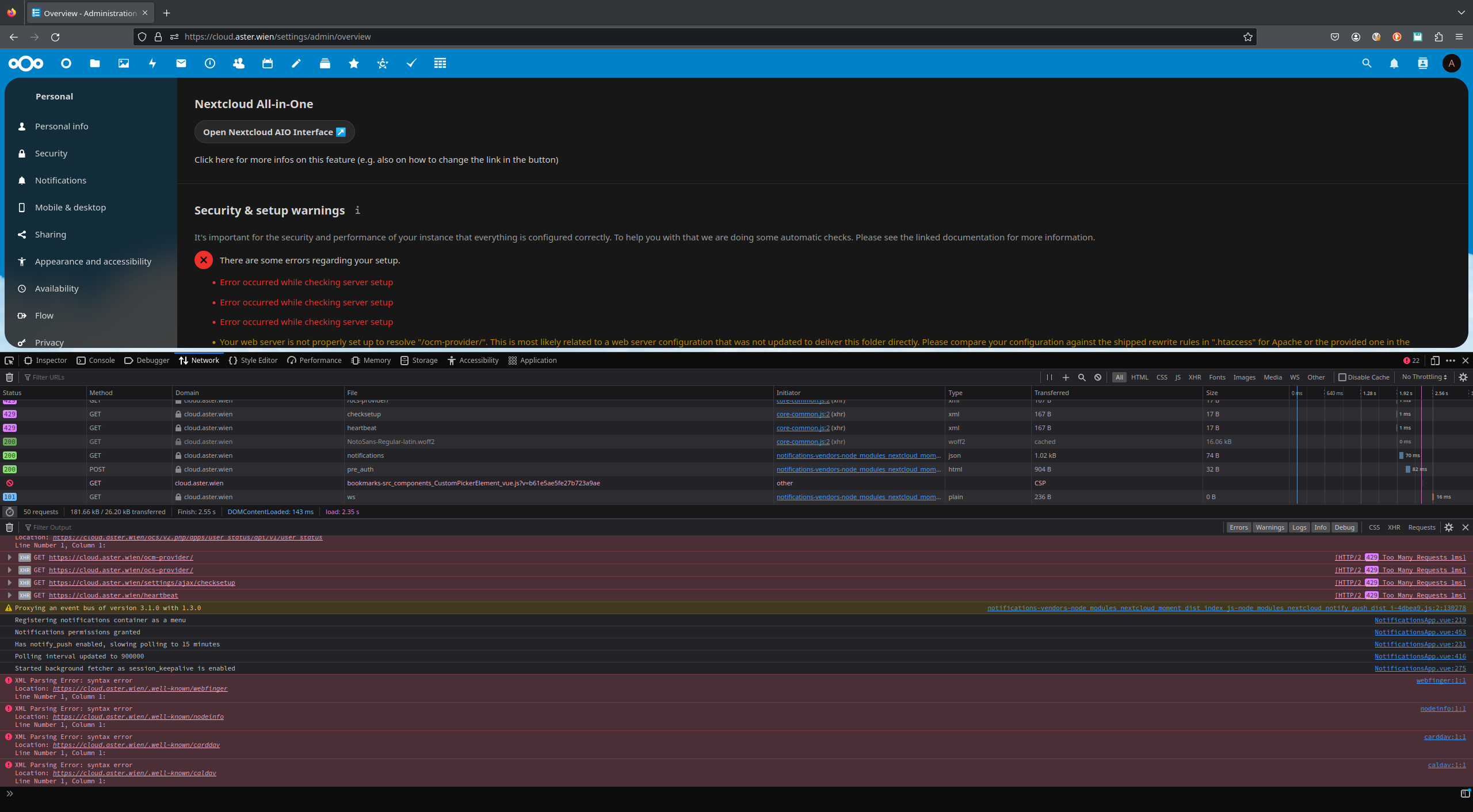

 ):
): :
: