Yeah, I had already done a few searches and tried digging into it. I’m not familiar with working with CSS except in very broad terms of what it does. The theming as built into NC is nice, but rather minimal. I have already gone through and set up all of the theming elements like I want, but I would like to tweak the base of the page, where it affects multiple apps. CustomCSS doesn’t seem to do anything, I have tried to use some of the examples to tweak the site layout but nothing happens. I found this post: How to force white not black icons. Using that post as a reference, in CustomCSS I have tried:
.app-menu-main .app-menu-entry img {
    filter: none !important;
}
This is supposed to make the icons along the top left white, but it doesn’t do anything. I have tried a few other examples in CustomCSS but again nothing changes the site.
The admin guide from Nextcloud doesn’t go into any of this. It goes over the built in theming controls, which just let you do the main branding, colors of the site, and background. I’m really wanting to add a ‘layer’ under the text where it is laid directly over the background to improve readability, duplicating what the dashboard does for it’s widgets. I have no idea how to go about that, not sure if CSS would even help.
Here is our current page at the moment:
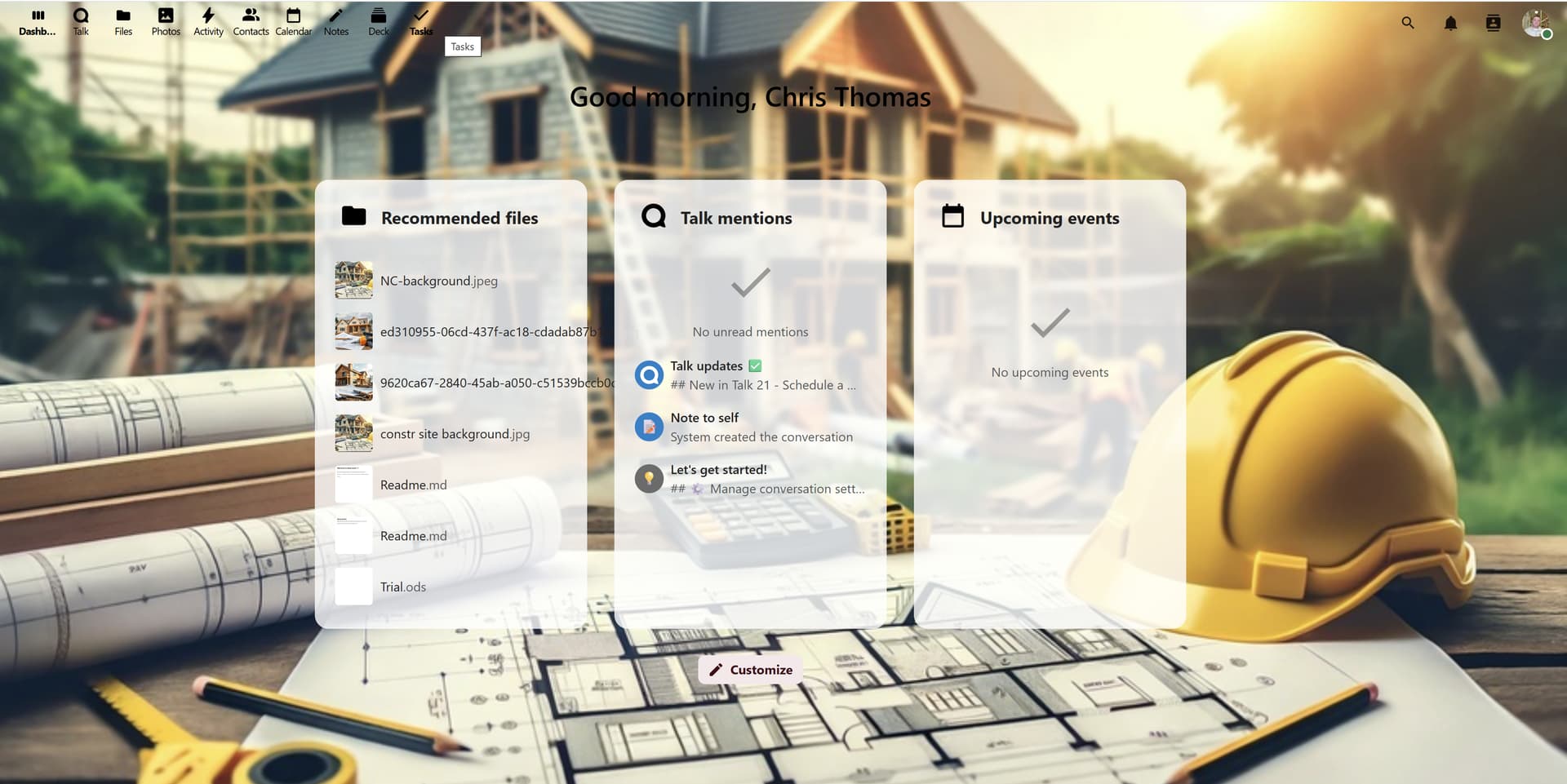
I think that the greeting in the middle of the page gets lost in the background. Making it white would probably fix it, but putting a light grey box behind it like ‘Recommended files’ has would be better I think. Same for the navigation menu in the top left corner.