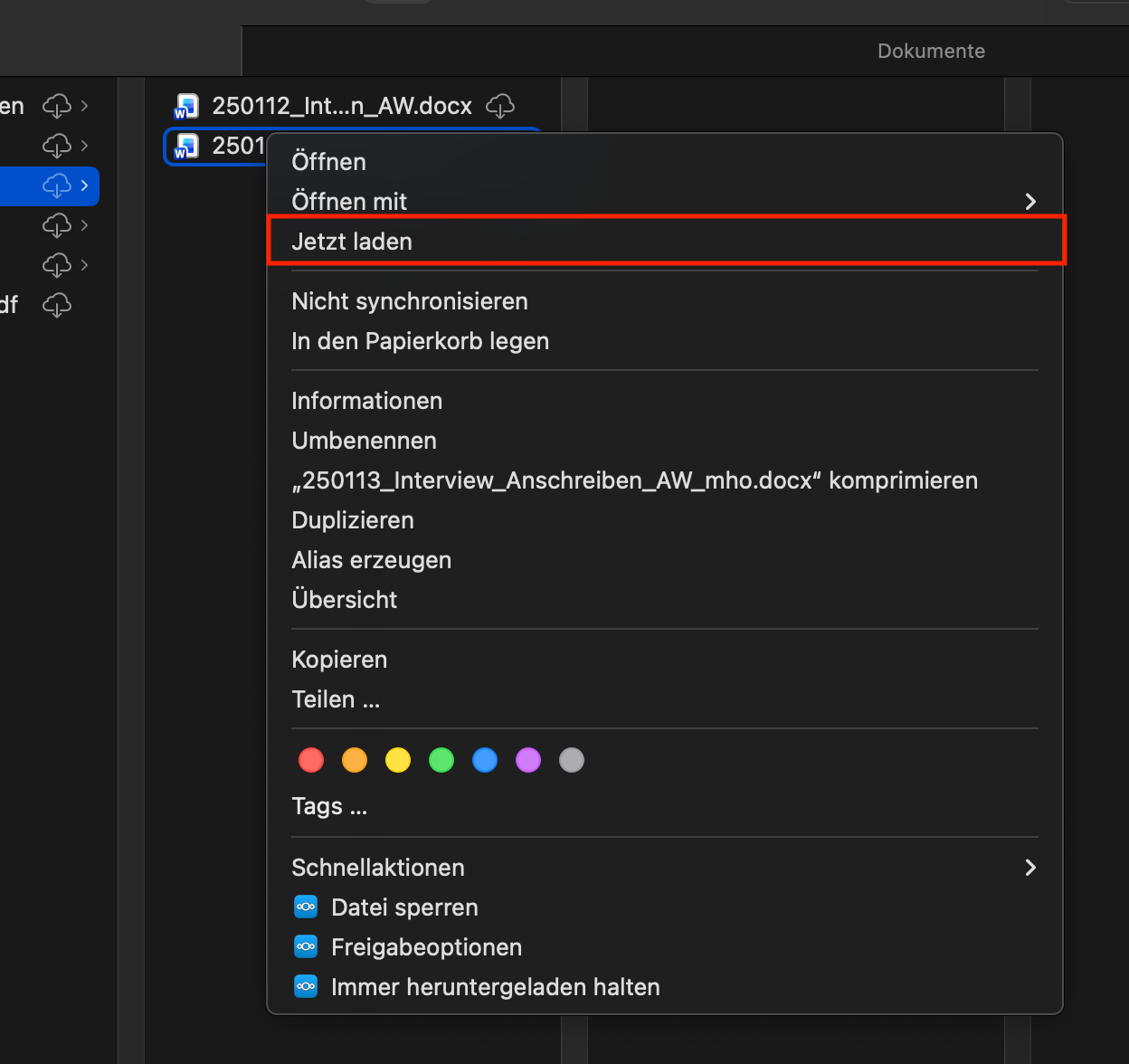
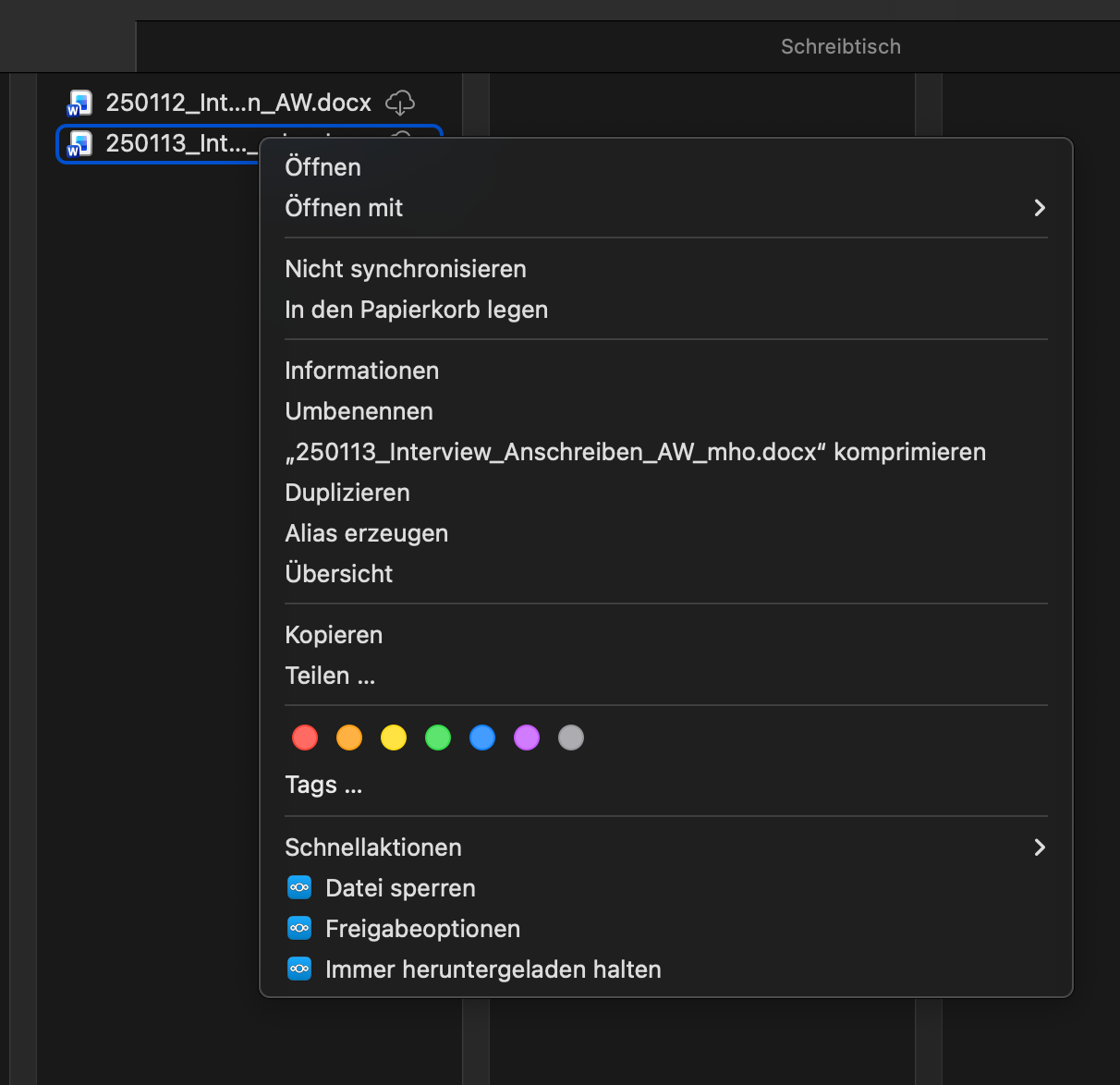
Up until version 33.0.5. of Nextcloud files for Mac, I had the option “Download now” (“Jetzt laden” in German) and “Remove download” in the right click context menu when working with virtual files in the Finder. Now, with version 33.0.5. this option is missing. Reproduced the same issue on two of my colleague’s MacBooks (different MacOS, but all higher than 15). When downgrading to the older version 33.0.0., the feature is available again. Also reproduced on the two other devices. Also see attached screenshots.
Hi, @hofnam ! Thank you for bringing this up. I am glad to explain this change in release 33.0.5 because I worked on exactly this and I know that certain background information is hard to find in the depth of GitHub tickets and pull requests which us developer work with.
tl;dr: This is fine, works as expected and you can still achieve the same by using the custom actions offered at the bottom of the context menu. “Always keep downloaded”, “Allow automatic freeing up space” and “Remove download” are what you are looking for.
The top items is first-party user interface by Finder. It either forces the download of an item without opening it or evicts its local data without deleting the item itself.
We intentionally suppress these context menu items to force usage of our custom actions to avoid a bug in the macOS file provider framework which we inherit from Apple but cannot resolve on our own. See this issue which describes it.
Basically, it collides with the “Always keep downloaded” feature which tells macOS to keep files downloaded of which then the downloads cannot be removed through Finder’s “Remove download” due to a logical conflict.
Some of our major competitors suffer from the same problem. Also, some have worked around it in the way we do now.
In contrast to Finder’s “Download now” and “Remove download”, the “Always keep downloaded” ensures that the downloaded content is not removed automatically by macOS meanwhile. This means you have to manage less by yourself.
Conditionally displaying these custom actions and dividing the process in form of “Keep downloaded” → “Allow automatic freeing up space” → “Remove download” circumvents Finder’s bug.
Hey @iva.horn , thanks a lot for clarifying. That means the workflow with Virtual Files on MacOS should even be more stable now, right? Thank you for your help!
Hello @iva.horn, I also realized that the “Remove download” option is only available on a file level, while the other two options “Keep downloaded” and “Allow automatic freeing up space” can also be applied to whole folders and folder with sub-folders. Is it technically possible to also introduce “Remove download” for whole folders, or will we need to keep on deleting the download of every single file, once we happened to keep a big folder downloaded? Thank you so much for your help!
Yes. There were significant improvements since last year and more will follow. Please keep this issue in mind which was already fixed but not shipped yet:
Good point. Technically, this is possible. Actually, this is the way it should be. Spontaneously, I cannot see any obvious error in code. But I could reproduce the issue. I created an issue and it should be fixed soon.