The Basics
- Nextcloud Server version (e.g., 29.x.x):
Nextcloud Hub 26 Winter (33.0.3)
- Operating system and version (e.g., Ubuntu 24.04):
Rocky Linux
- Web server and version (e.g, Apache 2.4.25):
Apache
- PHP version (e.g, 8.3):
8.5.4
Summary of the issue you are facing:
I have seen some discussion (and added my own comments) about generating a more user-friendly token for ownCloud shares.
One suggestion for a different but related issue was to modify the entry in the oc_share table in the database. I have done this with something like the following:
update oc_share set token=‘…’ where id=…;
… which worked for me.
The question is, is that a legitimate thing to do? Is there any possibility of breaking something in the process?
I’m aware of an app called ShareRenamer: https://apps.nextcloud.com/apps/sharerenamer
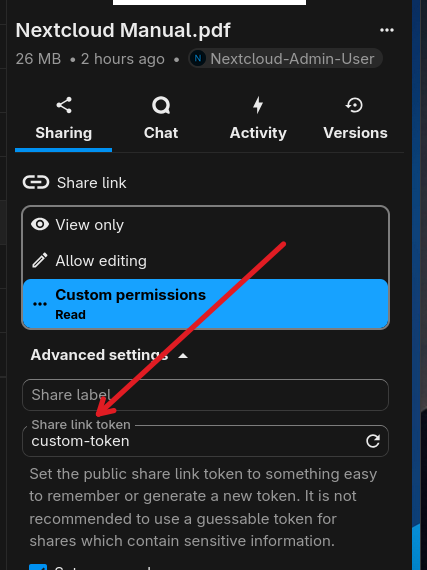
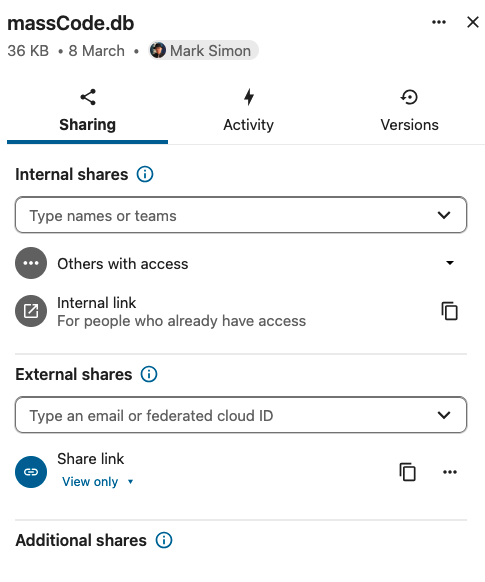
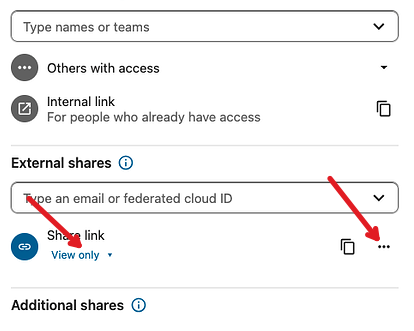
According to the note it’s not necessary anymore as it’s built in to modern versions of NextCloud. However, when I’ve tried out the built in feature, it doesn’t seem to change the token, and share link is just as cryptic as before.
Apps
┌──────────────────────────────────────────────────────┬──────────┐
│ Activity │ 6.0.0 │
│ AppAPI │ 33.0.0 │
│ Brute-force settings │ 6.0.0 │
│ Calendar │ 6.4.2 │
│ Collaborative tags │ 1.23.0 │
│ Comments │ 1.23.0 │
│ Contacts │ 8.5.1 │
│ Contacts Interaction │ 1.14.1 │
│ Dashboard │ 7.13.0 │
│ Deleted files │ 1.23.0 │
│ Federation │ 1.23.0 │
│ File reminders │ 1.6.0 │
│ File sharing │ 1.25.2 │
│ Files download limit │ 5.1.0 │
│ First run wizard │ 6.0.0 │
│ Guests │ 4.7.5 │
│ Log Reader │ 6.0.0 │
│ Mail │ 5.8.2 │
│ Monitoring │ 5.0.0 │
│ Nextcloud Office │ 10.1.3 │
│ Nextcloud Webhook Support │ 1.5.0 │
│ Nextcloud announcements │ 5.0.0 │
│ Notes │ 5.0.0 │
│ Notifications │ 6.0.0 │
│ PDF viewer │ 6.0.0 │
│ Password policy │ 5.0.0 │
│ Photos │ 6.0.0 │
│ Privacy │ 5.0.0 │
│ Recommendations │ 6.0.0 │
│ Related Resources │ 4.0.0 │
│ Share by mail │ 1.23.0 │
│ ShareRenamer │ 3.5.0 │
│ Support │ 5.0.0 │
│ Teams │ 33.0.0 │
│ Text │ 7.0.1 │
│ Two-Factor TOTP Provider │ 15.0.0 │
│ Update notification │ 1.23.0 │
│ Usage survey │ 5.0.0 │
│ User status │ 1.13.0 │
│ Versions │ 1.26.0 │
│ Weather status │ 1.13.0 │
│ Auditing / Logging │ 1.23.0 │
│ Collabora Online - Built-in CODE Server │ 25.4.904 │
│ Default Encryption Module │ 2.21.0 │
│ External storage support │ 1.25.1 │
│ LDAP user and group backend │ 1.24.0 │
│ QA testing │ 1.23.0 │
│ README.md │ 3.0.2 │
│ Right click │ 0.15.1 │
│ Suspicious Login │ 11.0.0 │
│ Two-Factor Authentication via Nextcloud notification │ 7.0.0 │
└──────────────────────────────────────────────────────┴──────────┘
Tips for increasing the likelihood of a response
- Use the
preformatted textformatting option in the editor for all log entries and configuration output. - If screenshots are useful, feel free to include them.
- If possible, also include key error output in text form so it can be searched for.
- Try to edit log output only minimally (if at all) so that it can be ran through analyzers / formatters by those trying to help you.