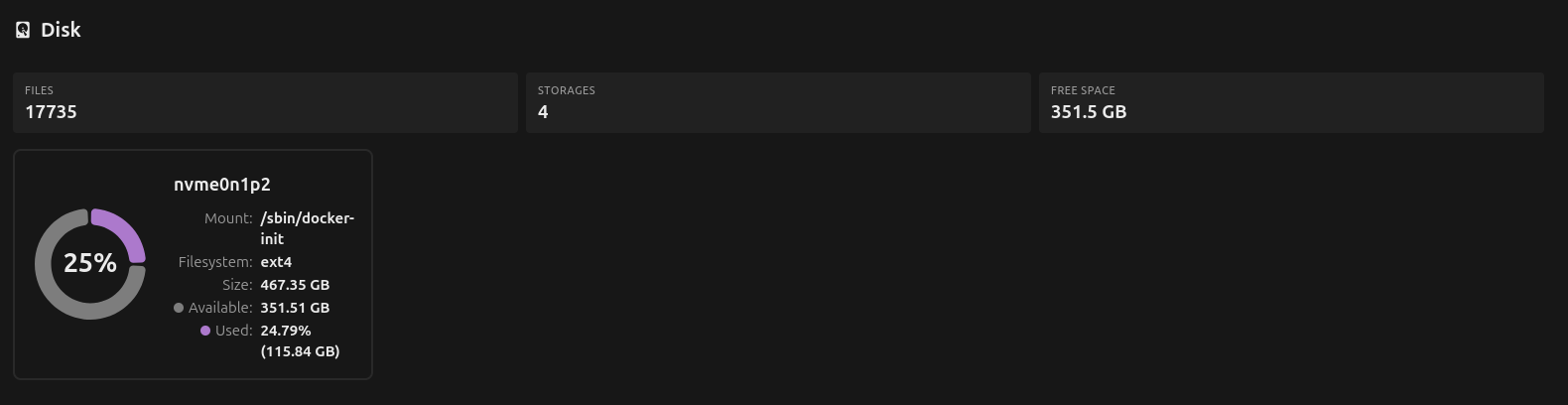
I feel like it’s something I need to do in the compose file, but have no idea how to go about doing that:
volumes:
  - nextcloud_aio_mastercontainer:/mnt/docker-aio-config
  - /var/run/docker.sock:/var/run/docker.sock:ro
I decided to give up and start over. I found some info that said you can mount a volume to /mnt/ncdata and then point Nextcloud there using NEXTCLOUD_DATADIR: - so I deleted all of the docker volumes for nextcloud and then started with a different compose.yml (after creating a new partition and having it automount to /mnt/ncdata at startup)
services:
  nextcloud-aio-mastercontainer:
    image: nextcloud/all-in-one:latest
    container_name: nextcloud-aio-mastercontainer
    restart: always
    ports:
      - "8080:8080"
    environment:
      APACHE_PORT: 11000
      APACHE_IP_BINDING: 0.0.0.0
      NC_DOMAIN: cloud.mydomain.com
      NEXTCLOUD_DATADIR: nextcloud_aio_nextcloud_datadir
    volumes:
      - nextcloud_aio_mastercontainer:/mnt/docker-aio-config
      - nextcloud_aio_nextcloud_datadir:/mnt/ncdata
      - /var/run/docker.sock:/var/run/docker.sock:ro
    extra_hosts:
      - "host.docker.internal:host-gateway"

volumes:
  nextcloud_aio_mastercontainer:
    name: nextcloud_aio_mastercontainer
  nextcloud_aio_nextcloud_datadir:
    name: nextcloud_aio_nextcloud_datadir
About to start it up and see if it puts the data where I want it this time around 
Well crap, this did NOT work. It’s still showing the storage on my main OS drive instead of the 4TB drive in admin settings (System). Maybe I’m bad at searching, but I can’t seem to find where in the documentation it tells you where to tell it where you want your storage located either?
Can anyone point me in the right direction?
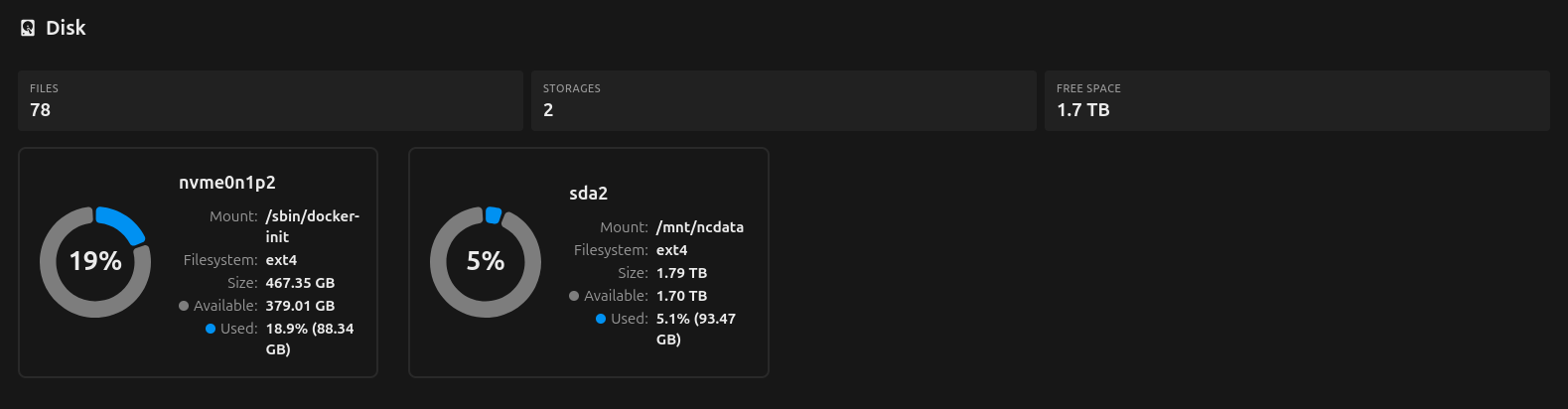
Alright, I think I’ve done it (maybe?):
Seems to be showing both now, which is a step forward - I guess it’s okay that it’s still showing the OS drive too? I’ll start adding files and see which one fills up, but if it’s a success - this was the change to the compose.yml that was needed:
services:
  nextcloud-aio-mastercontainer:
    image: nextcloud/all-in-one:latest
    container_name: nextcloud-aio-mastercontainer
    restart: always
    ports:
      - "8080:8080"
    environment:
      APACHE_PORT: 11000
      APACHE_IP_BINDING: 0.0.0.0
      NC_DOMAIN: cloud.mydomain.com
      NEXTCLOUD_DATADIR: nextcloud_aio_nextcloud_datadir
    volumes:
      - nextcloud_aio_mastercontainer:/mnt/docker-aio-config
      - nextcloud_aio_nextcloud_datadir:/mnt/ncdata
      - /var/run/docker.sock:/var/run/docker.sock:ro
    extra_hosts:
      - "host.docker.internal:host-gateway"

volumes:
  nextcloud_aio_mastercontainer:
    name: nextcloud_aio_mastercontainer

  nextcloud_aio_nextcloud_datadir:
    name: nextcloud_aio_nextcloud_datadir
    driver: local
    driver_opts:
      type: none
      o: bind
      device: /mnt/ncdata
EDIT: Seems to be working! I’ll mark this as the solution.