The Basics
- Nextcloud Server version
- Nextcloud Hub 25 Autumn (32.0.2)
- Operating system and version
- Linux 5.14.0-284.11.1.el9_2.x86_64 x86_64 - AlmaLinux 9.7 (Moss Jungle Cat)
- Web server and version
- Apache 2.4.65
- Reverse proxy and version
- No Reverse Proxy
- PHP version:
- 8.3.28 (PHP-FPM)
- Is this the first time you’ve seen this error?
- Yes
- When did this problem seem to first start?
- When I was at version 31.0.11
- Installation method
- It is a self-hosted server
- Are you using CloudfIare, mod_security, or similar?
- Yes, mod_security2 (2.9.12-2.4.1.cpanel) is installed with default settings
Summary of the issue I am facing:
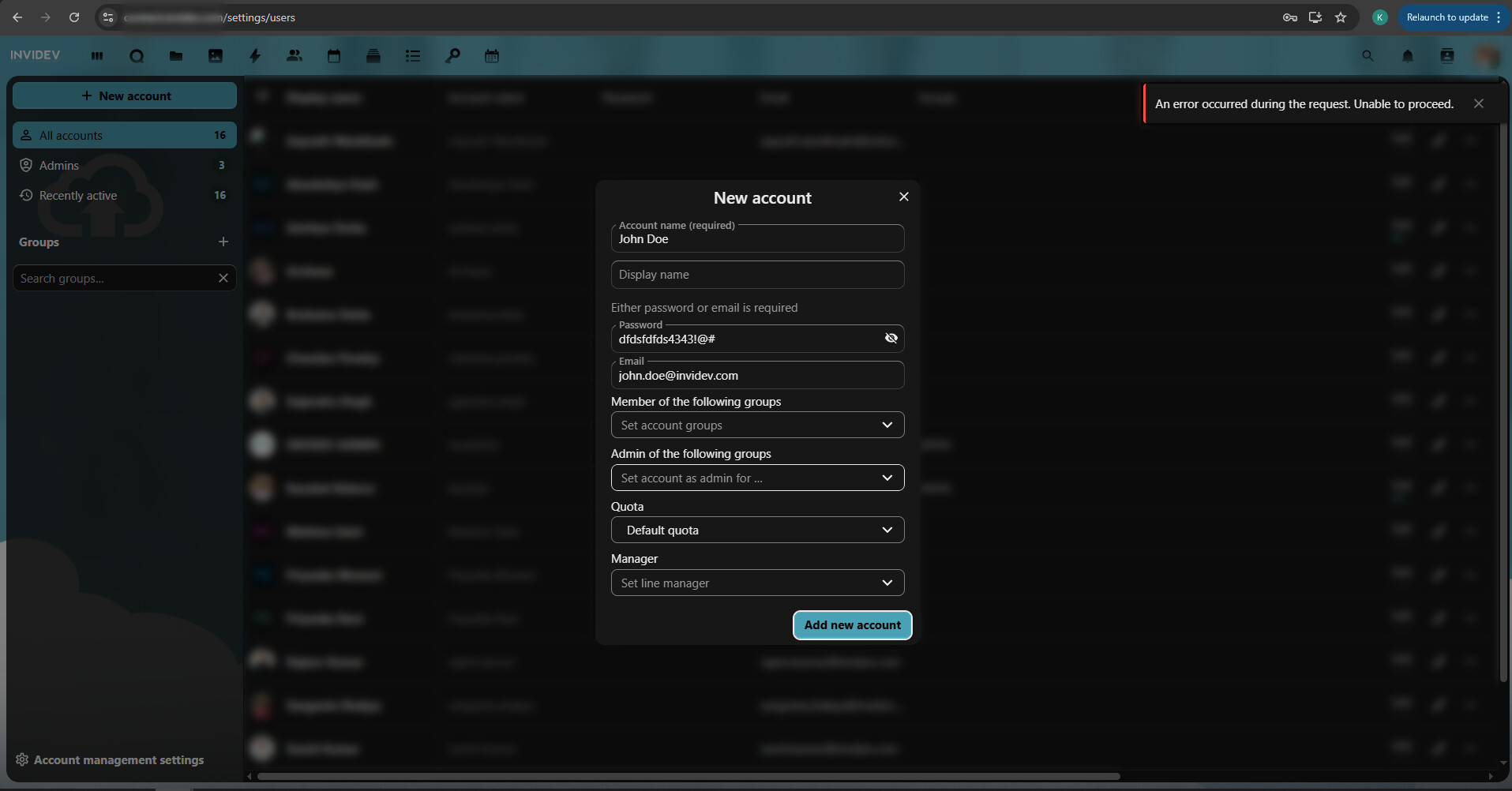
I have Nextcloud Hub 25 Autumn (32.0.2) installed on my server. I am getting an error after submitting the Add User Account form. The error says:
“An error occurred during the request. Unable to proceed.”
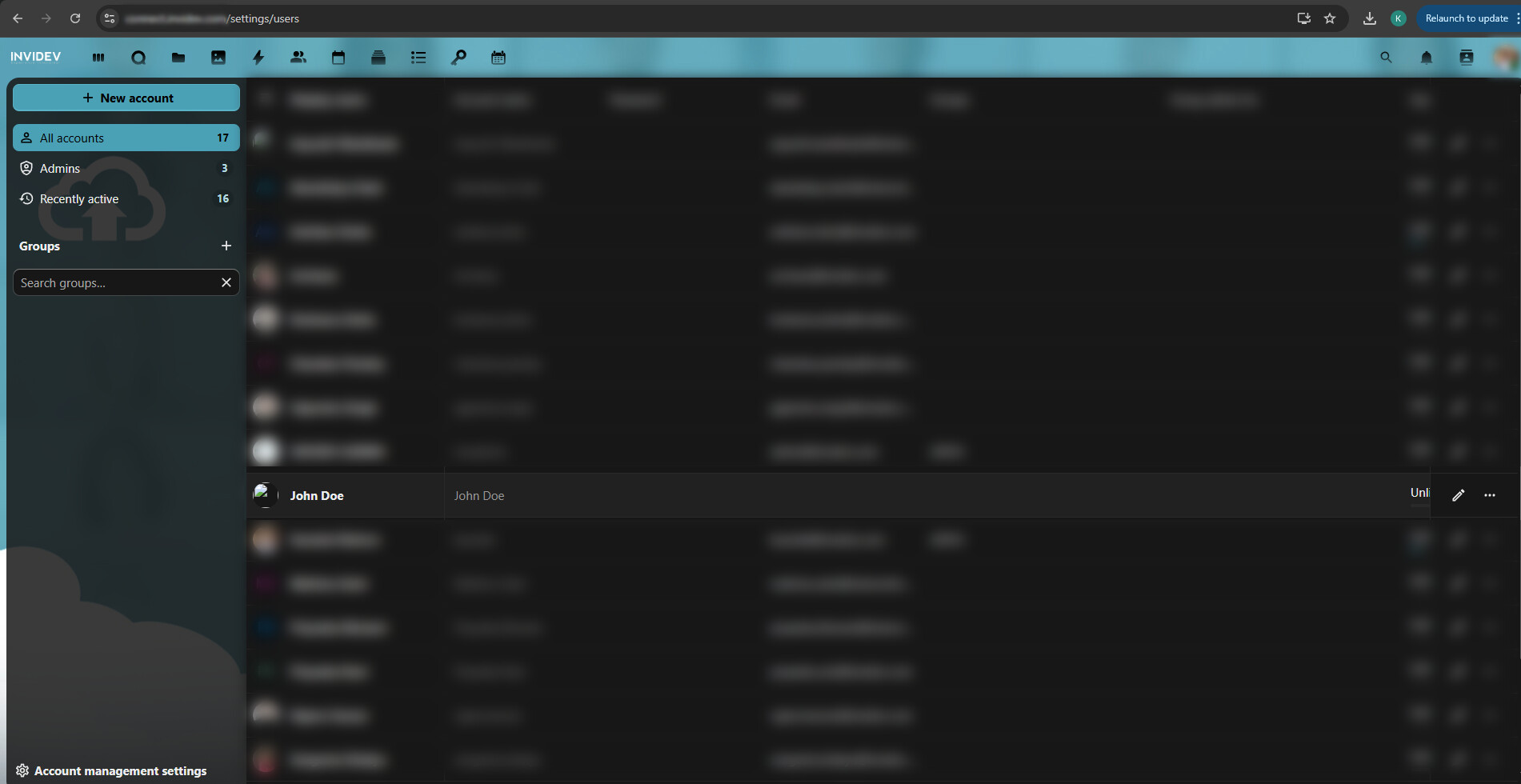
However, when I reload the /setting/users page, it shows that user in the list, but without an avatar and email.
I checked under Administration > Logging, but there were no errors at all. I have set the filter logging level to Error and Fatal only.
I initially noticed this error on version 31.0.11 and upgraded it to 32.0.2 in the hope that he issue would get resolved, but no help.
I have checked the PHP version, PHP CLI, memory limit & modules, Linux & Apache user permissions, .htaccess file, and data folder permissions. All seems fine.
I have also tried:
php occ maintenance:repair
php occ files:scan-app-data
php occ files:scan --all
Tried this as well:
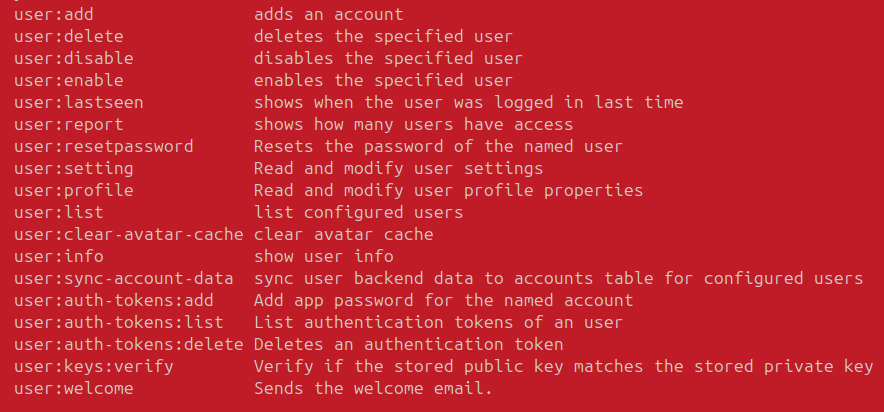
php occ user:clear-avatar-cache
Got this:
Clearing avatar cache has started
Segmentation fault (core dumped)
Steps to replicate it:
-
From the admin account. I am going to the Accounts page and click on “+ New Account”
-
Fill in the details like Account Name, Password and Email. Click on “Add new account”
-
Post this, the error appears.
Log entries
Nextcloud
I emptied the log file and did the operation. It is still empty. No logs at all in the log file or the /admin/logging.
Web Browser
Here they are:
api.js:54  POST https://connect.invidev.com/ocs/v2.php/cloud/users 404 (Not Found)
(anonymous) @ xhr.js:198
xhr @ xhr.js:15
p @ dispatchRequest.js:51
_request @ Axios.js:185
request @ Axios.js:40
(anonymous) @ Axios.js:224
(anonymous) @ bind.js:5
post @ api.js:54
(anonymous) @ users.js:716
Promise.then
addUser @ users.js:715
(anonymous) @ vuex.esm.js:851
(anonymous) @ vuex.esm.js:516
(anonymous) @ vuex.esm.js:406
createUser @ NewUserDialog.vue:249
submit @ NewUserDialog.vue:1
fn @ vue.runtime.esm.js:3033
n @ vue.runtime.esm.js:1832
push.85471.Pr.i._wrapper @ vue.runtime.esm.js:7500
index.js:23 {…} {userid: 'John Doe', error: r}
API_FAILURE @ index.js:23
(anonymous) @ vuex.esm.js:844
(anonymous) @ vuex.esm.js:466
(anonymous) @ vuex.esm.js:465
(anonymous) @ vuex.esm.js:624
(anonymous) @ vuex.esm.js:464
(anonymous) @ vuex.esm.js:409
(anonymous) @ users.js:720
Promise.catch
addUser @ users.js:719
(anonymous) @ vuex.esm.js:851
(anonymous) @ vuex.esm.js:516
(anonymous) @ vuex.esm.js:406
createUser @ NewUserDialog.vue:249
submit @ NewUserDialog.vue:1
fn @ vue.runtime.esm.js:3033
n @ vue.runtime.esm.js:1832
push.85471.Pr.i._wrapper @ vue.runtime.esm.js:7500


{
    "userid": "John Doe",
    "error": {
        "message": "Request failed with status code 404",
        "name": "AxiosError",
        "stack": "AxiosError: Request failed with status code 404\n    at r (https://connect.invidev.com/dist/core-common.js?v=b49e4d8b-19:1:3250971)\n    at XMLHttpRequest.C (https://connect.invidev.com/dist/core-common.js?v=b49e4d8b-19:1:2857513)\n    at k.request (https://connect.invidev.com/dist/core-common.js?v=b49e4d8b-19:1:751908)",
        "config": {
            "transitional": {
                "silentJSONParsing": true,
                "forcedJSONParsing": true,
                "clarifyTimeoutError": false
            },
            "adapter": [
                "xhr",
                "http",
                "fetch"
            ],
            "transformRequest": [
                null
            ],
            "transformResponse": [
                null
            ],
            "timeout": 0,
            "xsrfCookieName": "XSRF-TOKEN",
            "xsrfHeaderName": "X-XSRF-TOKEN",
            "maxContentLength": -1,
            "maxBodyLength": -1,
            "env": {},
            "headers": {
                "Accept": "application/json, text/plain, */*",
                "Content-Type": "application/json",
                "requesttoken": "kx/0rGEjP4Dz7iLlp4ptsxf5Geq4qdt3AGhofUHy0kk=:pma5lQ51UMOdhHCC194o9U68aY2O24pGZ0MMBTurvmY=",
                "X-Requested-With": "XMLHttpRequest"
            },
            "method": "post",
            "url": "https://connect.invidev.com/ocs/v2.php/cloud/users",
            "data": "{\"userid\":\"John Doe\",\"password\":\"dfdsfdfds4343!@#\",\"displayName\":\"\",\"email\":\"john.doe@invidev.com\",\"groups\":[],\"subadmin\":[],\"quota\":\"default\",\"language\":\"en\"}",
            "allowAbsoluteUrls": true
        },
        "code": "ERR_BAD_REQUEST",
        "status": 404
    }
}
Web server / Reverse Proxy
Not Applicable
Configuration
Nextcloud
The output of occ config:list system
{
    "system": {
        "instanceid": "***REMOVED SENSITIVE VALUE***",
        "passwordsalt": "***REMOVED SENSITIVE VALUE***",
        "secret": "***REMOVED SENSITIVE VALUE***",
        "trusted_domains": [
            "connect.invidev.com"
        ],
        "memcache.local": "\\OC\\Memcache\\APCu",
        "memcache.distributed": "\\OC\\Memcache\\Redis",
        "memcache.locking": "\\OC\\Memcache\\Redis",
        "filelocking.enabled": true,
        "redis": {
            "host": "***REMOVED SENSITIVE VALUE***",
            "port": 6379,
            "timeout": 0,
            "password": "***REMOVED SENSITIVE VALUE***"
        },
        "datadirectory": "***REMOVED SENSITIVE VALUE***",
        "skeletondirectory": "",
        "dbtype": "mysql",
        "version": "32.0.2.2",
        "overwrite.cli.url": "https:\/\/connect.invidev.com",
        "htaccess.RewriteBase": "\/",
        "dbname": "***REMOVED SENSITIVE VALUE***",
        "dbhost": "***REMOVED SENSITIVE VALUE***",
        "dbport": "",
        "dbtableprefix": "oc_",
        "mysql.utf8mb4": true,
        "dbuser": "***REMOVED SENSITIVE VALUE***",
        "dbpassword": "***REMOVED SENSITIVE VALUE***",
        "installed": true,
        "mail_smtpmode": "smtp",
        "mail_smtpsecure": "ssl",
        "mail_sendmailmode": "smtp",
        "mail_from_address": "***REMOVED SENSITIVE VALUE***",
        "mail_domain": "***REMOVED SENSITIVE VALUE***",
        "mail_smtpauth": 1,
        "mail_smtphost": "***REMOVED SENSITIVE VALUE***",
        "mail_smtpport": "465",
        "mail_smtpname": "***REMOVED SENSITIVE VALUE***",
        "mail_smtppassword": "***REMOVED SENSITIVE VALUE***",
        "maintenance": false,
        "simpleSignUpLink.shown": false,
        "theme": "",
        "default_phone_region": "IN",
        "app_install_overwrite": [
            "documentserver_community",
            "spreed"
        ],
        "maintenance_window_start": 1
    }
}
Apps
The output of occ app:list.
Enabled:
  - activity: 5.0.0-dev.0
  - appointments: 2.6.2
  - bruteforcesettings: 5.0.0-dev.0
  - calendar: 6.1.1
  - cloud_federation_api: 1.16.0
  - comments: 1.22.0
  - contacts: 8.1.1
  - contactsinteraction: 1.13.1
  - dashboard: 7.12.0
  - dav: 1.34.2
  - deck: 1.16.2
  - federatedfilesharing: 1.22.0
  - federation: 1.22.0
  - files: 2.4.0
  - files_downloadlimit: 5.0.0-dev.0
  - files_pdfviewer: 5.0.0-dev.0
  - files_reminders: 1.5.0
  - files_sharing: 1.24.1
  - files_trashbin: 1.22.0
  - files_versions: 1.25.0
  - fileslibreofficeedit: 2.0.1
  - firstrunwizard: 5.0.0-dev.0
  - forms: 5.2.3
  - logreader: 5.0.0-dev.0
  - lookup_server_connector: 1.20.0
  - nextcloud_announcements: 4.0.0-dev.0
  - notifications: 5.0.0-dev.0
  - notify_push: 1.2.1
  - oauth2: 1.20.0
  - password_policy: 4.0.0-dev.0
  - passwords: 2025.11.20
  - photos: 5.0.0-dev.1
  - previewgenerator: 5.11.0
  - privacy: 4.0.0-dev.0
  - profile: 1.1.0
  - provisioning_api: 1.22.0
  - recommendations: 5.0.0-dev.0
  - related_resources: 3.0.0-dev.0
  - richdocuments: 9.0.2
  - serverinfo: 4.0.0-dev.0
  - settings: 1.15.1
  - sharebymail: 1.22.0
  - spreed: 22.0.4
  - support: 4.0.0-dev.0
  - survey_client: 4.0.0-dev.0
  - suspicious_login: 10.0.0-dev.0
  - systemtags: 1.22.0
  - text: 6.0.1
  - theming: 2.7.0
  - twofactor_backupcodes: 1.21.0
  - updatenotification: 1.22.0
  - user_status: 1.12.0
  - viewer: 5.0.0-dev.0
  - weather_status: 1.12.0
  - webhook_listeners: 1.3.0
  - workflowengine: 2.14.0
Disabled:
  - admin_audit: 1.22.0
  - app_api: 32.0.0 (installed 32.0.0)
  - circles: 32.0.0 (installed 32.0.0)
  - encryption: 2.20.0
  - files_external: 1.24.0
  - twofactor_nextcloud_notification: 6.0.0-dev.0
  - twofactor_totp: 14.0.0
  - user_ldap: 1.23.0
Screenshots
Attached