Nextcloud version: 21.0.0
Operating system and version: Unraid 6.10.0rc2 Docker 20.10.9
Apache or nginx version: NGINX Proxy Manager 2.9.12 (if there is another inside the container, then i do not know that version. Here is the image I’m using)
PHP version: 7.4.25
The issue you are facing: I am trying to use the Nextcloud Files app integration on my iPhone and iPad (Both iOS 15.1), mostly for photography work. The issue is that when using the iOS Files app most folders in my nextcloud, especially larger ones, will not open. I just get an error in the Files app that says;
Content Unavailable
The folder contents could not be displayed because of an unknown error.
The only way I have found to get the folder to open is to first go into the Nextcloud app, open the folder I need and wait for all of the thumbnails to generate (which can take a few minutes). Then I can go back to the files app and the folder will open correctly.
Is this the first time you’ve seen this error? This is the first time I’ve ever tried.
Steps to replicate it:
Try to open large folder in Nextcloud from the iOS Files app
Get Error Message.
Open Nextcloud app, open same folder.
Try again in Files app and I still get the error.
Open Nextcloud app, open same folder, let thumbnails populate.
The same with me but as for now I have that situation with exactly one folder that does not show any content in ios files app (nextcloud integration). Within nextcloud app everything is fine but the ios files app produces only the error message
Content unavailable
…
Repeat (Link, that does not change anything)
…
In german:
Inhalt nicht verfügbar
Der Ordnerinhalt konnte aufgrund eines unbekannten Fehlers nicht angezeigt werden.
Wiederholen
I have to say that I use advanced permissions but as said, the content is shown in the nextcloud app but not in the files app (same user).
I can’t believe I posted this in 2021, I first noticed the issue around 2017 and tried NC again late last year and still had the same issue of just seeing “content unavailable”.
Does anyone know if this has been fixed yet? It’s been several years.
EDIT:
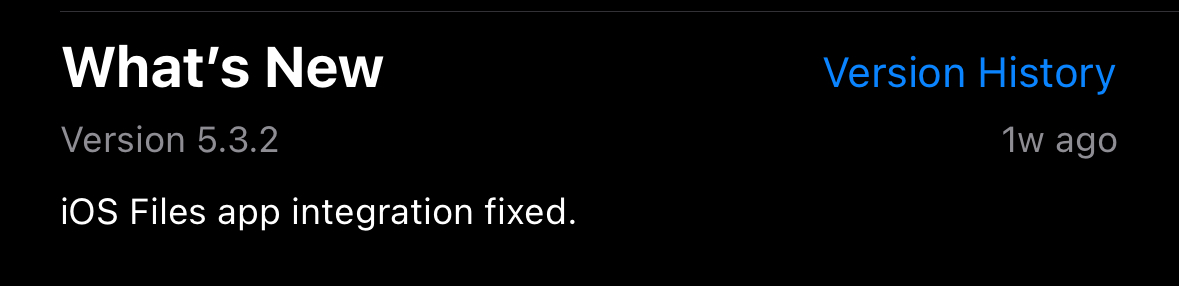
Well I decided to check the App Store and I notice the latest update seems to be relevant.