I have a general question about the Mail app’s machine learning to automatically apply the Important tag. In addition to using the web app, I also use Thunderbird as a client. Messages that NC has flagged as important, show as that in Thunderbird. However, since I’m new to using this feature, it needs to be trained yet. Will messages I unmark as important in Thunderbird train the mail app’s algorithm or do i need to use the mail app’s web UI to do this?
it’s not exactly the same but from Mail-app vs Thunderbird: Tags not synchronising properly, creating duplicate tags, etc we know TB and mail app don’t fully sync message states - likely tagging/flagging messages in TB is less effective than in mail-app (or maybe doesn’t affect it at all)
Thanks for the information. That’s too bad, but its sounds like tags just aren’t implemented consistently (primarily on the TB side).
Mail app is still aggressively flagging everything as important, and I wanted to help train it better. I use TB as my primary client so was hoping it would cross over.
As an aside, any idea how long it takes for Mail to figure out not everything is dang important? 
Hey @mez, you can turn that flagging (automatic tagging) off:
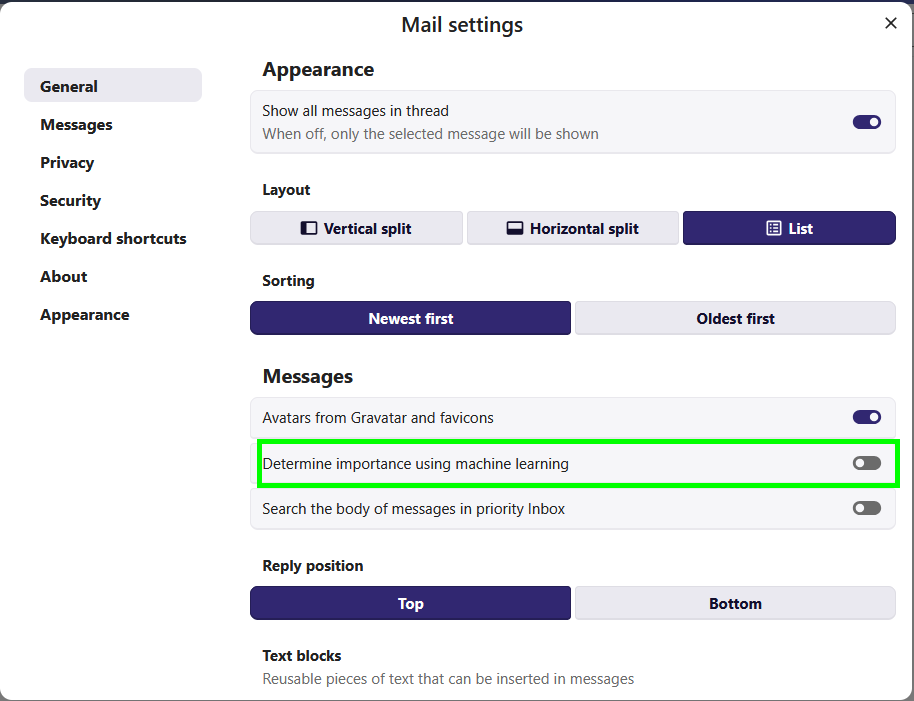
Thanks, I may need to disable it. I’ve been hoping eventually it gets smart and doesn’t flag every single message as important.
To be fair, it’s a little hard to determine if its working correctly as I don’t get a huge amount of email.
This topic was automatically closed 8 days after the last reply. New replies are no longer allowed.