Hi
I have installed the latest version of NextCloud AIO updated a few days ago & was using the previous version as well of Nextcloud, everything works perfectly apart from Backblaze s3 bucket,
Whenever i tried to upload the files from Nextcloud AIO it gives the error:
S3Exception
Error executing “PutObject” on “https://s3.us-west-001.backblazeb2.com/mybucketname/Files-Nextcloud.png”; AWS HTTP error: Client error: PUT https://s3.us-west-001.backblazeb2.com/mybucketname/Files-Nextcloud.png resulted in a 400 Bad Request response: <?xml version="1.0" encoding="UTF-8" standalone="yes"?> InvalidArgument Unsupporte (truncated…) InvalidArgument (client): Unsupported value for canned acl ‘private’ - <?xml version="1.0" encoding="UTF-8" standalone="yes"?> InvalidArgument Unsupported value for canned acl ‘private’

When i tried from the S3Bucket, it uploads and shown in the Nextcloud AIO installation, but when i does that from the Nextcloud it gives error and shows the folders and files with a 0 KB filesize (screenshot is attached below).
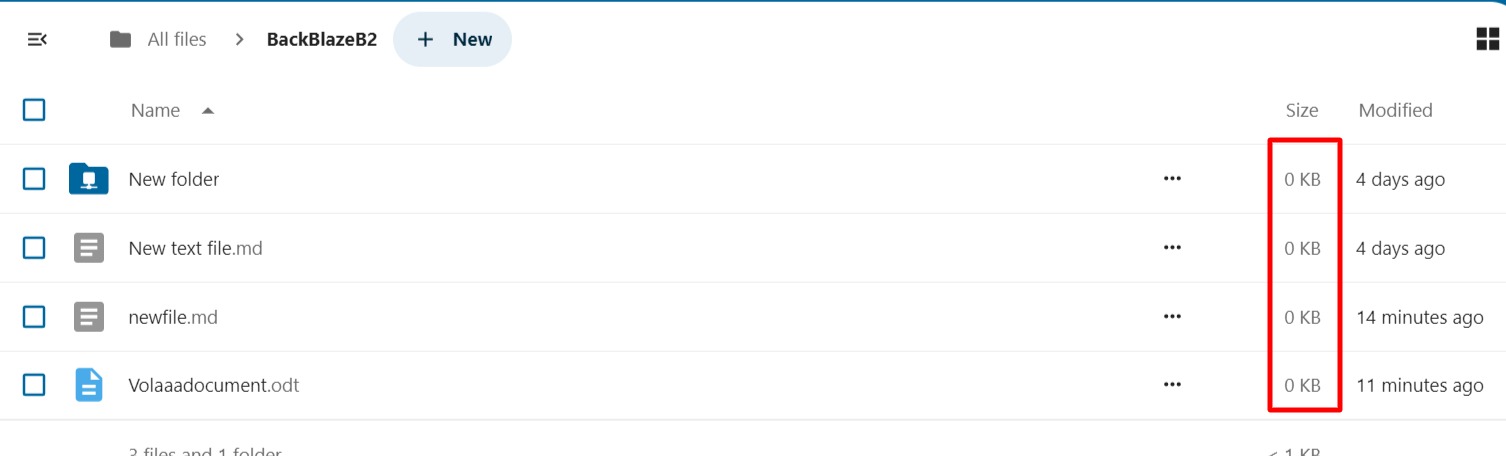
I have even tried on the previous version and currently the newer version of Nextcloud AIO but it does not works, Also i have tried “enabling and disabling the path styles” from Backblaze but it also doesn’t works with both the cases.
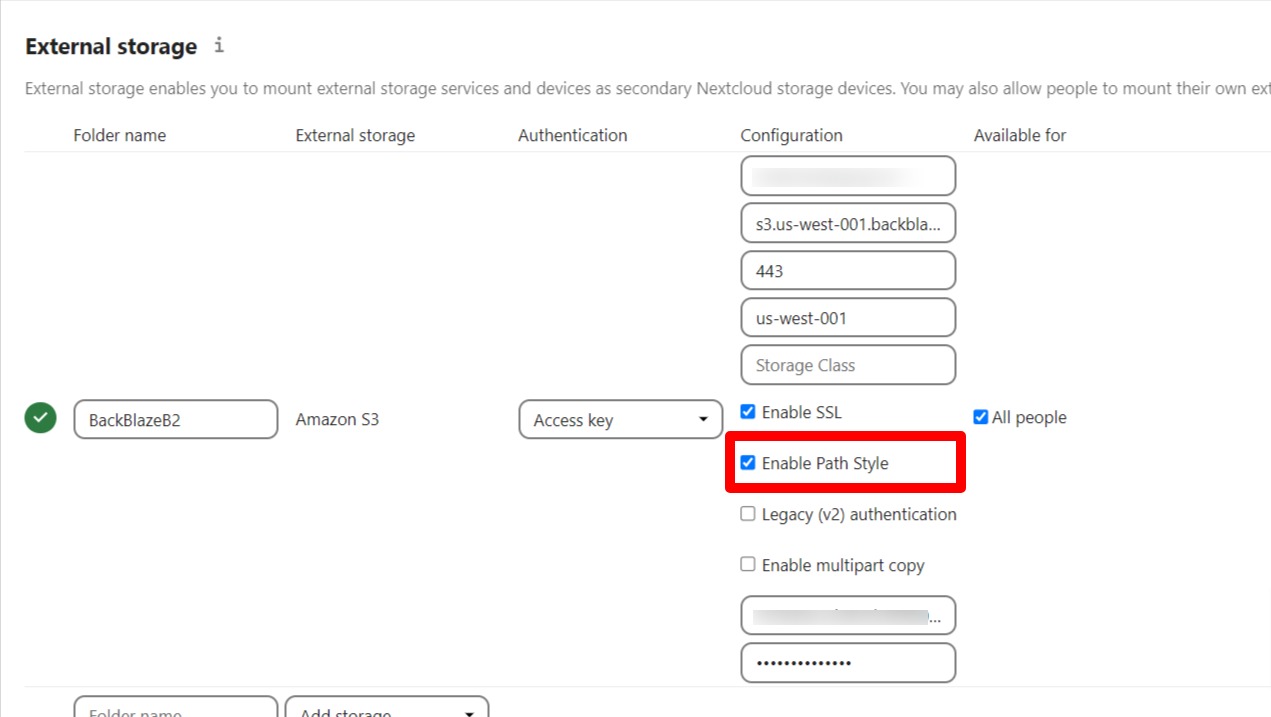

I am hoping to get the possible reason from our community to get this working, i am really stuck with this for days.Thanks