The community help forum (help.nextcloud.com) is for home and non-enterprise users. Support is provided by other community members on a best effort / “as available” basis. All of those responding are volunteering their time to help you.
If you’re using Nextcloud in a business/critical setting, paid and SLA-based support services can be accessed via portal.nextcloud.com where Nextcloud engineers can help ensure your business keeps running smoothly.
Getting help
In order to help you as efficiently (and quickly!) as possible, please fill in as much of the below requested information as you can.
Before clicking submit: Please check if your query is already addressed via the following resources:
(Utilizing these existing resources is typically faster. It also helps reduce the load on our generous volunteers while elevating the signal to noise ratio of the forums otherwise arising from the same queries being posted repeatedly).
Some or all of the below information will be requested if it isn’t supplied; for fastest response please provide as much as you can.
Operating system and version (e.g., Ubuntu 24.04):
Linux 6.1.0-25
Summary of the issue you are facing:
Is there a way to disable auto-suggestions in the invite attendees dropdown menu?
I am managing a large nextcloud instance with lots of groups and users.
All the groups are separated from each other. Users only need to be able to interact with people from their group and should not be able to know about users in other groups.
Share settings are set accordingly. But in the Attendees dropdown inside of a calendar event autosuggest will show everyone from every group including their email. Apparently invites are not affected by share settings.
This is a big data protection problem and it persists even if the Share-API is disabled. It makes using the calendar app unfit for my use case.
Is this desired behaviour or am I missing something?
Steps to replicate it (hint: details matter!):
Open an event in the calendar
Type any letter in the attendees dropdown menu
Autosuggest will show everyone in the nextcloud instance that matches the letter
Hey @Unsure welcome to the Nextcloud community forum,
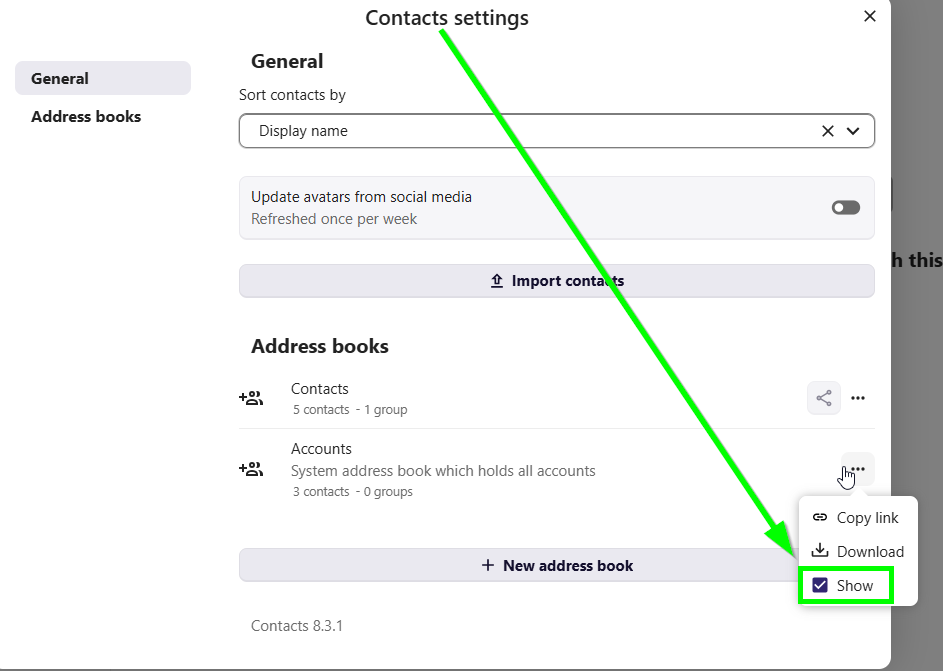
try “Contact-Settings, hide Systemaddressbook” will prevent system users from being displayed and only show personal-addressbook when creating an event in personal calendar.
Thanks for the reply, but this seems to be a user specific setting. Even if i would disable it for all users (which is not an option), couldn’t they just turn it back on?
Based on a quick look: The auto completion in the Calendar invitee list does nothing unusual from what I see in the code. It merely searches the accounts own contacts from their address books.
Unfortunately that is not how it works at the moment. Even a new account with no contacts at all in their adress book can see everyone in the cloud instance.
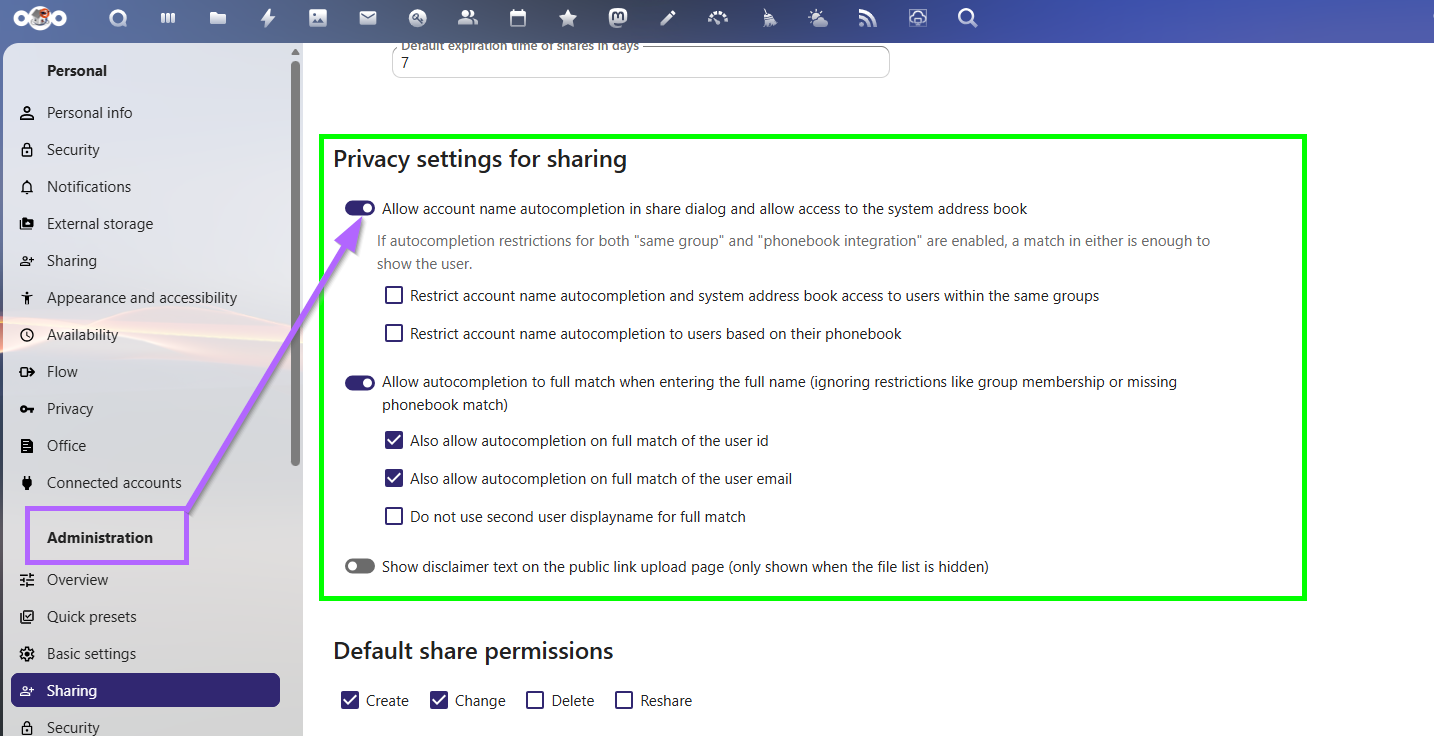
Apparently this feature was added in NC 32. Unfortunately I can’t test that right now.
But wouldn’t it affect other Apps like “Contacts” also if the SAB was disabled?
Yes, if access to the the System Address Book is enabled.
Apparently this feature was added in NC 32. Unfortunately I can’t test that right now.
The feature was added in v27. Oh, maybe the UI mechanism for it, but the config option is there via occ.
But wouldn’t it affect other Apps like “Contacts” also if the SAB was disabled?
Yes, but isn’t that what you want? Otherwise the same information you’re trying to hide from the invitee list would still be visible via CalDAV and/or the Contacts app?