Having troubles (re-)authenticating with Nextcloud-Notes app from google play (and never being really happy with this app), I was curious about alternative notes apps for nextcloud and found this: https://play.google.com/store/apps/details?id=com.brbrs.nota
It’s also on github and basically looks good regarding the permissions requested. But on google-play there are only 50+ downloads and no reviews. Also the high frequency of apps released the last weeks by this developer seems strange (maybe vibe-coding)?
Does anybody have experiences with this app or does someone know how to check this app for being secure? (for all other types of files I usually upload to virustotal, but in this case I would have to get hold of the apk).
Currently I don’t dare to install this app although it looks quite good.
@scubamuc : thanks for the prompt answer! I tried also f-droid-version. Nextcloud-main-App is installed on my phone and works well. the notes app asked for account-selection (ok) and then a parallel browser instance with authenticated login. Tried brave (default) and chrome with parallel running nc-session but the notes-app threw in all cases an (long) error message. Of course I could/should troubleshoot the root cause of that, but got the idea to search for an alternative. The Notá-app has integrated authentication - but I did not dare enter my credentials there . Cheers
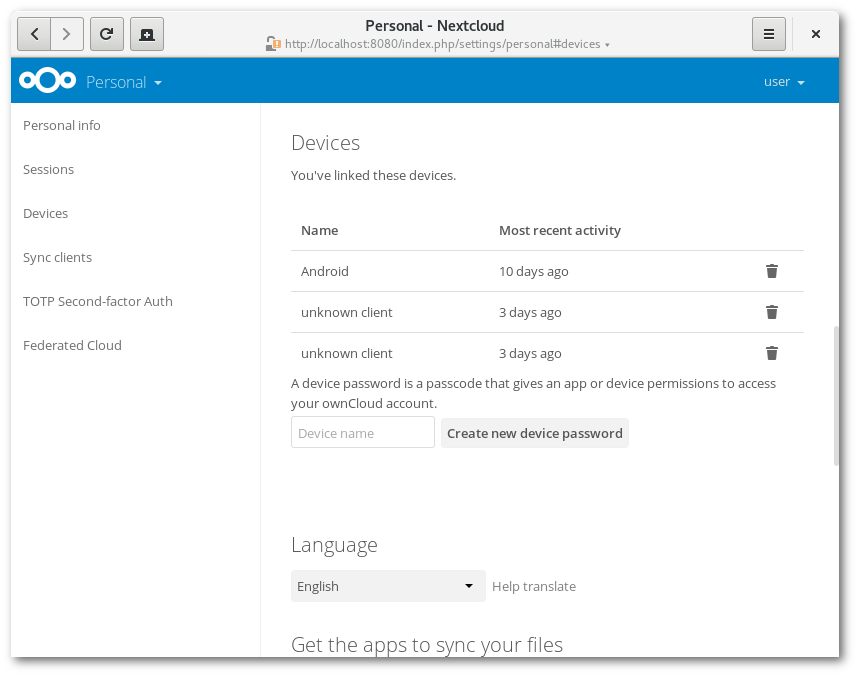
assuming you are logging in to your instance using TOTP authentication? and you do not have the Nextcloud android app incl. DAVX5 installed? → recommended, create and use device password in your user security settings
the recommended method would be to create a device password and use that to connect your “single notes app” to your instance → has the added advantage, that the device login is separate from your general user login… just in case you lose your cell, you can disable the device in your user security settings and you can use your device login for other Nextcloud apps like Talk etc. on your cell
@scubamuc This could be my problem. I am using TOTP and DAVX5, Main Nextcloud app and the calendar - all of them working excellent. I just forgot that I (very probably) have used device passwords. Thanks for the hint - I will have a closer look on that …


 . Cheers