Operating system and version (e.g., Ubuntu 24.04):
Android 13
Is this the first time you’ve seen this error? (Yes / No):
No
When did this problem seem to first start?
Everytime
Are you using CloudfIare, mod_security, or similar? (Yes / No)
I don't know
Summary of the issue you are facing:
I configured on the Nextcloud app to sync a specific folder
I created a file in that folder using Obsidian
The file is on the filesystem of Android, but Nextcloud doesn’t upload anything
The same thing done on Nextcloud Desktop instead works like a charm.
Steps to replicate it (hint: details matter!):
Install Nextcloud app and configure a folder to sync
Check also that the folder is considered for bidirectional sync
Change one file from the desktop and check that the file has been downloaded. Obsidian or another app is able to see the file
Try the opposite: add a new file from the Android app of Obsidian and wait for the sync. After 15 minutes, you’ll see that the file has not been synched
Log entries
I don’t have them. I am using a Nextcloud provided by disroot.org
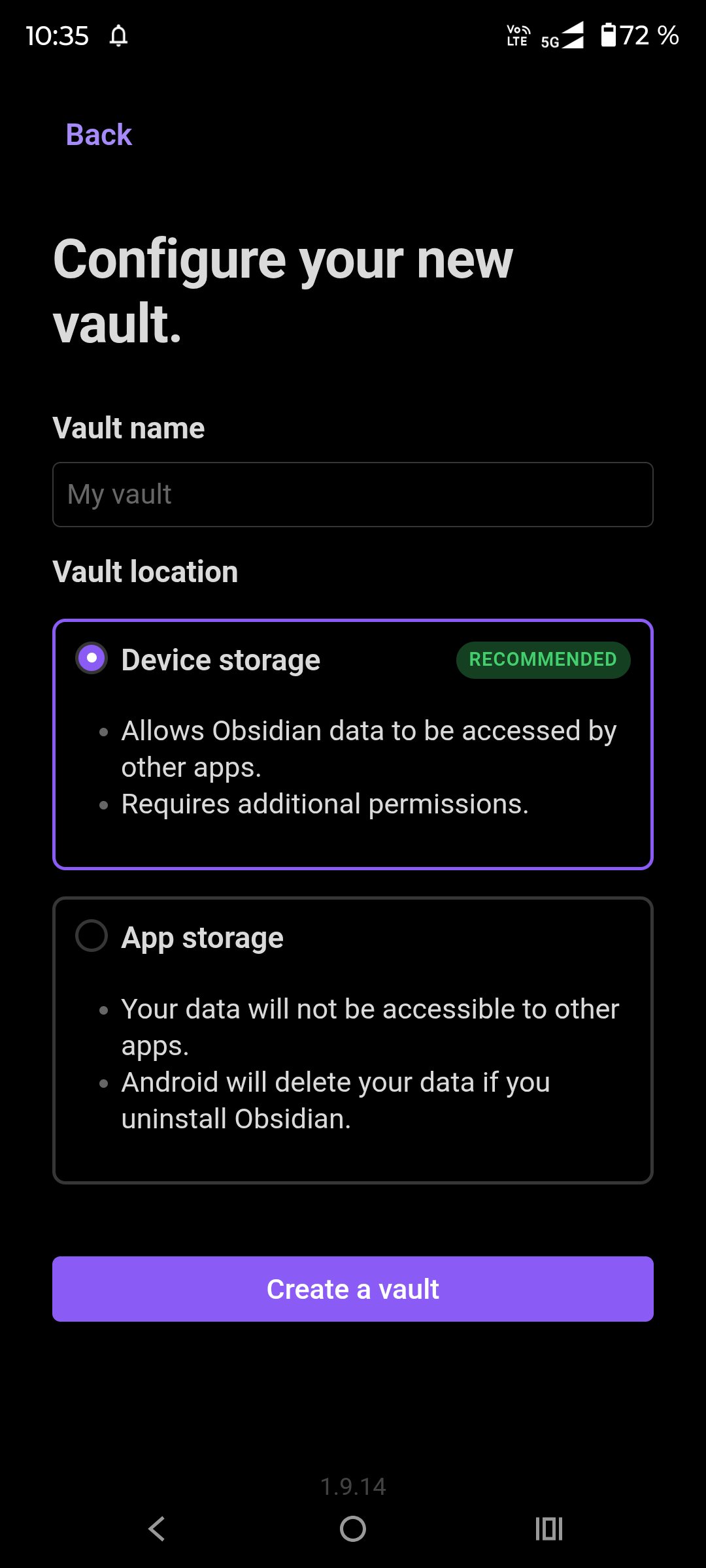
Are you sure Nextcloud can reach the folder? There are two ways to configure a new Vault in Obsidian. Device storage and App storage. If you have had used App storage ist not reachable for Nextcloud Client app.
I did never before used Obsidian just installed it for testing a few minutes ago. I used the Device storage created a new subfolder Documents/Obsidian and was within seconds able to sync a new cerated <Filname>.md in that folder but not using NC-Client on Android but FolderSync.
So first of all check whether the folder is read and write accessible for NC-Client. If so check ignored files. Maybe *.md Files will be ignored (exclouded from sync) in your Client.
If all that does not help try NC-Client from F-Droid instead of that from Googles AppStore or (like me) FolderSync.
Hi, I opened the vault from the folder I already had. So I assume it is a Device Storage.
I have additional details to share: if I edit one file that it was already synchronized, the sync works. If instead I create a new file, it doesn’t work. I am wondering if there is a issue with the app when someone set the synchronization of a folder. All the files in it should be sync automatically, right?
What do you have in mind with “the vault”? The *.md files are by default plain Text, not encrypted or such. On my NC-Server i can view them with an simple less.
Whoops, pardon me. “Vault” is in the jargon of Obsidian the root folder under which you’ll put your notes. I use one. Other people use 1 for work and 1 for personal, etc…
Download an app called cx file explorer on your android and then try syncing. Download its apk, not from google play. I downloaded it from https://cxexplore.com/cx-file-explorer-apk/. It’s safe and working quite fine.
Okay for the OS the Vault is just a normal (Sub)Folder. If you sync it it shall sync all files in the folder, except you have FIle-Names on ignore lists or example use hidden Files. At least in the Desktop-Client you need to enable syncing of hidden files.
Since i am not using Android-NC-Client but FolderSync i am not aware about current beheavior of Android-Client.
EDIT:
Android behaves with regard to hidden files similar as Unix/Linux. Hidden files or folders starting with a dot (.). like .myhiddenfile or .myhiddenfolder
Ok thanks. At the moment I solved this installing an Obsidian plugin called “Remotely Save” that sync using WebDAV. It works perfectly, so not an issue anymore on my side.
Still something that devs could take a look to improve the product
Just for info reasons:
You never wrote what NC-Client you was using. Means 3.17.3 or another one and you also not write you use that one from F-Droid or Googles-App store. The versions of F-Droid and Googles-App are not fully identical. So a problem with the version of Google-App store may or may not become also a problem with the F-Droid version. And also the version number counts. If you follow the other Threads here, you will find lots of problems reported here with the very new Version 4.0.0
I am now having this exact same issue with .md files being created by Obsidian, then not being discovered in the shared NextCloud Documents folder even when I attempt to perform a forced manual sync. If it create the same file on my Windows 11 PC, it makes it to my Android phone.