AIO: ONLYOFFICE Admin Panel password?

Hi there,

I switched from Nextcloud office to ONLYOFFICE and I am struggeling to finish the setup:
Here’s what i did:
well…stopped all containers, added ONLYOFFICE container, started container again.

basically it works just fine, but: once I browse to https://cloud.<domain>.<tld>/onlyoffice I land on https://cloud.<domain>.<tld>/onlyoffice/welcome with instruction how to finsh the setup.

I have 2 questions:

  1. while i can start the “test environment” with
    sudo docker exec nextcloud-aio-onlyoffice sudo supervisorctl start ds:example and connect to the test environment, editing a doc is not possible - just a blank page

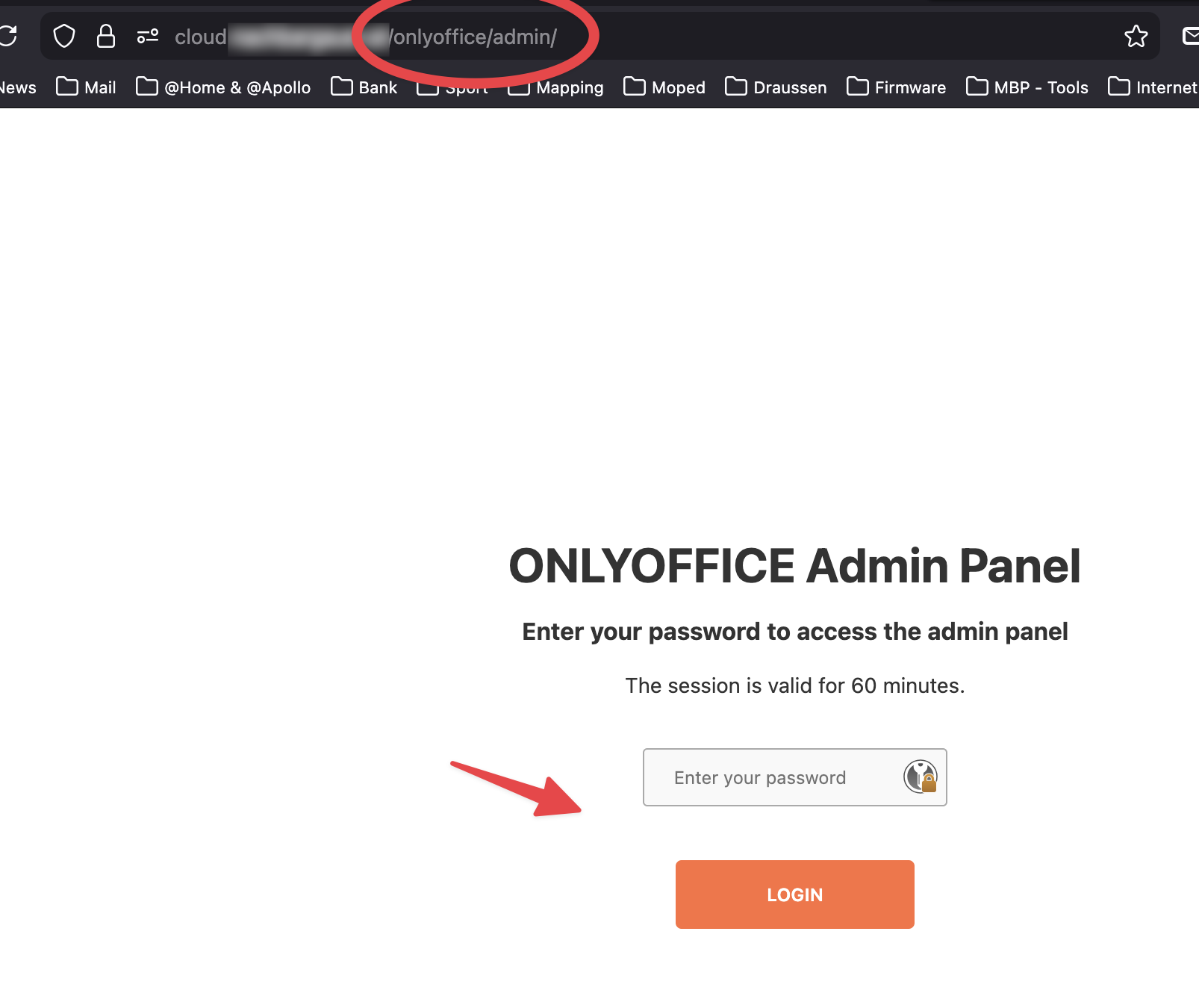
  2. when trying to access the admin panel, I am asked for a password. I learned on my testserver (onlyoffice doc server as docker deployment (sudo docker run -i -t -d -p 80:80 --restart=always -e JWT_SECRET=my_jwt_secret onlyoffice/documentserver) w/o nextcloud aio), that the initial login is done via the bootstrap token. This is not possible here… so, what is the actual password, where can i dinf it or how can i reset it?

thank you in advance!

Hi, afaik there is no onlyoffice admin password configured. However usually the setup should work out of the box.

Did you already visited the onlyoffice admin settings ans checked the connection?

Also the output of sudo docker logs nextcloud-aio-nextcloud would be helpful for further debugging.

I think there’s a misunderstanding here and i think we are talking about two different things.

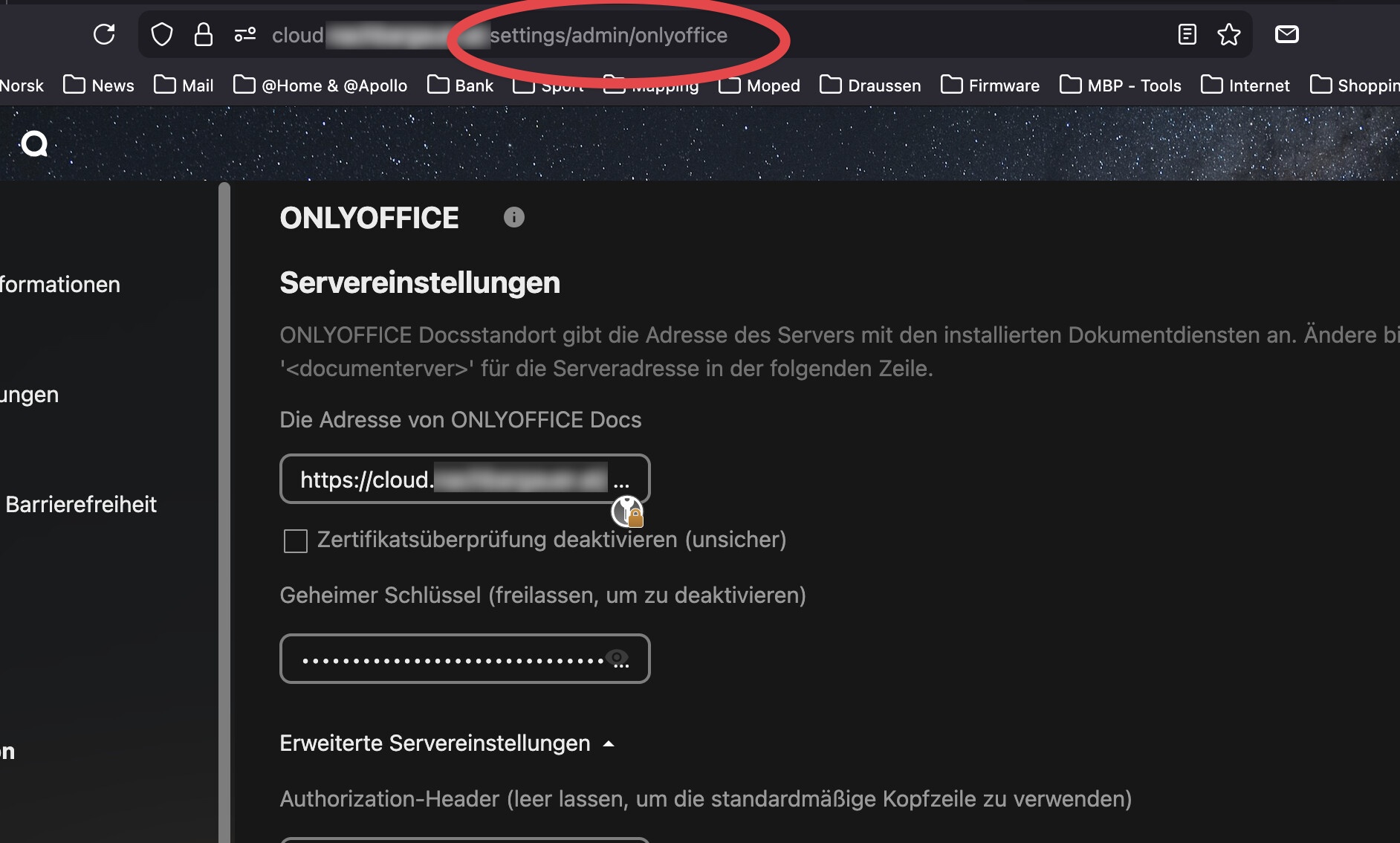
when you say “the onlyoffice admin settings” —> do you mean this page?

or this one:

the first one (the page within the nextcloud administration) is working just fine - as i mentioned in my original post.

Here’s a quick recap:

  1. it seems to work fine, when working on documents within nextcloud

  2. the welcome page and the admin panel are accessable, but i don’t know what to do with it:
    Welcome page: cant edit documents in the testing section, can’t access the admin panel

  3. the admin panel is asking for a password, which I don’t know (the bootstrap code, as mentioned in the description” is used to setup the password (i tried it on a testserver) - but during the in my AIO instance I was not asked to setup a passoword

Heres the 3rd page:

The welcome page, where you could start a test session (which is not working) and access the admin panel (where I don’t have a password for)

NOTE: seperate post for the 3rd screenshot as was not able to post 3 attachment in the previous post

I see. Honestly no clue where the admin password is set. Probably one gets generated automatically if no one is set. Probably best to ask this in an onlyoffice forum.

I found this: Using the Admin Panel for ONLYOFFICE Docs

thank you so much for trying to help :slight_smile:

i forgot to mention, that i have been there already…
thing is:

  1. in the nexcloud-aio-onlyoffice there is no runtime.json available. the closest thing is the default.json
root@nextcloud-aio-onlyoffice:/etc/onlyoffice/documentserver# ls -la
total 48
drwxr-xr-x 1 ds   ds    4096 Nov 27 08:08 .
drwxr-xr-x 1 ds   ds      58 Oct 14 12:32 ..
-rw-r--r-- 1 ds   ds   15905 Oct 14 09:53 default.json
-rw-r--r-- 1 ds   ds    2851 Oct 14 09:53 development-linux.json
-rw-r--r-- 1 ds   ds    2992 Oct 14 09:53 development-mac.json
-rw-r--r-- 1 ds   ds    3004 Oct 14 09:53 development-windows.json
-rw-r--r-- 1 ds   ds    6307 Nov 27 07:40 local.json
drwxr-xr-x 1 ds   ds      53 Nov 27 07:40 log4js
drwxr-xr-x 2 root root    21 Oct 14 12:33 logrotate
drwxr-xr-x 1 ds   ds      81 Nov 27 07:40 nginx
-rw-r--r-- 1 ds   ds    2574 Oct 14 09:53 production-linux.json
-rw-r--r-- 1 ds   ds    1898 Oct 14 09:53 production-windows.json
root@nextcloud-aio-onlyoffice:/etc/onlyoffice/documentserver#
  1. unfortunately, the adminPanel section is empty
{
  "adminPanel": {
    "port": 9000
  },

i searched the whole container for the runtime.json and even the string passwordHash

no luck :frowning:

well….thats why i opened the discussion on git (ONLYOFFICE Admin Panel password? · nextcloud/all-in-one · Discussion #7210 · GitHub)
the reason is: the docker container, provided from onyloffice, works just fine. with the welcome page, the test server and the admin panel. everything smooth.

but it seems, that the aio container is differently - so, for me it seems, that there have been some adjustments made.

You can find the code here: all-in-one/Containers/onlyoffice/Dockerfile at main · nextcloud/all-in-one · GitHub

I don’t know exactly if its the case, but i guess, the issue exists because the AIO onlyoffice integration integrates the enterprise or dev release (there is no 9.1.0.1 community edition) . Thats why the behaviour is different compared to the community edition (which works, see original post).

Nevertheless, haven’t found a solution / answer to the missing admin panel password yet.