The Basics
- Nextcloud Server version (e.g., 29.x.x):
31.0.6
- Operating system and version (e.g., Ubuntu 24.04):
Ubuntu server 24
- Installation method (e.g. AlO, NCP, Bare Metal/Archive, etc.)
Nextcloud AIO v11.1.0
- Are you using CloudfIare, mod_security, or similar? (Yes / No)
No
Summary of the issue you are facing:
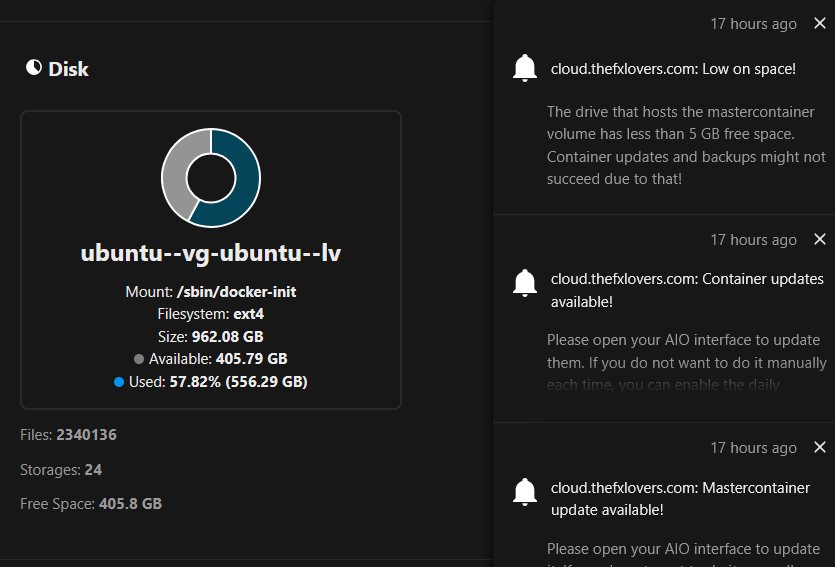
Todaz I got a warning from the Nextcloud AIO container, that less than 5 Gb left on the storage where the master container is installed.
BUT when I check my storage space I have 400+GB left.
Configuration
I’m running my Nextcloud AIO instance on a VM in Proxmox. This VM has a single virtual 1 TB disk. I’m also mounted a network share (mutliple Terrabytes) vie the SMB app in Nextcloud, that is where I store the bulk of my data.
Question
Can I safely ignore this or where can I found ‘ghost’ drive that supposedly filled up?
Thanks!