Operating system and version (e.g., Ubuntu 24.04):
Arch
Web server and version (e.g, Apache 2.4.25):
N/A
Reverse proxy and version _(e.g. nginx 1.27.2)
N/A
PHP version (e.g, 8.3):
N/A
Is this the first time you’ve seen this error? (Yes / No):
yes
When did this problem seem to first start?
upon installation
Installation method (e.g. AlO, NCP, Bare Metal/Archive, etc.)
AIO
Are you using CloudfIare, mod_security, or similar? (Yes / No)
no
Summary of the issue you are facing:
I have ports 80 and 443 forwarded on my router to my internal server.
After installing AIO I authenticate to 127.0.0.1:8080. Enter my domain name under “New AIO Instance”, and receive the following error:
The domain is not reachable on Port 443 from within this container. Have you opened port 443/tcp in your router/firewall? If yes is the problem most likely that the router or firewall forbids local access to your domain. You can work around that by setting up a local DNS-server.
I have verified there are no port conflicts on my internal server.
I have verified my domain name works because I can reach the admin UI of my router from public.
Steps to replicate it (hint: details matter!):
Install Docker container with following script:
# For Linux and without a web server or reverse proxy (like Apache, Nginx, Caddy, Cloudflare Tunnel and else) already in place:
sudo docker run \
--init \
--sig-proxy=false \
--name nextcloud-aio-mastercontainer \
--restart always \
--publish 80:80 \
--publish 8080:8080 \
--publish 8443:8443 \
--volume nextcloud_aio_mastercontainer:/mnt/docker-aio-config \
--volume /var/run/docker.sock:/var/run/docker.sock:ro \
ghcr.io/nextcloud-releases/all-in-one:latest
this makes your contianer listen on port :8443 - is this intended?
At the end your AiO installation must be accessible from everywhere - from internet and from inside of the container- at https://cloud.yourdomain.tld:443 by default (reverse proxy etc are different) - ips don’t really matter. Sometimes it fails because of strange router setting like rebind_protection
I’m planning to make a longer post about this, but I struggled for hours yesterday to get a web-facing NextCloud AIO instance set up on Linux Mint. No reverse proxies or local DNS tools (like Pi-hole, Dnsmasq, etc.) were involved, yet I kept getting the same Port 443 error as you. I finally just set skip domain verification to True, and happily enough, I was able to access NextCloud just fine.
With regard to the host, it does not matter if I use the DDNS name for my router; the private IP for my server, or sitting on the server using the localhost address. Here is the ACL in the router port forwarding:
I copied the run command from the Nextcloud AIO page on git. Here is the outputs of docker ps:
No worries! So just to confirm, is the --publish 8443:8443 step in the AIO instructions correct? Or should we replace 8443 with 443? (I’m guessing that 8443 is a Docker-specific port, but I could be wrong.)
If your firewall/router has port 80 and 8443 open/forwarded and you point a domain to your server, you can get a valid certificate automatically by opening the Nextcloud AIO Interface via: https://your-domain-that-points-to-this-server.tld:8443
the --publish parameter of the mastercontainer is only relevant for the management. the application itself - it is using port :443 but this is managed by the mastercontainer when it creates the application/apache container (use env variable APACHE_PORT if you want to adjust it).
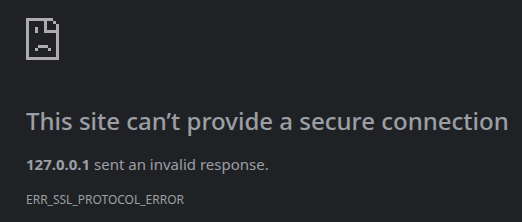
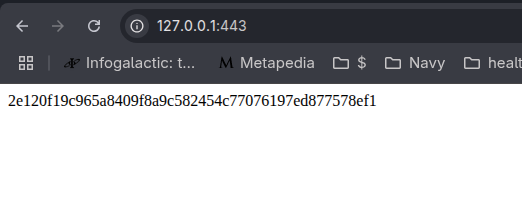




 I will never get this weird AiO stuff - I always forget the mastercontainer and apache container are different things