can you help me out with advice on how to set-up a few permissions in my case (Nextcloud Hub 26 Spring (34.0.4))?
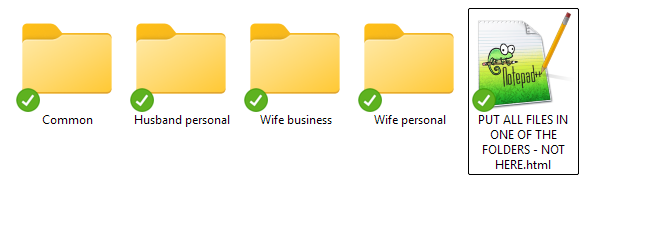
My wife and I have a shared hosted NC (so limited access to server). We have various main folders in there that need some organizing:
Folder work (wife)
Folder private (wife)
Folder private (me)
Folder common (both of us)
Currently 3 PCs in total have access and sync everything everywhere.
wife’s business laptop
wife’s private laptop
my computer
I’d like to set things up the way that my wife’s business laptop has access to the work folder only.
Her private laptop should have access to all folders.
My computer should also access all folders (as I do extra backups automatically).
What is your best idea on setting users, permissions etc.?
Should I go with groupfolders and 3 different users/persmissions or do you have any other ideas?
Plus, I’d also like to sync our phone photos the same way as our personal computers. I.e. wife’s phone’s images → into her private folder, mine → mine private folder.
First of all create an account for you and your wife. Your wife may use two different accounts for work and private use which avoids accidentally mixing files for private and professional use.
Then install group folders (it is just a Nextcloud feature, which should be available on a shared NC host as well - if not, ask the hoster, should not be a big deal) and define a group for the both of you where you can share your common stuff.
Everything else can stay on your own accounts folders and will be synced using the desktop client using the respective accounts.
Accounts:
Andrew0s wife business
Andrew0s wife personal
Andrew0 personal
Groups with a folder:
Family (Andrew0 + Andrew0s wife)
Clients:
Wife’s business laptop → using Nextcloud account “Andrew0s Wife business”
Wife’s private laptop → using Nextcloud account “Andrew0ss Wife personal”
Your computer → using Nextcloud account “Andrew0 personal”
The trick is that my personal account should be able to backup our common folder + my wifes personal + business folders + my personal folder on my PC to an external drive. Basically the full content of our NC.
So I’d need to add 3 accounts on my computer to the NC client to have all files synched? (Wife personal, wife business, me personal)
Will this also work in order to not sing in 3 accounts on my client?
Accounts and Computers:
Wife business (permission only to business folder)
Wife personal (permission to personal, common, business folders)
Me personal (permission to both personal, common, business folders)
So I’d basically create 4 group folders in order to be able to access all of them for the backup.
Otherwise I’d have no access to my wife’s personal (“root”) folder in her personal account.
The problem is, that personal accounts always stay personal - even with group folders. So even if you agree to have a group for everything to be able to backup your data, you and your wife still have your own personal areas. The group folders are just folders visible inside your accounts, but you can not replace your own personal root folder with a group folder.
So you should still have a traditional backup for all of your machines. The only alternative I see is using Nextcloud self-hosted, so you can backup the host (database, and web server root with Nextcloud and all data files) on your own. This is what I do - I run Nextcloud on my own server and use Borg backup for the backups which can keep a very long history without a lot of space required, since Borg is a quite effective deduplicator and only stores changed data blocks.