The community help forum (help.nextcloud.com) is for home and non-enterprise users. Support is provided by other community members on a best effort / “as available” basis. All of those responding are volunteering their time to help you.
If you’re using Nextcloud in a business/critical setting, paid and SLA-based support services can be accessed via portal.nextcloud.com where Nextcloud engineers can help ensure your business keeps running smoothly.
Getting help
In order to help you as efficiently (and quickly!) as possible, please fill in as much of the below requested information as you can.
Before clicking submit: Please check if your query is already addressed via the following resources:
(Utilizing these existing resources is typically faster. It also helps reduce the load on our generous volunteers while elevating the signal to noise ratio of the forums otherwise arising from the same queries being posted repeatedly).
Hi everyone.
I’m havin a Nextcloud on my Ionos server without https.
Impossible for me to add this calendar to Mac Calendar.
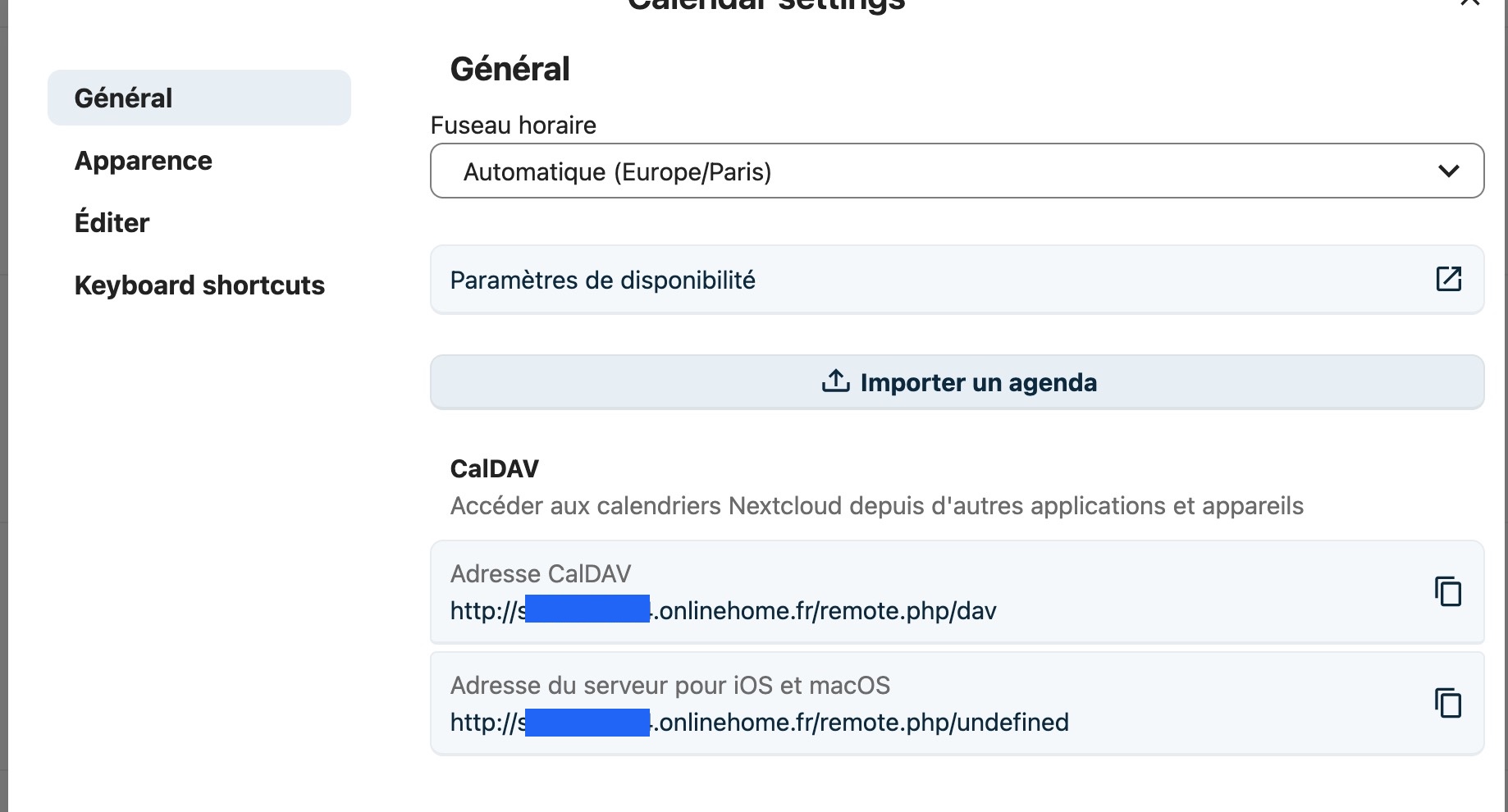
The first image shows the suggested adress in my Nextcloud calendar(agenda) / parameters.
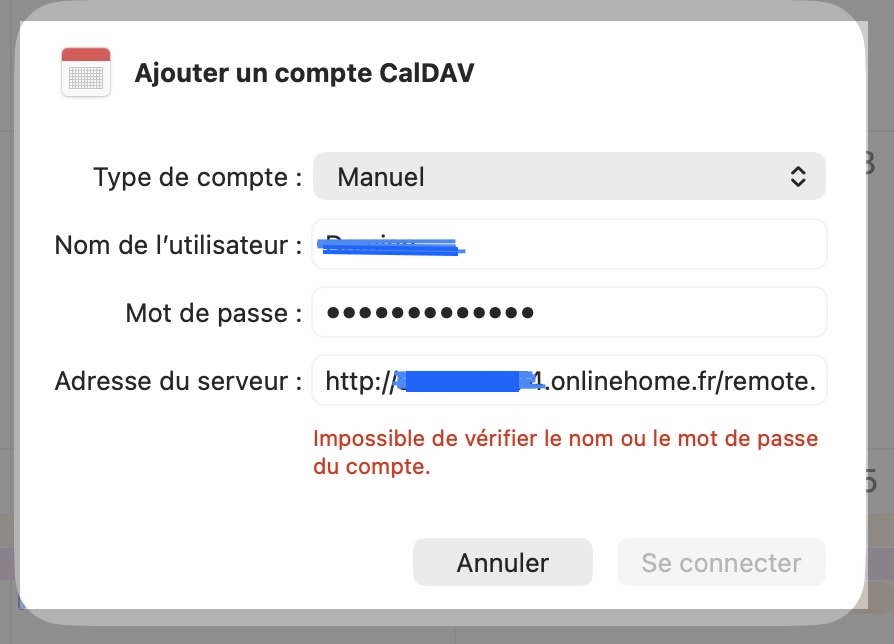
The second is the resutl in my Mac Calendar if I want to add an account.
What’s wrong ?
-The adress suggested ? I’ve also tried with http:/XXXXXX.onlinehome.fr/remote.php/dav/principals/users/My_user_name
Normally, you just give the main domain, and the service discovery will then ask for the detailed path (especially for apple devices):
As a larger Nextcloud provider, I suppose it should be installed properly on their setups. And I am not sure if they then redirect per default on https or if even apple is using this by default. Since you transfer credentials and then potentially sensitive information, I would always use the encrypted transfer (https).
The CalDAV address also includes the username. You can display the full adress in Nextcloud (Calendar → Calendar-Settings → Copy macOS CalDAV-Adress). Somethins like:
/remote.php/dav/principals/users/<username>/
However, the following problem remains:
# Troubleshooting
macOS does not support syncing CalDAV/CardDAV over non-encrypted http:// connections. Make sure you have https:// enabled
Source:
But honestly, what you’re doing here is extremely careless. From another post, I gather that you also transfer your other data unencrypted (not just calendars). Your ISP[1] or other people on the Wi-Fi network can read your password and all your transmitted data.
At this point, you would be better off with Google, Microsoft or Apple Cloud in terms of data protection… Or buy a managed Nextcloud.
[1] This also includes everyone between your ISP and your server.