My compose file in Portainer:
Blockquote
version: ‘3.8’
services:
nextcloud-aio-mastercontainer:
image: nextcloud/all-in-one:latest
init: true
restart: always
container_name: nextcloud-aio-mastercontainer # This line is not allowed to be changed as otherwise AIO will not work correctly
volumes:
- nextcloud_aio_mastercontainer:/mnt/docker-aio-config # This line is not allowed to be changed as otherwise the built-in backup solution will not work
- /var/run/docker.sock:/var/run/docker.sock:ro # May be changed on macOS, Windows, or Docker rootless. See the applicable documentation. If adjusting, don’t forget to also set ‘WATCHTOWER_DOCKER_SOCKET_PATH’!
- /home/sparky/SparkyApps/nextcloud:/mnt/ncdata # Mount your specified directory to the correct path
ports:
- 8445:8443
- 8086:8080
environment:
  NEXTCLOUD_DATADIR: /mnt/ncdata # Specifies the Nextcloud data directory path
  APACHE_PORT: 11000 # Change the internal Apache port to avoid conflicts
  APACHE_IP_BINDING: 127.0.0.1
  NEXTCLOUD_UPLOAD_LIMIT: 10G # Set the upload limit
  NEXTCLOUD_MAX_TIME: 3600 # Set the max execution time (in seconds)
  NEXTCLOUD_MEMORY_LIMIT: 1024M # Set the PHP memory limit
  SKIP_DOMAIN_VALIDATION: true
volumes:
nextcloud_aio_mastercontainer:
name: nextcloud_aio_mastercontainer # This line is not allowed to be changed as otherwise the built-in backup solution will not work
Blockquote
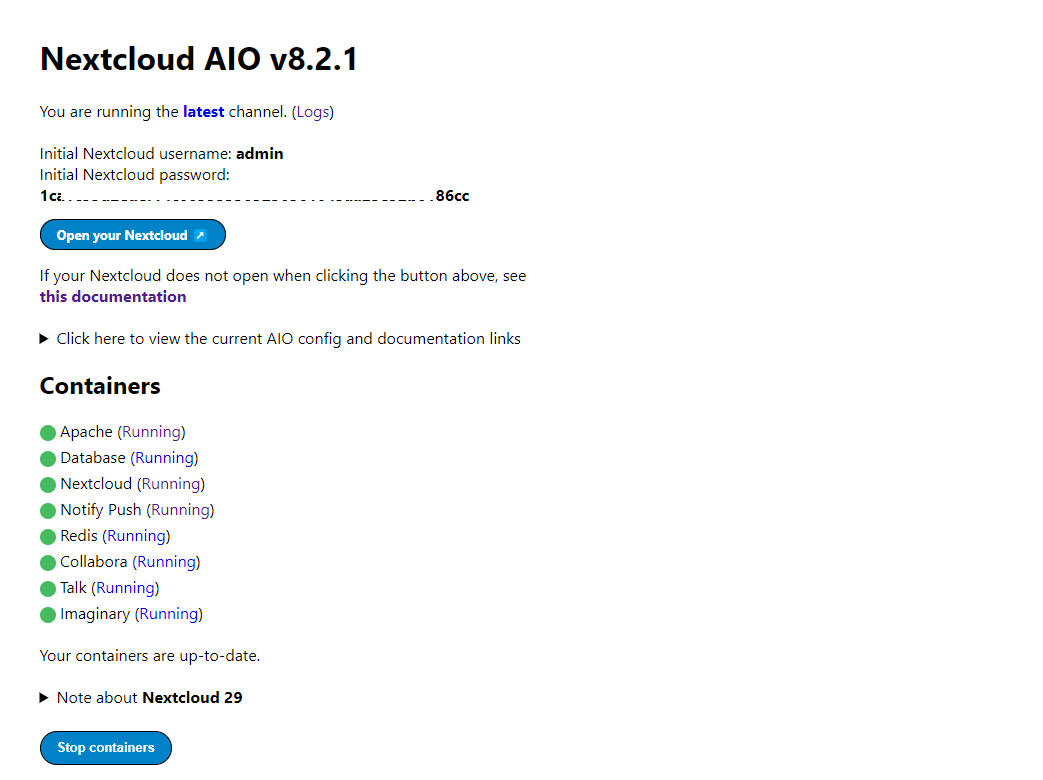
AIO admin page. It shows all are running fine.
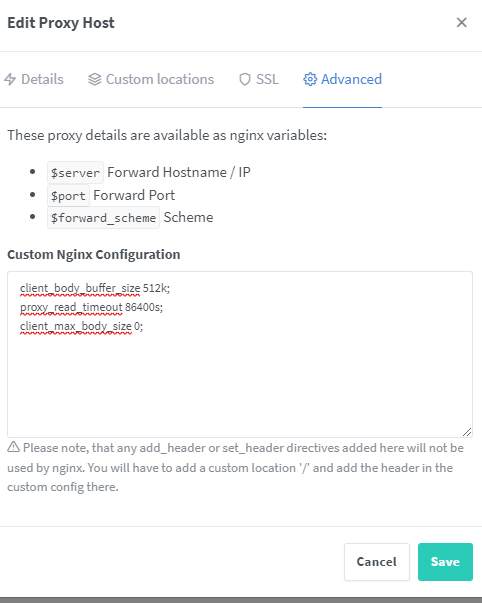
my npm configuration:


Portainer log shows this:
Trying to fix docker.sock permissions internally…
Creating docker group internally with id 988
Initial startup of Nextcloud All-in-One complete!
You should be able to open the Nextcloud AIO Interface now on port 8080 of this server!
E.g. https://internal.ip.of.this.server:8080
 Important: do always use an ip-address if you access this port and not a domain as HSTS might block access to it later!
If your server has port 80 and 8443 open and you point a domain to your server, you can get a valid certificate automatically by opening the Nextcloud AIO Interface via:
https://your-domain-that-points-to-this-server.tld:8443
INF ts=1716755477.222384 msg=using provided configuration config_file=/Caddyfile config_adapter=
[Sun May 26 20:31:17.241923 2024] [mpm_event:notice] [pid 128:tid 127522348669704] AH00489: Apache/2.4.59 (Unix) OpenSSL/3.1.4 configured – resuming normal operations
[Sun May 26 20:31:17.242007 2024] [core: notice] [pid 128:tid 127522348669704] AH00094: Command line: ‘httpd -D FOREGROUND’
[26-May-2024 20:31:17] NOTICE: fpm is running, pid 133
[26-May-2024 20:31:17] NOTICE: ready to handle connections
I get 502 bad gateway error.
