Windows treats folder and file names as case-insensitive by default, meaning “FolderA” and “foldera” are considered identical, and you cannot have both in the same location
So what you did must cause Problems.
Addendum:
Renaming Issues: If you try to rename a folder from “data” to “DATA”, Windows might not accept it immediately because it doesn’t see a difference. A common trick is to rename it to something else first (e.g., “data1”) and then rename it to the desired casing (“DATA”).
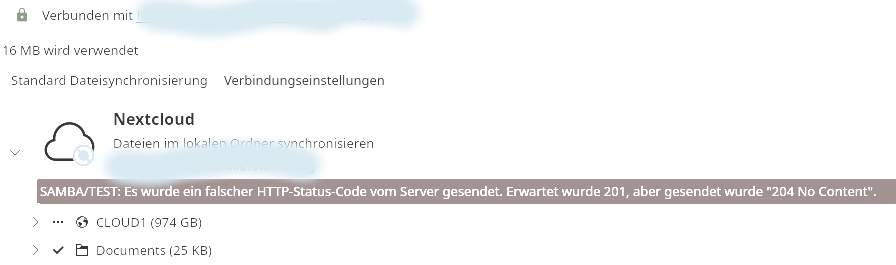
In Debian 13 with Nextcloud Desktop 3.16.7, you can rename a folder from “TEST” to “Test” in the /SAMBA folder, but an error message appears in the client:
But at least Linux doesn’t delete the folder, because if you do that with Windows, you’ll need the backup because Windows deletes the folder instead of renaming it.
For me its not clear what is the OS of the Host of the /SAMBA folder? Debian 13 with Nextcloud Desktop 3.16.7 seems to be a Client.
I did for Testing reanming on Client Win 11 Prof. a Folder from Podcasts → PodCasts. But unsimilar to you your Test → TEST is a Subfolder of the originally synced folder. LIke Podcasts/Test. So that was different to my Test. In my Test nothing was deleted. Win renamed Podcasts into PodCasts and the Client (Nextcloud-4.0.6-x64.msi) did not even noticed the name change. In the Client PodCasts was still Podcasts.
I suspect both, the Synology DS220J and the NC-Server Hardware are both placed in your local network. So i ask myself why using a SAMBA-share instead of a NFS-Share? Since both systems most likely use a Linux-based operating system, in my opinion NFS is preferable over SAMBA.