Hello,
I figured out a solution to the problem.
Here are the steps I followed.
First, I followed the steps outline in the container reset instructions.
Then I did the following.
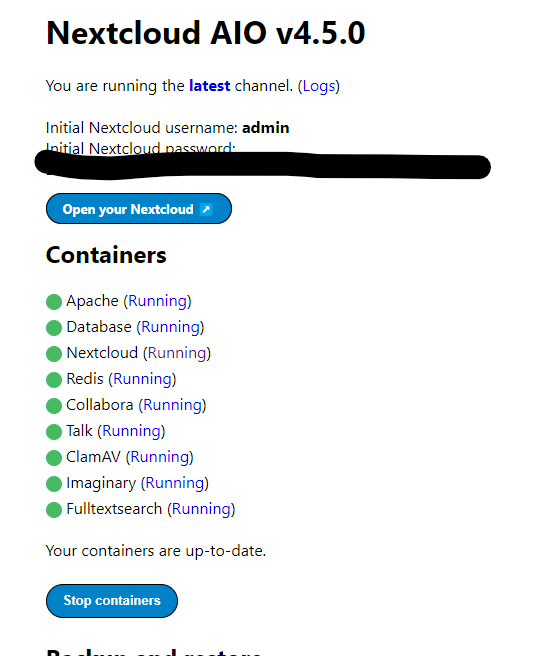
- After starting the containers in the AIO tab, I allowed Nextcloud to fully start. I did the initial login with the generated admin login and password.
- I went into the AIO tab and stopped the containers.
a. An alternative is to use these commands in an SSH prompt
sudo docker stop nextcloud-aio-mastercontainer; sudo docker ps --format {{.Names}}; sudo docker stop nextcloud-aio-apache; sudo docker stop nextcloud-aio-nextcloud; sudo docker stop nextcloud-aio-imaginary; sudo docker stop nextcloud-aio-fulltextsearch; sudo docker stop nextcloud-aio-clamav; sudo docker stop nextcloud-aio-redis; sudo docker stop nextcloud-aio-database; sudo docker stop nextcloud-aio-talk; sudo docker stop nextcloud-aio-collabora; sudo docker ps --format {{.Names}}; sudo docker ps --filter "status=exited"; - I SSHed into my server as root and copied the /mnt/ncdata directory.
a.mkdir /mnt/ncdataclone
b.cp -a -v /mnt/ncdata/. /mnt/ncdataclone - I then mounted my bucket us s3fs
a.sudo echo "ACCESS:SECRET" | sudo tee /etc/passwd-s3fs
b.sudo s3fs [BUCKET NAME] /mnt/ncdata -o passwd_file=/etc/passwd-s3fs -o umask=0007 -o uid=33 -o gid=0 -o allow_other -o mp_umask=0007 -o nonempty -o url=https:[BUCKET Provider Link].com - I performed a test to ensure the bucket was mounted.
a.cd /mnt/ncdata
b.touch test-doc.txt - I logged into my Object Storage Provider and verified the object was in the bucket. I then deleted the test file using the web interface.
- I updated the /etc/fstab file to reflect the mounting options
a.sudo nano /etc/fstab
b. I addeds3fs#[BUCKET] /mnt/ncdata fuse _netdev,allow_other,passwd_file=/etc/passwd-s3fs,umask=0007,uid=33,gid=0,mp_umask=0097,nonempty,url=https:[Bucket provider link].com/ 0 0to the last line of the fstab file. - I then copied all the documents from the ncdataclone directory into the new mounted ncdata directory
a.cp -a -v /mnt/ncdataclone/. /mnt/ncdata
b. NOTE: After each copy command, I received this error “cp: preserving times for ‘/mnt/ncdata/.’: Input/output error” This error was the error preventing the initial Nextcloud deployment on the object storage mount. Running the Nextcloud deployment on the host and then transferring the files solved the problem. - Once this was completed, I rebooted the server.
- After reboot, I logged into the admin account, made a test document in the document folder, and verified the document propagated into the object storage bucket using the bucket web interface.