gelöscht -
@stefan-franz the maintenance mode is enabled or nothing happen when you try to load web page ?
if it is in maintenance mode, do this : sudo -u www-data php /var/www/vhosts/stefan-franz.de/nextcloud/occ maintenance:mode --off
php command not found - i think i needs php V7.2 to run, that i have deleted.
Or anywhere start php 7.4
@stefan-franz what did you have in the php web menu for your nextcloud domain ?
your nextcloud is down cause php 7.4 isn’t use by nextcloud, i don’t why it not works
maybe this line can update plesk for the new php version : /usr/local/psa/admin/bin/php_handlers_control --reread
/usr/local/psa/admin/sbin/httpdmng --reconfigure-all
service httpd restart
No i installed php 7.2 again.
root@h2937523:~# sudo -u www-data php /var/www/vhosts/st6789.de/nextcloud/occ maintenance:mode --off
This version of Nextcloud requires at least PHP 7.3
You are currently running 7.2.24-0ubuntu0.18.04.7. Please update your PHP version.root@h2937523:~# php -v
PHP 7.2.24-0ubuntu0.18.04.7 (cli) (built: Oct 7 2020 15:24:25) ( NTS )
Copyright (c) 1997-2018 The PHP Group
Zend Engine v3.2.0, Copyright (c) 1998-2018 Zend Technologies
with the ionCube PHP Loader + ionCube24 v10.4.5, Copyright (c) 2002-2020, by ionCube Ltd.
with Zend OPcache v7.2.24-0ubuntu0.18.04.7, Copyright (c) 1999-2018, by Zend Technologies
URL gelöscht
@stefan-franz I don’t kown how works php update on plesk…
Maybe you can help me, that nextcloud is now going online…
@stefan-franz actually it is " online" but not working because of unsupported versions of php …
how is your php menu configuration? ( hide private info)
edit: your nextcloud is in maintenance mode?
I don’t know what you mean…where can i look it?
@stefan-franz go into your nextcloud web page and what can you see ?
gelöscht -
@stefan-franz go in your URL : https://xxx.xxxxxx.de/ all is good?
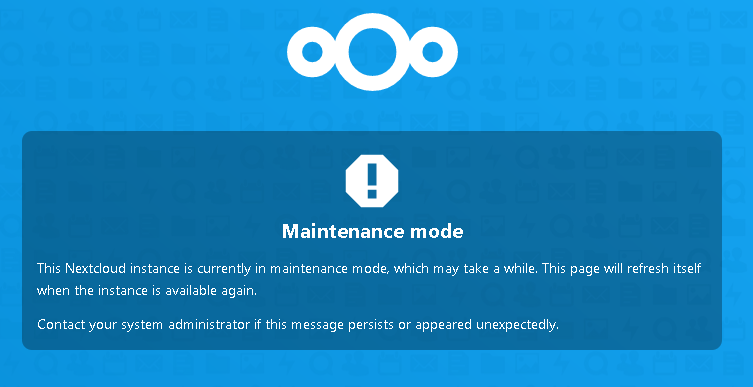
@stefan-franz ok do this and normally all should be ok :
sudo -u www-data php /var/www/vhosts/stefan-franz.de/nextcloud/occ maintenance:mode --off
after resolved your issue, I think you should delete your url from old post cause some people can be malicious
Here is the description from the plesk forum how to switch to php 7.4 - i try to do this.
I can not start it - it does not run with the sudo -u www-data php /var/www/vhosts/st6789.de/nextcloud/occ maintenance:mode --off
@stefan-franz this is strange … which error have you ?
root@h2937523:~# sudo -u www-data php /var/www/vhosts/stefan-franz.de/nextcloud/occ maintenance:mode --off
This version of Nextcloud requires at least PHP 7.3
You are currently running 7.2.24-0ubuntu0.18.04.7. Please update your PHP version.root@h2937523:~#
@stefan-franz ok try to update php with the forum solution you have send 
maybe this line can help : sudo -u www-data /opt/plesk/php/*/bin/php /var/www/vhosts/stefan-franz.de/nextcloud/occ maintenance:mode --off
replace * by the php version of used by nextcloud ( like 7.3 or 7.4)