Snap with nginx reverse proxy

The Basics

  • Nextcloud Server version (e.g., 29.x.x):
    • 34.04? (the site is currently inaccessible so that's the best I recall)
  • Operating system and version (e.g., Ubuntu 24.04):
    • Ubuntu 24.04
  • Web server and version (e.g, Apache 2.4.25):
    • Whatever that Snap version is using
  • Reverse proxy and version _(e.g. nginx 1.27.2)
    • Nginx 1.24.0
  • PHP version (e.g, 8.3):
    • Whatever that Snap version is using
  • Is this the first time you’ve seen this error? (Yes / No):
    • Yes
  • When did this problem seem to first start?
    • yesterday evening
  • Installation method (e.g. AlO, NCP, Bare Metal/Archive, etc.)
    • Snap on VPS, with Nginx added via apt later
  • Are you using CloudfIare, mod_security, or similar? (Yes / No)
    • no

Summary of the issue you are facing:

Previously working reverse proxy of Snap behind Nginx stopped working two days after I last used it, with no direct intervention on my part.

Steps to replicate it (hint: details matter!):

  1. I used this tutorial to set things up:
    Tutorial: Nextcloud snap with other services on the same server

  2. I enjoyed using it for a couple weeks.

  3. Attempting to log in now fails due to a cert error, but interestingly different depending on the browser:

    In Firefox macOS 157.0: "Unable to communicate securely with peer: requested domain name does not match the server’s certificate. HTTP Strict Transport Security: false HTTP Public Key Pinning: false:

    In Chrome macOS 154.0.8037.58: “net::ERR_CERT_COMMON_NAME_INVALID”

    It gets odder. Here’s the setup: The VPS has Nginx with a block pointing to what we can call subDomainA.domain.com, and a Nextcloud Snap container accessed via subDomainB.domain.com.

    The Firefox error reports that the cert that doesn’t check out is from subDomainB, while Chrome reports getting the cert for subDomainA.

I have a reasonable level of experience with small server admin, but not with the details of cert management or managing them with a reverse proxy.

Any guidance on next steps to diagnose or resolve welcome. Thank you for your time reading this.

Hey @RGaskin welcome back :waving_hand:

can you show your config:

View system configuration

sudo nextcloud.occ config:list system

especially your trusted domains… as both subdomains should be listed there:

Setting trusted domains

Adding multiple trusted domains manually in config.php:

  • edit config.php
sudo nano /var/snap/nextcloud/current/nextcloud/config/config.php 

and add/edit section

 'trusted_domains' =>
  array (
    0 => 'cloud.yourdomain.xyz',
    1 => 'cloud.yourotherdomain.zxy',
    2 => 'localhost',
    3 => 'nextcloud.local',
  ),

or issue occ command on host (iterating values 0, 1, 2…):

sudo nextcloud.occ config:system:set trusted_domains 0 --value=cloud.yourdomain.xyz

Caution

Be aware that the values for trusted_domains should be domain names (see FQDN). IP addresses are not domain names! See hosts & FQDN configuration.

Setting trusted proxies

Adding trusted proxies manually in config.php:

edit config.php and add/edit section

sudo nano /var/snap/nextcloud/current/nextcloud/config/config.php 

  'trusted_proxies' => 
  array (
    0 => 'your.reverse.proxy.ip',
    1 => 'your.other.proxy.ip',
   ),

or issue occ command on host (iterating values 0, 1, 2…):

sudo nextcloud.occ config:system:set trusted_proxies 0 --value="your.reverse.proxy.ip"

Caution

Be aware that these values should be IPv4 or IPv6 addresses in CIDR notation see reverse proxy documentation

Setting overwrite parameters

Nextcloud overwrite parameters such as overwriteprotocol and overwritehost are two configs that absolutely depend on your reverse proxy setup.

Be aware that some devices require an additional setting in config.php if your Nextcloud snap instance is behind a reverse proxy.

For internet facing Nextcloud snap that handles encryption itself or a pass-through reverse proxy is present it shouldn’t be necessary to set overwriteprotocol and overwritehost.

edit config.php and add/edit section

    'overwriteprotocol' => 'https',

    'overwritehost' => 'cloud.yourdomain.xyz',

or issue occ command on host:

sudo nextcloud.occ config:system:set overwriteprotocol --value="https"


sudo nextcloud.occ config:system:set overwritehost --value="cloud.yourdomain.xyz"


also be aware of correct FQDN settings

Trusted domains won’t cause a cert name mismatch though, the TLS error happens before Nextcloud is even involved. Different browsers getting different certs for the same name usually means they’re not hitting the same listener.

Two quick checks on the VPS:

sudo ss -tlnp | grep ':443'
snap changes nextcloud

The first shows who is bound to 443 on IPv4 and IPv6. A common one is a server block that only has listen 443 ssl; without listen [::]:443 ssl;, so IPv6 clients fall through to the other subdomain’s block and get its cert. Chrome and Firefox don’t always pick the same address family, which would fit what you’re seeing. Also look for the snap’s own Apache on 443, it shouldn’t be there if nginx is in front.

The second shows whether the snap auto-refreshed around the time it broke. Snaps update on their own, and that’s usually the “no intervention” change on these setups.

You can compare both paths from anywhere with:

openssl s_client -connect subDomainB.domain.com:443 -servername subDomainB.domain.com -4 </dev/null 2>/dev/null | openssl x509 -noout -subject

and the same with -6.

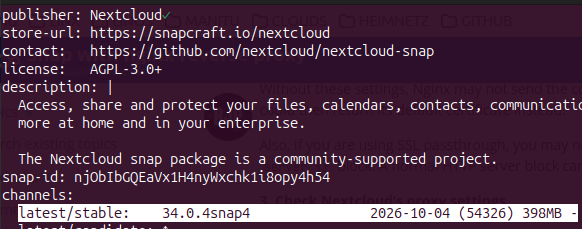
yes, that it did see snap info nextcloud

@pachulo could you take a look if that has anything to do with ripping out certbot?
https://github.com/nextcloud-snap/nextcloud-snap/pull/3555

@RGaskin how long has this instance been running? have you disabled the certbot service because you’re behind r-proxy?

This setup will assume that SSL termination and certificate management is handled by NGINX proxy manager.

The Nextcloud snap encryption and certificate renewal services may be disabled.

  • Stop and disable encryption:
sudo nextcloud.disable-https lets-encrypt

  • Stop and disable certificate renewal service:
sudo snap stop --disable nextcloud.renew-certs

…or, if you want the hands that belong to those eyes to paste it into their preferred AI chatbot for you.

Many thanks to all three of you for diving in here to help. Much appreciated.

Was out for a while, and now that I’m back I’m eager to pick up where we left off, but there’s a lot of good guidance in this thread and not sure where to begin.

Here’s the output from sudo nextcloud.occ config:list system:

sudo nextcloud.occ config:list system
{
    "system": {
        "apps_paths": [
            {
                "path": "\/snap\/nextcloud\/current\/htdocs\/apps",
                "url": "\/apps",
                "writable": false
            },
            {
                "path": "\/var\/snap\/nextcloud\/current\/nextcloud\/extra-apps",
                "url": "\/extra-apps",
                "writable": true
            }
        ],
        "supportedDatabases": [
            "mysql"
        ],
        "memcache.locking": "\\OC\\Memcache\\Redis",
        "memcache.local": "\\OC\\Memcache\\APCu",
        "redis": {
            "host": "***REMOVED SENSITIVE VALUE***",
            "port": 0
        },
        "log_type": "file",
        "logfile": "\/var\/snap\/nextcloud\/current\/logs\/nextcloud.log",
        "logfilemode": 416,
        "maintenance_window_start": 1,
        "passwordsalt": "***REMOVED SENSITIVE VALUE***",
        "secret": "***REMOVED SENSITIVE VALUE***",
        "trusted_domains": [
            "cloud.MyDomain.com",
            "localhost",
            "nextcloud.local"
        ],
        "datadirectory": "***REMOVED SENSITIVE VALUE***",
        "dbtype": "mysql",
        "version": "34.0.4.1",
        "overwrite.cli.url": "http:\/\/localhost",
        "dbname": "***REMOVED SENSITIVE VALUE***",
        "dbhost": "***REMOVED SENSITIVE VALUE***",
        "dbport": "",
        "dbtableprefix": "oc_",
        "mysql.utf8mb4": true,
        "dbuser": "***REMOVED SENSITIVE VALUE***",
        "dbpassword": "***REMOVED SENSITIVE VALUE***",
        "installed": true,
        "instanceid": "***REMOVED SENSITIVE VALUE***",
        "defaultapp": "linkboard,files",
        "mail_from_address": "***REMOVED SENSITIVE VALUE***",
        "mail_smtpmode": "smtp",
        "mail_sendmailmode": "smtp",
        "mail_domain": "***REMOVED SENSITIVE VALUE***",
        "mail_smtphost": "***REMOVED SENSITIVE VALUE***",
        "mail_smtpport": "465",
        "mail_smtpauth": true,
        "mail_smtpname": "***REMOVED SENSITIVE VALUE***",
        "mail_smtppassword": "***REMOVED SENSITIVE VALUE***",
        "maintenance": false,
        "loglevel": 2,
        "mail_smtpsecure": "ssl",
        "theme": "",
        "overwriteprotocol": "https",
        "trusted_proxies": "***REMOVED SENSITIVE VALUE***",
        "overwritehost": "cloud.MyDomain.com",
        "app_install_overwrite": []
    }
}

And here’s the Nginx file for the Snap subdomain:

server {

	listen 80;
	listen [::]:80;
	server_name cloud.MyDomain.com;
	return 301 https://$host:443$request_uri;
}

server {

	listen 443 ssl ;
	listen [::]:443 ssl ;
	server_name cloud.MyDomain.com;

	client_max_body_size 0;
	underscores_in_headers on;

	location ~ {
		proxy_set_header Host $host;
		proxy_set_header X-Real-IP $remote_addr;
		proxy_set_header X-Forwarded-For $proxy_add_x_forwarded_for;
		proxy_set_header X-Forwarded-Proto $scheme;
		add_header Front-End-Https on;	

proxy_ssl_server_name on;
proxy_ssl_name $host;

		proxy_headers_hash_max_size 512;
		proxy_headers_hash_bucket_size 64;

		proxy_buffering off;
		proxy_redirect off;
		proxy_max_temp_file_size 0;
		proxy_pass http://127.0.0.1:81;
	}
}

What should my next step be?

I believe @VPSPioneer hit the nail on the head, start by removing v6 from the equasion:

I’m afraid I don’t understand. The listener in the NGinX server block already has the IPv6 SSL on 443. What am I missing?

@RGaskin you’re not missing anything, simply remove the IPv6 block…

Still no go, I’m afraid. After simply removing the 443 block didn’t work, I also updated that Nginx file to change the 301 to “https://$host:444$request_uri;” (it had been “https://$host:443$request_uri;”). Also no go.

I’ve double-checked sudo snap get nextcloud ports, which show as expected:
ports.http 81
ports.https 444

But oddly, sudo netstat -tulnp shows an IPv6 listener on port 81 but not 444, and no IPv4 listeners for either 81 or 444.

Is that a clue or a red herring?

Active Internet connections (only servers)
Proto Recv-Q Send-Q Local Address           Foreign Address         State       PID/Program name    
tcp        0      0 127.0.0.54:53           0.0.0.0:*               LISTEN      549/systemd-resolve 
tcp        0      0 0.0.0.0:443             0.0.0.0:*               LISTEN      820/nginx: master p 
tcp        0      0 0.0.0.0:4488            0.0.0.0:*               LISTEN      1/init              
tcp        0      0 0.0.0.0:80              0.0.0.0:*               LISTEN      820/nginx: master p 
tcp        0      0 127.0.0.53:53           0.0.0.0:*               LISTEN      549/systemd-resolve 
tcp6       0      0 :::443                  :::*                    LISTEN      820/nginx: master p 
tcp6       0      0 :::4488                 :::*                    LISTEN      1/init              
tcp6       0      0 :::80                   :::*                    LISTEN      820/nginx: master p 
tcp6       0      0 :::81                   :::*                    LISTEN      2390/httpd          
udp        0      0 127.0.0.54:53           0.0.0.0:*                           549/systemd-resolve 
udp        0      0 127.0.0.53:53           0.0.0.0:*                           549/systemd-resolve 
udp        0      0 209.159.149.146:68      0.0.0.0:*                           672/systemd-network 
udp        0      0 127.0.0.1:323           0.0.0.0:*                           845/chronyd         
udp6       0      0 ::1:323                 :::*                                845/chronyd        

For reference going forward, I’ve restored the Nginx file to the listing shown above in my earlier reply, which I had obtained from the cited tutorial. So any proposed changes can use that as a basis.

Also, I can’t help but wonder if “yanking certs from the Snap” may play a role here? I have another Nextcloud snap in my internal network that has been having trouble resolving its self-signed cert since about the same Snap update.

nope, since you’re usin NGINX for TLS and it’ll be managing the certs, so the snap doesn’t do any cert stuff in your case. that can be disabled alltogether as mentioned above.

this does sound strange…
did you tell the snap which ports it should use?

can you give us some more insight into yout reverse proxy setup?
is that an NPM or plain nginx service?
how did you install nginx?

Yes, using the example from the wiki at Putting the snap behind a reverse proxy · nextcloud-snap/nextcloud-snap Wiki · GitHub

sudo snap set nextcloud ports.http=81 ports.https=444

Nginx alone.

I used:

sudo apt install nginx

Per the tutorial I started with: Tutorial: Nextcloud snap with other services on the same server

GOOD NEWS: per your earlier note about not needing the cert handling in the Snap, I double-checked how the certs are set up.

I was able to confirm I’d already removed the Snap cert with sudo nextcloud.disable-https lets-encrypt, so that much was good.

Then I ensured the cert for the Snap subdomain was in place with Nginx using: sudo certbot --nginx -d subdomainB.MyDomain.com

…and it noted that it already has a cert (seemingly good), and offered two options:

1: Attempt to reinstall this existing certificate
2: Renew & replace the certificate (may be subject to CA rate limits)

I chose option 1, and apparently the reinstall has resolved the issue.

I still don’t understand why the reinstall was needed, but I do have a much better understanding of current Snap cert setups in the current Snap config behind Nginx.

Thank you all for sharing your time and expertise.