Support intro
Sorry to hear you’re facing problems. 
The community help forum (help.nextcloud.com) is for home and non-enterprise users. Support is provided by other community members on a best effort / “as available” basis. All of those responding are volunteering their time to help you.
If you’re using Nextcloud in a business/critical setting, paid and SLA-based support services can be accessed via portal.nextcloud.com where Nextcloud engineers can help ensure your business keeps running smoothly.
Getting help
In order to help you as efficiently (and quickly!) as possible, please fill in as much of the below requested information as you can.
Before clicking submit: Please check if your query is already addressed via the following resources:
- Official documentation (searchable and regularly updated)
- How to topics and FAQs
- Forum search
(Utilizing these existing resources is typically faster. It also helps reduce the load on our generous volunteers while elevating the signal to noise ratio of the forums otherwise arising from the same queries being posted repeatedly).
Some or all of the below information will be requested if it isn’t supplied; for fastest response please provide as much as you can. 
The Basics
- Nextcloud Server version (e.g., 29.x.x):
34.0.4
- Operating system and version (e.g., Ubuntu 24.04):
Windows 10 (extended support)
- Web server and version (e.g, Apache 2.4.25):
Apache2
- Reverse proxy and version _(e.g. nginx 1.27.2)
n/a
- PHP version (e.g, 8.3):
8.3
- Is this the first time you’ve seen this error? (Yes / No):
no
- When did this problem seem to first start?
less than 2 months ago
- Installation method (e.g. AlO, NCP, Bare Metal/Archive, etc.)
bare metal
- Are you using CloudfIare, mod_security, or similar? (Yes / No)
NO
Summary of the issue you are facing:
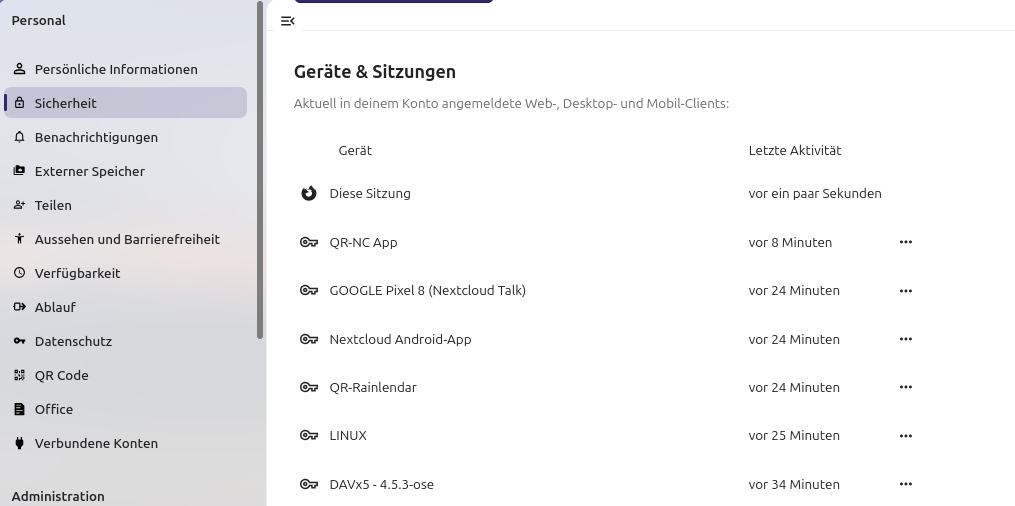
Periodically a user account is disabled. The account is non-admin. It is used with instances of NC client on 2xPCs and 2xAndroid phones. It is also used to map a drive via webdav also on at least 2xPCs. When the account becomes disabled, drive mapping (such as after a windows restart) reports an unhelpful error message, the NC client shows Server in Maintenance Mode.
I can log on to NC server with an admin account and re-enable the user account.
There is another user account (set up for test purposes) also disabled, which happens to have not been used for many months. It is not used for anything elaborate such as described above yet it too has become disabled. There is at least one other little used account that has not been disabled.
What are the criteria for a user account becoming disabled please? What actions might prevent this happening in future?
Steps to replicate it (hint: details matter!):
-
I am not able to deliberately replicate the issue, no pattern identified as yet
Log entries
Nextcloud
Please provide the log entries from your Nextcloud log that are generated during the time of problem (via the Copy raw option from Administration settings->Logging screen or from your nextcloud.log located in your data directory). Feel free to use a pastebin/gist service if necessary.
Tine sample:

Debug
circles
RuntimeException
The loading of lazy AppConfig values have been triggered by app "circles"

6 Oct 2026, 14:29:53

Debug
circles
RuntimeException
The loading of lazy AppConfig values have been triggered by app "circles"

6 Oct 2026, 14:29:53

Debug
circles
RuntimeException
The loading of lazy AppConfig values have been triggered by app "circles"

6 Oct 2026, 14:29:53

Debug
circles
RuntimeException
The loading of lazy AppConfig values have been triggered by app "circles"

6 Oct 2026, 14:29:42

Debug
dav
No calendar events found for status check

6 Oct 2026, 14:29:35

Debug
circles
RuntimeException
The loading of lazy AppConfig values have been triggered by app "circles"

6 Oct 2026, 14:29:35

Debug
circles
RuntimeException
The loading of lazy AppConfig values have been triggered by app "circles"

6 Oct 2026, 14:29:35

Debug
circles
RuntimeException
The loading of lazy AppConfig values have been triggered by app "circles"

6 Oct 2026, 14:29:33

Debug
circles
RuntimeException
The loading of lazy AppConfig values have been triggered by app "circles"

6 Oct 2026, 14:29:33

D
Web Browser
If the problem is related to the Web interface, open your browser inspector Console and Network tabs while refreshing (reloading) and reproducing the problem. Provide any relevant output/errors here that appear.
n/a
Web server / Reverse Proxy
The output of your Apache/nginx/system log in /var/log/____:
PASTE HERE
Configuration
Nextcloud
The output of occ config:list system or similar is best, but, if not possible, the contents of your config.php file from /path/to/nextcloud is fine (make sure to remove any identifiable information!):
{
    "system": {
        "instanceid": "***REMOVED SENSITIVE VALUE***",
        "passwordsalt": "***REMOVED SENSITIVE VALUE***",
        "secret": "***REMOVED SENSITIVE VALUE***",
        "trusted_domains": [
            "192.168.1.xxx",
            "m.n",
            "nextcloud.m.n"
        ],
        "datadirectory": "***REMOVED SENSITIVE VALUE***",
        "dbtype": "mysql",
        "version": "34.0.4.1",
        "overwrite.cli.url": "http:\/\/192.168.1.xxx\/nextcloud",
        "dbname": "***REMOVED SENSITIVE VALUE***",
        "dbhost": "***REMOVED SENSITIVE VALUE***",
        "dbtableprefix": "oc_",
        "mysql.utf8mb4": true,
        "dbuser": "***REMOVED SENSITIVE VALUE***",
        "dbpassword": "***REMOVED SENSITIVE VALUE***",
        "installed": true,
        "maintenance": false,
        "theme": "",
        "loglevel": 0,
        "mail_from_address": "***REMOVED SENSITIVE VALUE***",
        "mail_smtpmode": "smtp",
        "mail_sendmailmode": "smtp",
        "mail_smtpauth": true,
        "mail_domain": "***REMOVED SENSITIVE VALUE***",
        "mail_smtphost": "***REMOVED SENSITIVE VALUE***",
        "mail_smtpname": "***REMOVED SENSITIVE VALUE***",
        "mail_smtppassword": "***REMOVED SENSITIVE VALUE***",
        "mail_smtpport": "465"
    }
}
Apps
The output of occ app:list (if possible).
Tips for increasing the likelihood of a response
- Use the
preformatted textformatting option in the editor for all log entries and configuration output. - If screenshots are useful, feel free to include them.
- If possible, also include key error output in text form so it can be searched for.
- Try to edit log output only minimally (if at all) so that it can be ran through analyzers / formatters by those trying to help you.