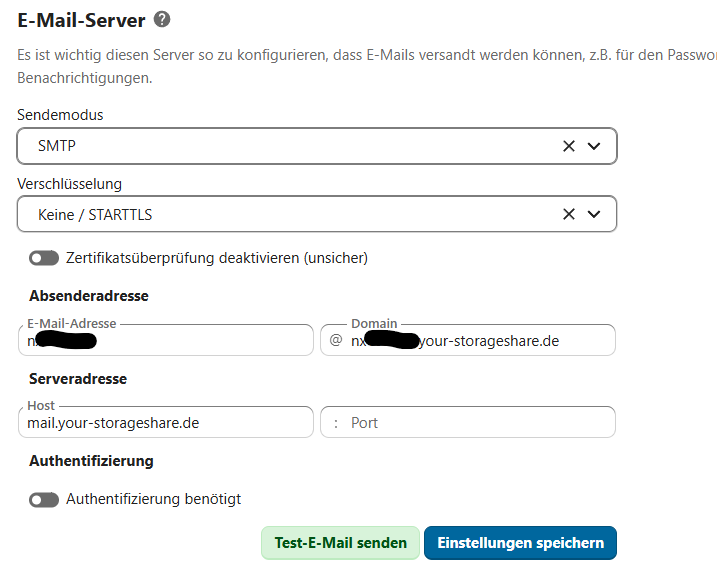
Dear Nextcloud Team,
I am having problems sending welcome emails and password reset links to users with t-online accounts. After creating an account, or when they try to reset their password themselves, they do not receive an email, or the email does not reach them. I have now encountered this problem with three different people who specified t-online as their email provider.
After I opened a ticket, Telekom asked the following questions:
What is the IP address of the mail server from which the emails are supposed to be sent?
At what times were emails intended for delivery rejected by our servers?
Did you receive a message from our servers, and what was its exact wording? Alternatively, could you assist us with any extracts from log files or a sample?
I was able to provide the following response:
These are automatically generated welcome emails from a Nextcloud instance (Storage Share) hosted by Hetzner, which is used for the *****.
We were able to reproduce the issue where these emails were not delivered to at least three different T-Online recipient addresses. A test email sent to an alternative email address on Microsoft 365, however, was successful.
The following technical information is derived from the full header of this successfully delivered message:
- Outgoing mail server: shareweb820.your-storageshare.de
- Public IP address: 91.98.240.236
- Sender address: nx*******@nx******.your-storageshare.de
- Time the successful test message was sent: 22 October 2026, 08:39:36 CEST
- SPF check at the recipient’s end: successful (pass)
- DKIM signature: not present
I do not yet have the exact times of the failed delivery attempts or any SMTP error messages. As this is a managed Hetzner instance, I do not have direct access to the logs of the outgoing mail server. However, these messages were also sent between 08:30 and 08:35. There was no response at all – neither an error message nor any other reaction.
Telekom’s response was as follows:
Dear Mr XXXXX,
in the event of a fault affecting the delivery of emails, our mail system issues an error message in the following format:
554 IP=$SENDER-IP - A problem occurred. (Ask your postmaster
for help or contact tosa@rx.t-online.de for clarification.)
Instead of $SENDER-IP, the error message naturally contains the actual IP address of the blocked system.
Although the error message is addressed to the sender of the message – as they should receive a non-delivery notification (bounce) from their mail server containing this error message – However, it states that the sender should contact their postmaster(*), or alternatively their IT helpdesk, who will, if necessary – and are welcome to do so in English – contact us to clarify the cause of the problem.
The email address provided in the error message can also be reached via any mail system that may have been blocked by us.
(*) They can usually contact their postmaster via the domain from which they received the email containing the error message.
We apologise for any inconvenience, but we need to be in direct contact with the person responsible for the listed server, as only that person can resolve the issue. Thank you for your understanding!
Can you support me in this case or what can I do?
Best regards
T.S.