I also encountered similar database related warnings after upgrading manually from 34.0.4 to 35.0.0. The occ upgrade command gave me these warnings:
    The database schema does not match what is expected for the installed version:
    - missing table 'oc_federated_invites'
    - unexpected table 'oc_ex_event_handlers'
    - unexpected table 'oc_ex_translation_q'
    - unexpected table 'oc_ex_translation'
    - unexpected table 'oc_ex_speech_to_text_q'
    - unexpected table 'oc_ex_text_processing_q'
    - unexpected table 'oc_ex_text_processing'
    - unexpected table 'oc_ex_speech_to_text'
    - unexpected table 'oc_file_metadata'
    - oc_filecache: unexpected index 'fs_storage_path_prefix'
    - oc_activity: missing index 'activity_object'
    - oc_share_external: column 'id' differs in: autoincrement
    - oc_text_steps: unexpected index 'text_steps_doc_id_id_index'
    Run "occ db:schema:check -v" for details.
Furthermore, the administration settings show me the following error on database checks:
Tables scanning sequentially
Notice ·
pg.tables_without_index_use
Failing

Some tables have many sequential scans and no index scans, suggesting a missing index.

17 table(s) have > 1M sequential scans without any index scans.

    oc_share
    oc_preferences
    oc_flow_operations
    oc_webhook_listeners
    oc_users
    oc_share_external
    oc_accounts
    oc_group_user

Add appropriate indexes to the affected tables (pg_stat_user_tables shows the full scan statistics).

Value
    17
Nevertheless, nextcloud seems to be working okay and I have not received any errors while using it. This instance is using php 8.4 and PostgreSQL 14 with only the standard set of plugins.
occ db:add-missing-indices did not change the situation.
I’ve been running into DB errors as well after upgrade to AIO 14.1.1 in docker. System works until /sda fills up and locks the system. no app in context DbalExceptionAn exception occurred while executing a query: SQLSTATE[HY000]: General error: 7 number of parameters must be between 0 and 65535 Error core QueryExceptionThe number of parameters must not exceed 65535. Restriction by PostgreSQL. Error core QueryExceptionMore than 1000 expressions in a list are not allowed on Oracle.
I can’t locate what’s causing this.
EDIT: I think it might be related to the ‘External Storage’ app current version.
Your errors look unrelated to the new tooling. To identify source you’d need to post the full log entries (full stack trace), not the collapsed entries. You may want to do so in a dedicated thread since not related.
same error type with postgresql 18
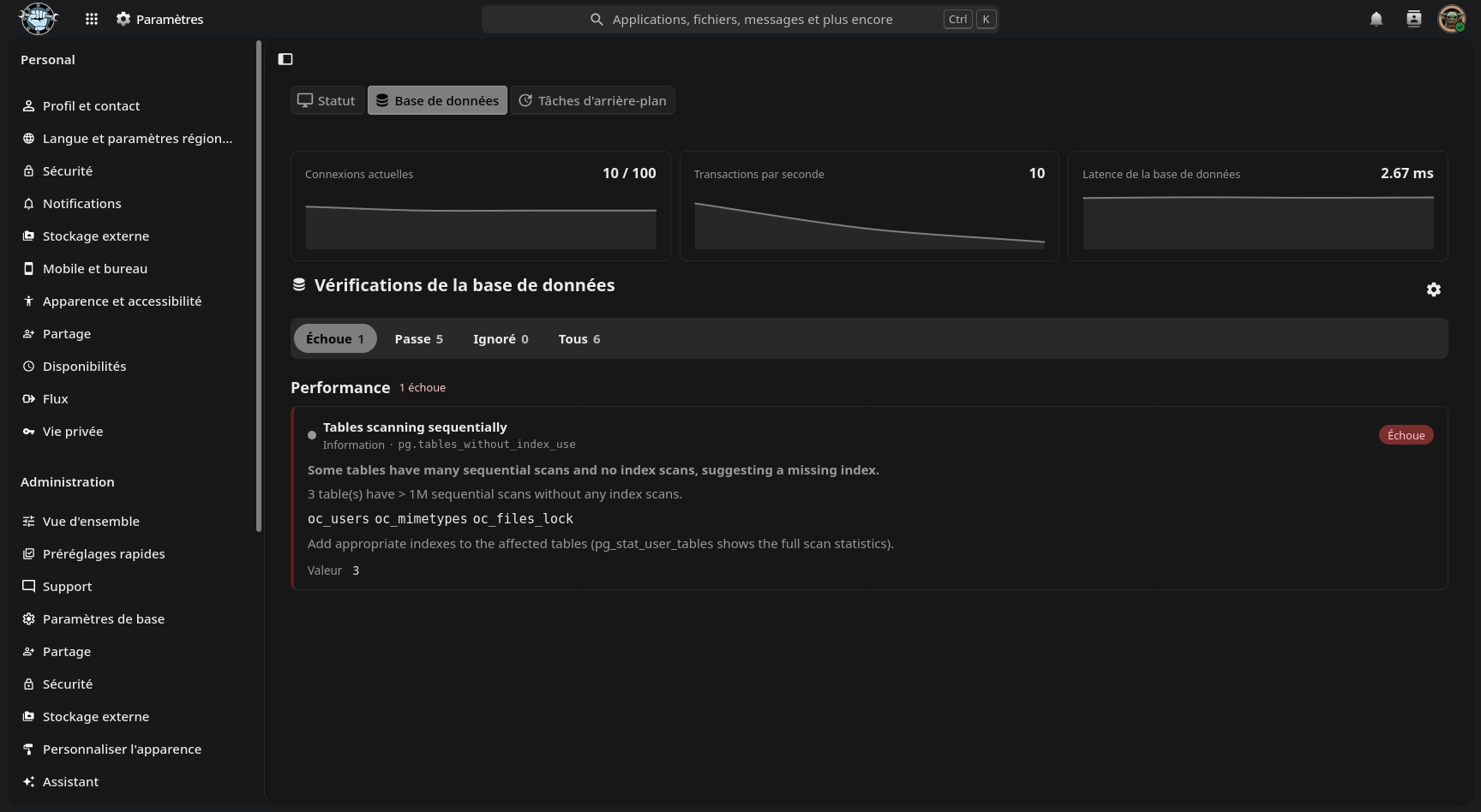
error message :
Tables scanning sequentially
Information ·pg.tables_without_index_use
Échoue
Some tables have many sequential scans and no index scans, suggesting a missing index.
3 table(s) have > 1M sequential scans without any index scans.
oc_users
oc_mimetypes
oc_files_lock
Add appropriate indexes to the affected tables (pg_stat_user_tables shows the full scan statistics).
Valeur
3
but occ db:schema:check -v missing table ‘oc_federated_invites’ unexpected table ‘oc_ex_text_processing_q’ unexpected table ‘oc_ex_text_processing’ unexpected table ‘oc_appconfig_ex’ unexpected table ‘oc_ex_speech_to_text_q’ unexpected table ‘oc_ex_speech_to_text’ unexpected table ‘oc_ex_event_handlers’ unexpected table ‘oc_preferences_ex’ unexpected table ‘oc_ex_translation_q’ unexpected table ‘oc_ex_translation’ oc_mimetypes: unexpected index ‘idx_oc_mimetypes_id’ oc_mimetypes: unexpected index ‘idx_oc_mimetypes_mimetype’ oc_filecache: unexpected index ‘fs_storage_path_prefix’ oc_filecache: unexpected index ‘idx_oc_filecache_mimetype’ oc_group_user: unexpected index ‘idx_oc_group_user_gid_uid’ oc_group_user: unexpected index ‘idx_oc_group_user_uid’ oc_groups: unexpected index ‘idx_oc_groups_displayname’ oc_groups: unexpected index ‘idx_oc_groups_displayname_trgm’ oc_groups: unexpected index ‘idx_oc_groups_gid’ oc_users: unexpected index ‘idx_oc_users_displayname’ oc_users: unexpected index ‘idx_oc_users_uid’ oc_users: unexpected index ‘idx_oc_users_uid_lower’ oc_users: unexpected index ‘idx_oc_users_uid_trgm’ oc_activity: missing index ‘activity_object’ oc_bookmarks: column ‘url’ differs in: type oc_bookmarks: column ‘title’ differs in: type oc_bookmarks: column ‘description’ differs in: type oc_bookmarks_folders: column ‘title’ differs in: type oc_bookmarks_folders_public: column ‘description’ differs in: type oc_files_lock: unexpected index ‘idx_oc_files_lock_creation’ oc_files_lock: unexpected index ‘idx_oc_files_lock_file_id’ oc_files_lock: unexpected index ‘idx_oc_files_lock_file_type_ttl’ oc_files_lock: unexpected index ‘idx_oc_files_lock_file_user’ oc_files_lock: unexpected index ‘idx_oc_files_lock_type’ oc_files_lock: unexpected index ‘idx_oc_files_lock_user_id’ oc_share_external: column ‘id’ differs in: autoincrement oc_text_steps: unexpected index ‘text_steps_doc_id_id_index’ Disabled apps (not affecting exit code): If the schema for a disabled app differs from what is expected, this might indicate the app was updated
since it was disabled. Missing migrations will be applied once the app is enabled again. app_api: - missing table ‘oc_ex_apps_talk_bots’ - oc_ex_ui_files_actions: missing column ‘default_action’ richdocuments:
**- oc_richdocuments_wopi: missing index ‘rd_wopi_expiry_idx’
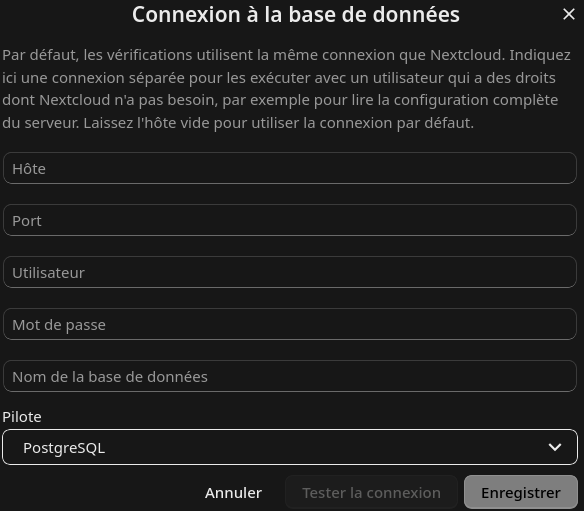
i have a 403,
when i look the debug i have :
{“message”:“Password confirmation is required”}
i suppose need to write my admin nextcloud password ?
if yes howto do ?
This is exactly what I came looking for. Earlier, I saw Nextcloud 35 was listed as an upgrade for Arch, and I added an ignore line in pacman.conf until this issue is sorted out. I’ve got years of data in the MariaDB (MySQL) database, and this looks significant enough to hold the update until it is resolved.
Thankfully, there are no reports of data loss/corruption for the most part. I’ve updated to every version since Nextcloud 25, and there have been no database issues in any prior upgrade, so it appears the database update part of the NC 35 install needs to be revisited.
The problem is well known in the bug tracker and worked on. Please follow up there. You can give it a thumbs up on the original post. Only contribute if you have additional information to help to solve the problem.
Rather than wait, I deleted my prior (failed) installation and redeployed with v35. What’s interesting is that docker shows new updated containers available, but the web admin panel shows no updates. Would you say it’s safe to proceed?