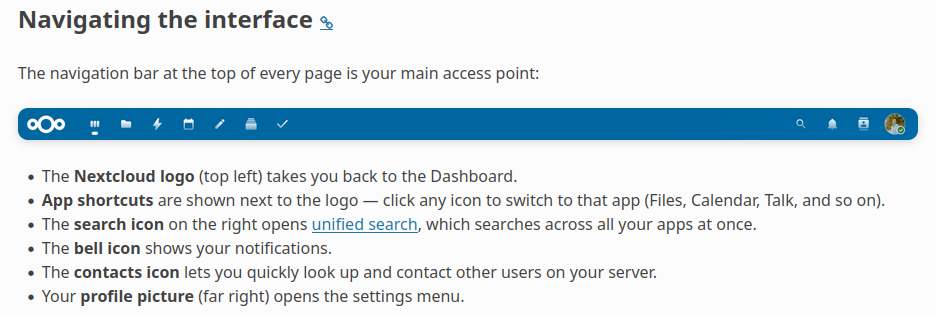
The documentation shows the applications in a horizontal taskbar at the top.
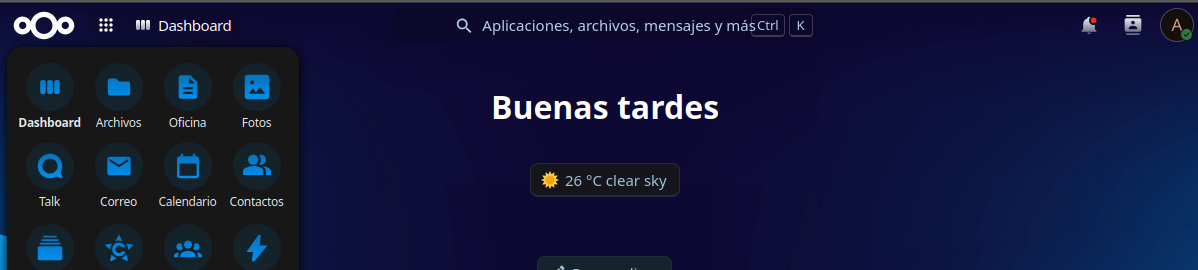
However, I only see the title of the active application next to a button that opens a menu containing the applications.
I haven’t been able to find where this option is configured; I want to see the applications in a single line, without having to open the menu.
(I am duplicating this question because I was asked to improve it, but I could not find a way to retrieve the original question, which remained in a pending-moderator-validation state.)
First of all and most important: welcome to the communityforum for Nextcloud where volunteers try to help other users during their sparetime.. @rodrigo1
then… apparently the documentation is outdated, at least in terms of screenshots… since from v34 on the official screen looks like the ones you posted… keyword “waffle menu”.
Anyways… tough you could try to use the app “custom menu” like I do. And so you can get back the “classical” view.
Plus I saw another app (a new one by some 3rd party) that promises to bring back the classic style as well…
Yes, Custom Menu is the solution. Thank you very much for your help.