Overview
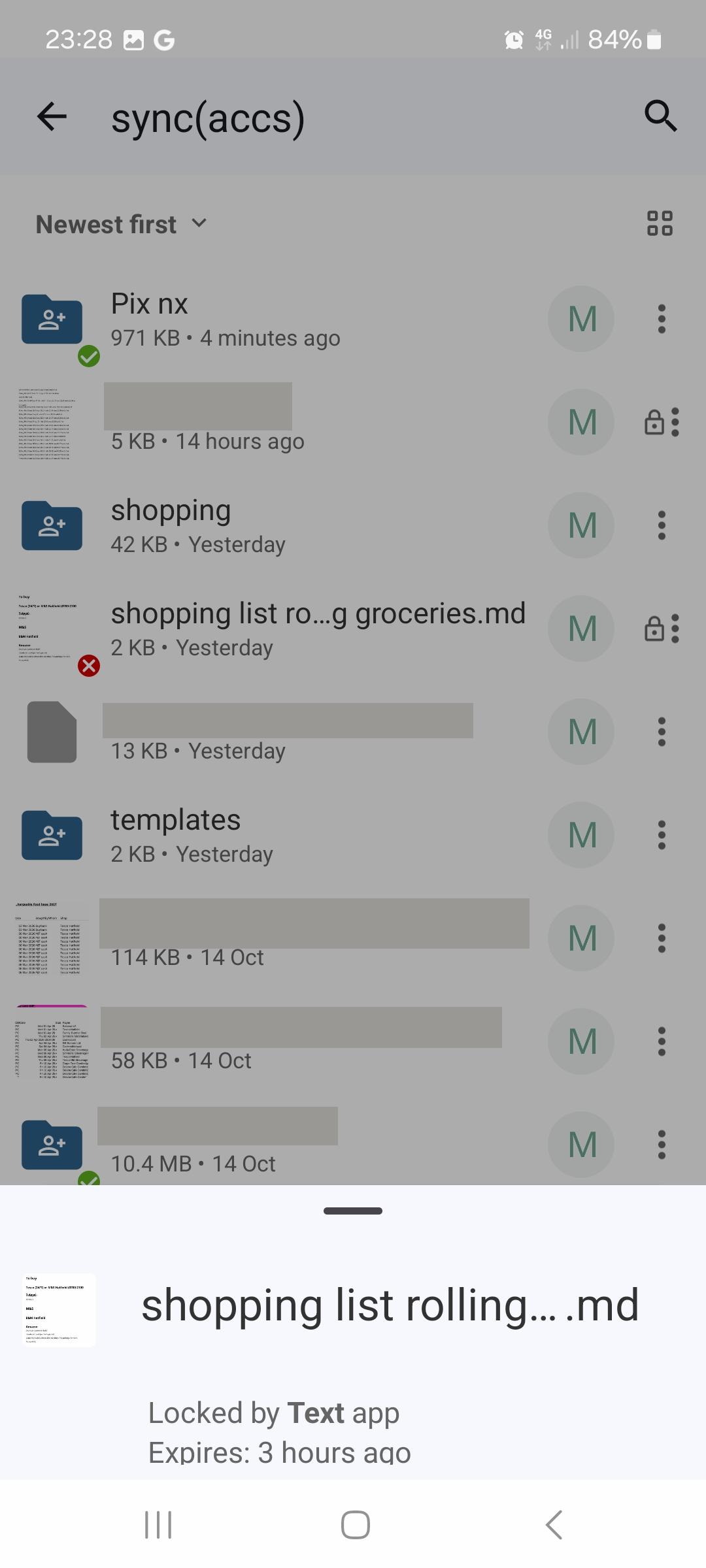
On a Nextcloud server used only by one user for personal use only, the Android app and web interface (on a Chromebook and Linux desktop) report that some files are locked, thus prevent editing. The files that should be edited are text files (*.md) in the in-built text editor.
The server’s belief in the file lock is false. There is only one user, so there is no other user to lock the files. And the files are accessed only on one device at any one time.
Sometimes, the screen reports that the lock expires in 3 hours ago. So… why is the file still locked.
The Basics
- Nextcloud Server version (e.g., 29.x.x):
34.0.5 as All-In-One.
- Operating system and version (e.g., Ubuntu 24.04):
Linux, not sure which version (hosted by Linode). Probably Ubuntu.
- Web server and version (e.g, Apache 2.4.25):
d/k
- Reverse proxy and version _(e.g. nginx 1.27.2)
d/k
- PHP version (e.g, 8.3):
d/k
- Is this the first time you’ve seen this error? (Yes / No):
Second time. Updated server to 34.0.5 Thu 22Oct2026 re the PHP hack thing. Updated server previously on Sun 18Oct2026 to the then latest available via AIO and the bug started from that update (and has persisted into 34.0.5). Linux desktop Nextcloud Desktop Client is v35.0.0. The desktop client opens the same file as read-only, showing at such in the app window's title bar.
- When did this problem seem to first start?
After server updated to the then available via AIO on Sun 18Oct2026.
- Installation method (e.g. AlO, NCP, Bare Metal/Archive, etc.)
AIO
- Are you using CloudfIare, mod_security, or similar? (Yes / No)
no
Steps to replicate it (hint: details matter!):
-
Use app normally.
-
Go into a text file. In web interface, in Android app, either one or even both.
-
Edit text file.
-
Come out of file.
-
Go back into file. Try to edit it.
-
Fail. File is wrongly locked. Padlock appears next to filename.