Does Nextcloud Files for macOS (with virtual files enabled) work for you in production?
What do I mean by that? I’ll give it a try to explain it. Bear with me, there is a reason why this text is so long 
I use Nextcloud personally. Totally happy. It is fast, and it syncs my 14 GB or 10k files perfectly fine. I use the old traditional sync method.
I do IT support for a living. Some of my clients use OneDrive, some Dropbox, some SMB, some Google Drive.
On a surface level, they all work.
If you dig a little bit deeper, cracks start showing up.
The main “problem” is that many companies want what they had with SMB shares: all files in one place. And this can mean 10 TB data that consists of 1 million files.
OneDrive on Windows with many files
This one is a complete mess. The number of times you have to reset the desktop clients because a file will get stuck forever is astonishing. Sometimes even a reset is not enough, and even MS will tell you to reinstall it.
Dropbox on Windows and macOS
Dropbox is dead slow. Sometimes it isn’t honoring make files available offline setting, but most of the time, it won’t fail, and syncing works.
And props to Dropbox for even admitting that their client can’t really handle 500k+ files. The client will show you a warning if you try to sync more than that.
GDrive on macOS
I lost data once 2 years ago and recently was able to replicate that data loss.
This is how it happened.
Folder1 contains helloworld.txt.
Folder2 is empty.
I move helloworld.txt from folder1 to folder2 and delete folder1.
What I expect to happen: move helloworld.txt to folder2 and delete folder1.
What actually happens: it will delete folder1 plus delete helloworld.txt inside folder2. The file is in the trash bin, but if you don’t notice it, you have data loss.
Reason I think that happens: The client did not catch that helloworld.txt was moved to a different folder yet. It deletes folder1 and thinks that it also has to delete all files in folder1, which it does based on a hash. So it deletes helloworld.txt inside folder2 too.
Nextcloud on macOS
Following situation: two graphic design friends of mine whom I’m trying to onboard to Nextcloud (hosted by Hetzner) moved roughly 100 GB onto Nextcloud.
Both use File Provider.
Side notes: What a strange name, especially when translated into German, where it makes no sense. Even VFS or virtual files was better. The documentation is also a complete mess.
Desktop manual is in no way representative of what a user sees when using version 35.
So, in the following text, when I say resetting, what I mean is this button in this picture:
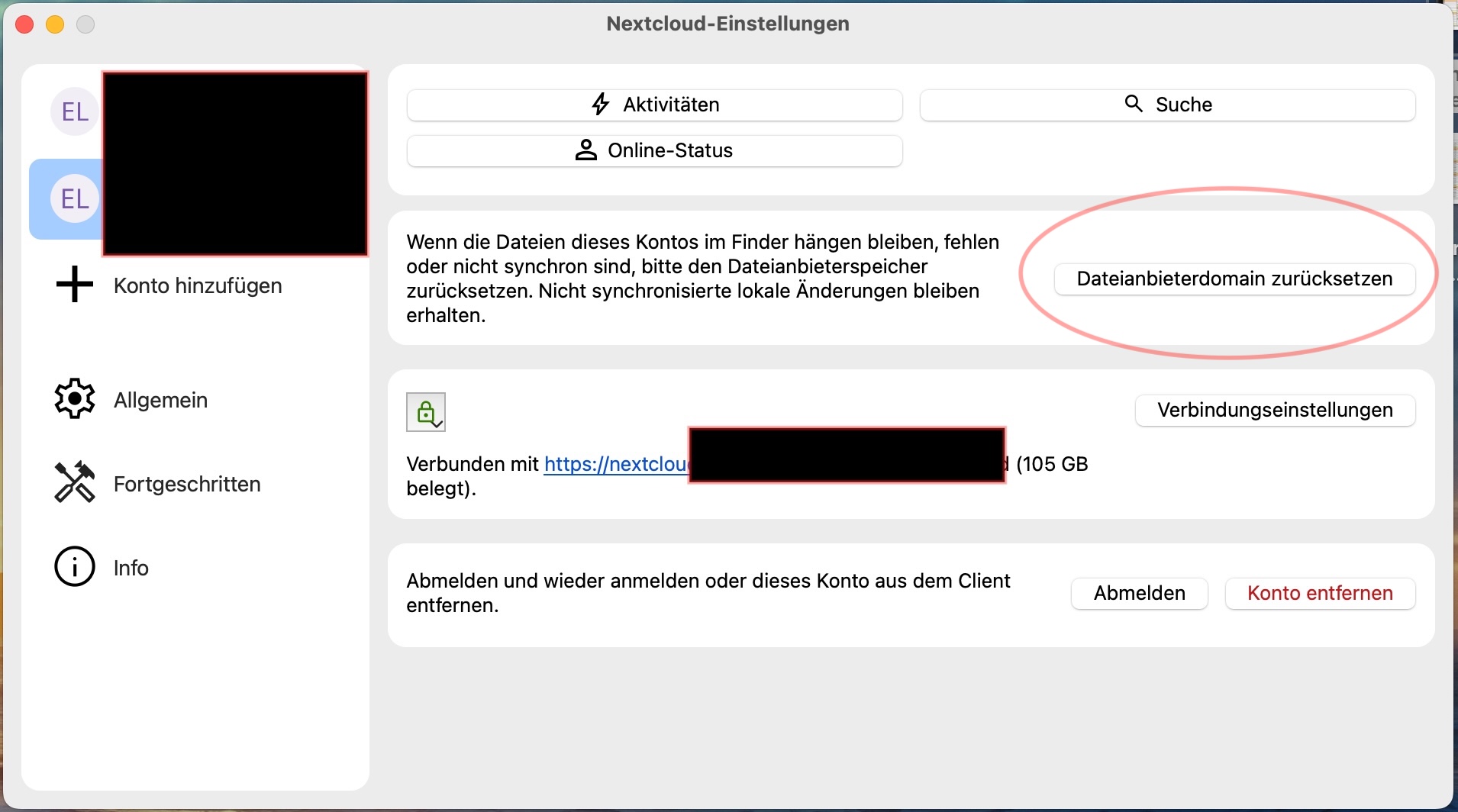
Friend1: The client got stuck syncing. The logo erratically switches from syncing to green check. It shows an error that some macOS sparsebundles were not synced. Resetting the client showed that a few files she created were not uploaded.
Friend2: Everything looked fine. It showed a green check for days. Yesterday, she created a folder on her PC at home. It did not show up on her macOS. She is smart, so she checks online whether the folder arrived at the server. It did.
So we also reset her client. The folder reappears, but we also see that many files were not uploaded. She gets a huge list of empty folders she has to look through, and some of them contain files that are actually missing.
Pretty bad first impression 
Why do they lie?
I can’t wrap my head around why most of these clients lie about the sync status.
I get that it can take some time for my client to notice when someone else adds a file. But when a client starts, why can’t it just show “checking for changes” until it REALLY checks every single folder for changes BEFORE saying that “all is synced”?
Does Nextcloud on macOS actually work?
Maybe these two incidents were just a migration one-off. Maybe not. We will find out. I am honestly shocked at how bad all these desktop sync applications are. Dropbox might be dead slow, but it was the only one where I did not have any real accidents.
I am interested to hear your stories. Especially if you, unlike me, have more than a few thousand files in Nextcloud.